You can easily manage billing contacts from Venue Manager to make sure invoices are sent to the right staff member. Only account owners and billing contacts will receive billing-related notifications.
You will only be able to add a staff member as a billing contact if they have an active staff member account in ROLLER.
Make a staff member a billing contact
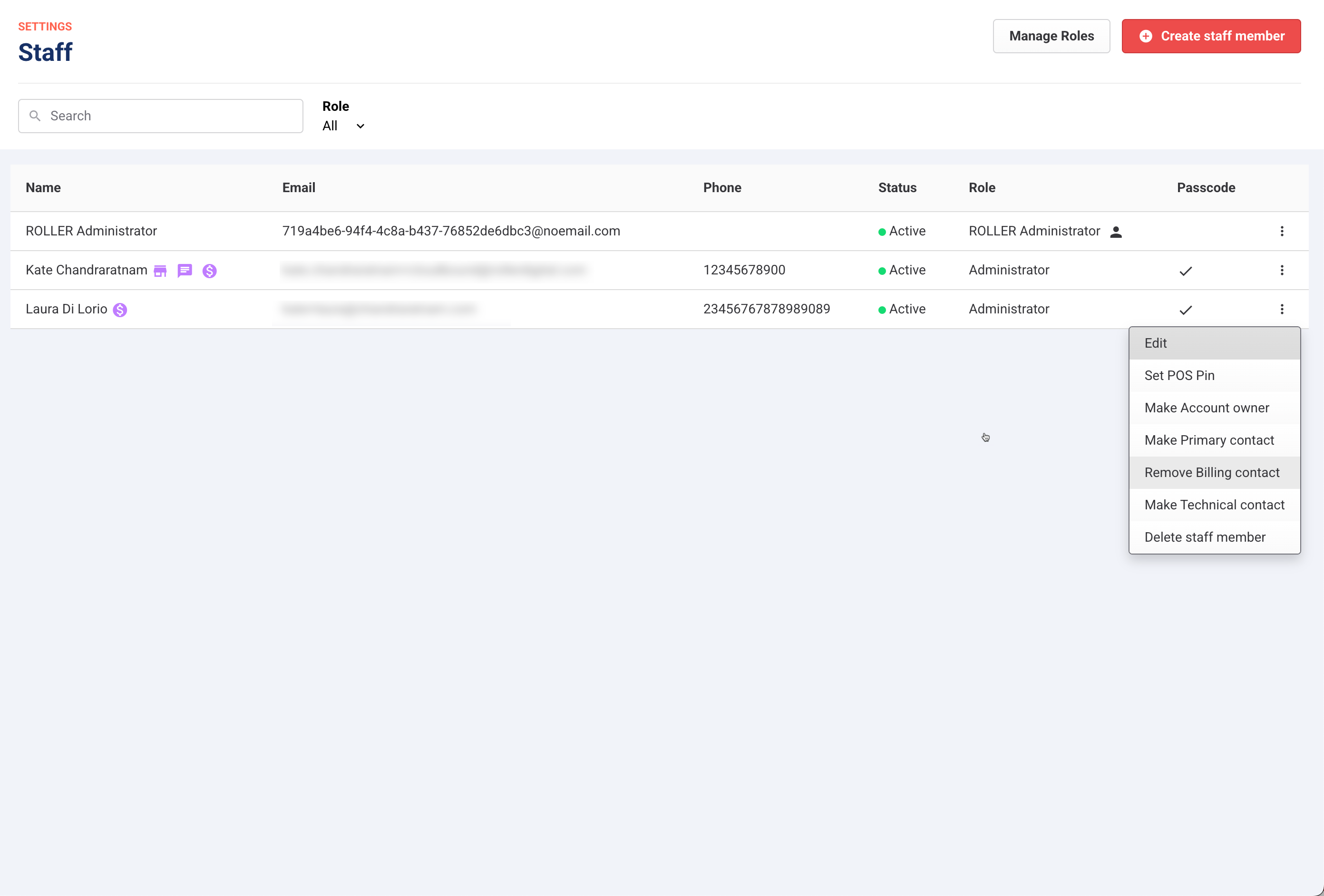
From Venue Manager, go to Settings > Staff > All staff.
For the staff member, select the options menu (3 dots).
From the drop-down, select Make billing contact.
Remove a billing contact
To remove a billing contact, for the staff member, select Remove billing contact from the options menu (3 dots).
Monitor and update these staff contacts periodically, but particularly when there are staff changes. This makes sure invoices and relevant billing notifications regarding outstanding invoices and payment failures are received by the right person at your venue.
This is especially important in the event that access to your platform is suspended due to non-payment as the billing contact and the account owner will immediately be able to log in to the platform and pay for outstanding invoices to restore access.
Read more about how non-payment can result in your account being suspended.