You can trace every charge on a ROLLER invoice back to a line item, so you know exactly what you are paying for before it falls due.
ROLLER subscription invoices are emailed as a PDF to the billing contact and account owner at intervals based on your order form. This can be monthly, quarterly or annually.
To learn how to add or modify the billing contact to your account, see the guide Add staff members as billing contacts.
Subscription invoices
Below is an example of ROLLER’s Pro subscription invoice:
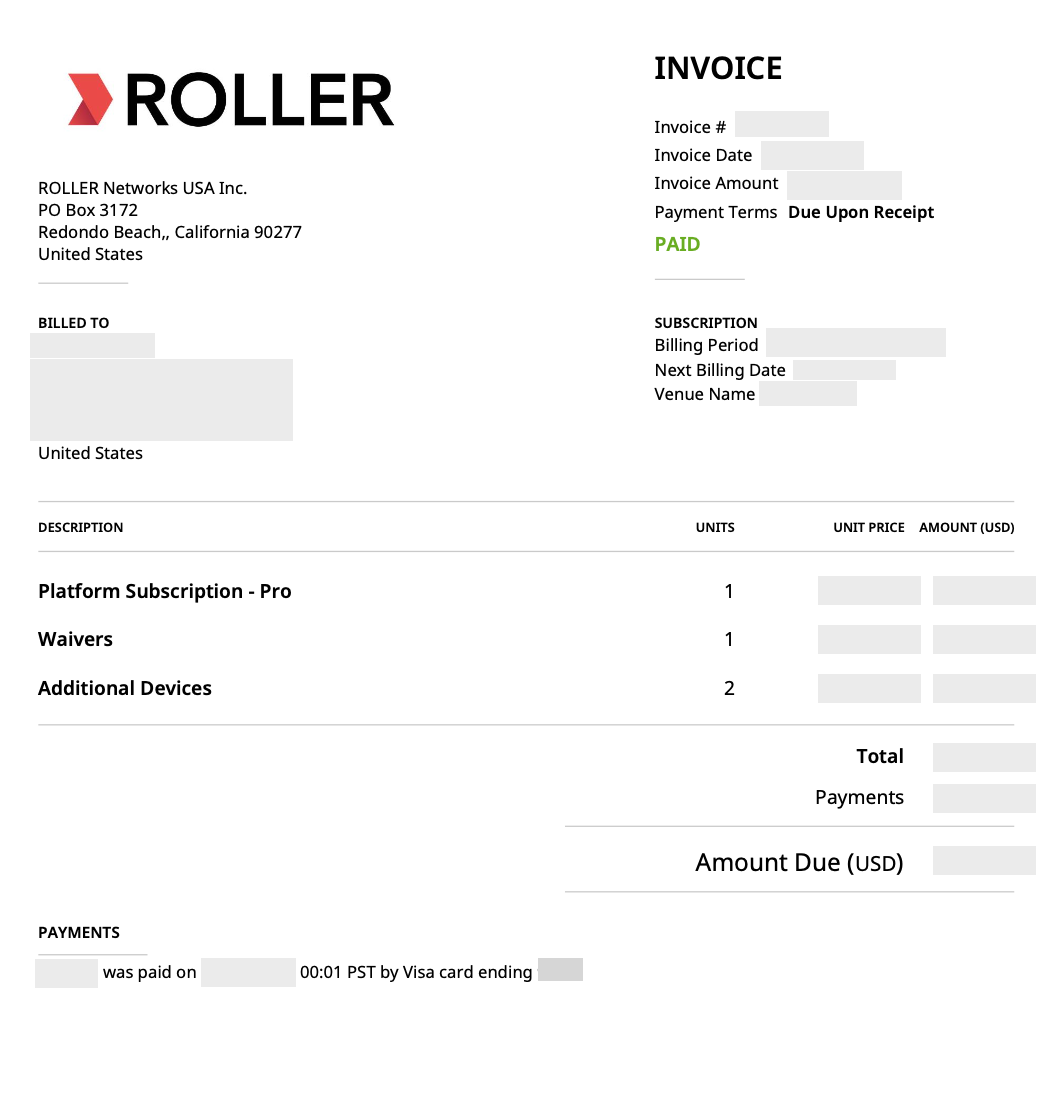
The example above shows a customer who is on a Pro monthly subscription with waivers and additional devices as add-ons. The invoice date is the date the invoice is sent to you. Subscription invoices are sent on the 15th of the month, and your order form determines whether you’re billed monthly, quarterly or annually.
Additionally, the following information is reflected on each invoice:
Invoice Status: whether the invoice is Payment Due, Not Paid or Paid.
Billing Period: we bill you for your subscription in advance. The billing period reflects the period the invoice relates to.
Next Billing Date: when you will receive your next invoice.
Venue Name: displays the venue name the invoice relates to, which is particularly important if you have multiple locations using ROLLER.
Payment Terms: Due upon receipt, Net 7, Net 30 depending on your contracted terms.
Billed to: contracted entity’s name, Tax ID and address.
Sales Tax: This is applied in accordance with local laws and regulations. Sales tax for U.S. based venues are dependent on your address and zip code. GST and VAT are charged for Australia or the U.K. based venues. For more information, see Tax on your ROLLER subscription.
Prorated invoices
If you change your plan mid-contract, you will be issued a prorated invoice and will look something like this:
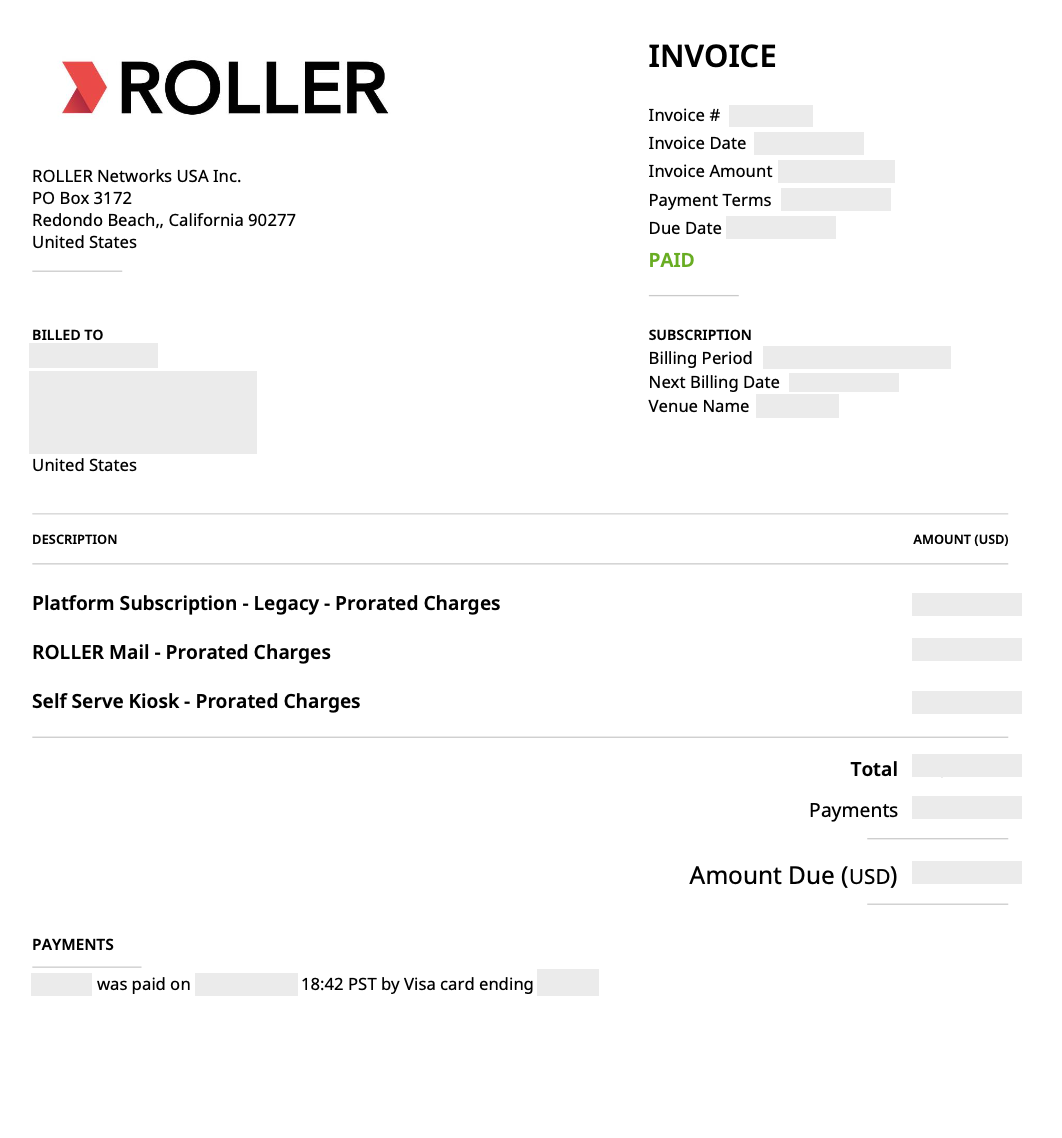
The purpose of a prorated invoice is to ensure that your next invoice aligns with the correct billing cycle. The billing period on the invoice indicates the subscription period for which the prorated charge is applied.
Transaction invoices
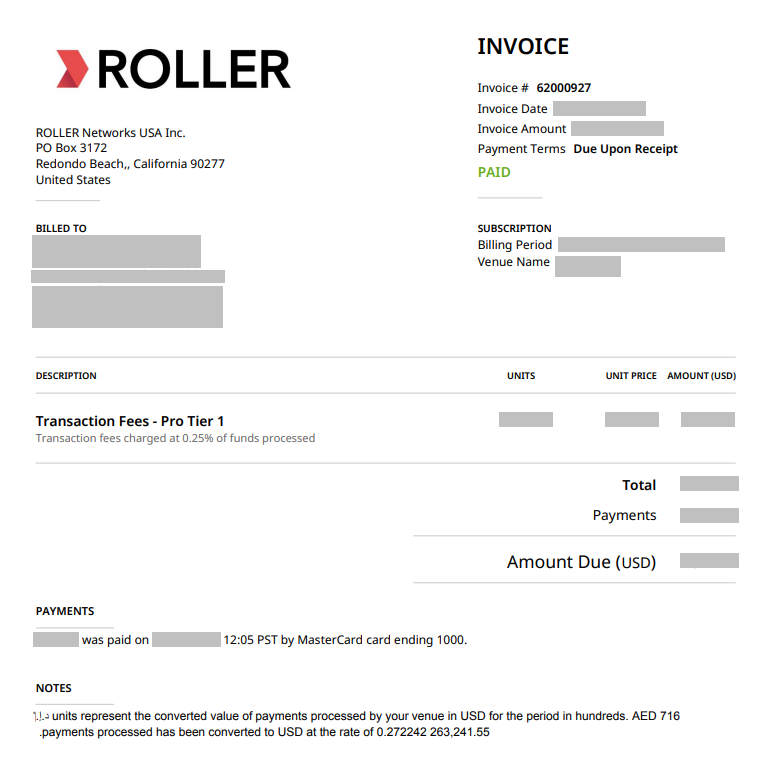
As part of your subscription, you may also incur third-party processing fees. These are billed on a separate transaction invoice, issued monthly in arrears.
This third-party processing fee is a percentage of the transactions processed through a third-party payment provider during the previous month. For example, a transaction invoice issued on 1 March 2026 covers third-party transactions processed during February 2026. ROLLER Payments fees are net-settled from your daily payouts rather than invoiced.
The transaction invoice will look something like this:
ROLLER Payments platform fees
Refer to the guide ROLLER Payments reporting overview to learn how to access your Monthly fee invoice and tax statement, which includes a breakdown of your platform fees paid for the month (ROLLER Payments fees and Network fees), and sales tax.
In addition, you’ll find information about other ROLLER Payments reports you can use to help reconcile payments and chargeback fees.
If you have any questions about your invoices, contact your customer success manager or the support team.