A member's Benefits section at POS shows what their membership includes and what they have left to use. You can check it at any time, without starting a sale and without redeeming anything first.
Use it when a member asks what they still have, or before you apply a benefit you aren't sure is available.
Check what a member has left
You can check how many benefits they have left, without staff needing to try to redeem them first.
From POS, select the search icon in the left-side POS menu.
Select the Memberships tab, then search for the member.
Open their profile and go to Benefits.
The Benefits section shows:
The discounts or perks included in their membership
How often each benefit can be used
How many times a benefit has already been redeemed
When each benefit will next become available
Benefits have their own usage limits, so this is where you see the limit and what has been used against it. That matters most for memberships with limited-use perks (eg guest passes, weekly activities or discounted items).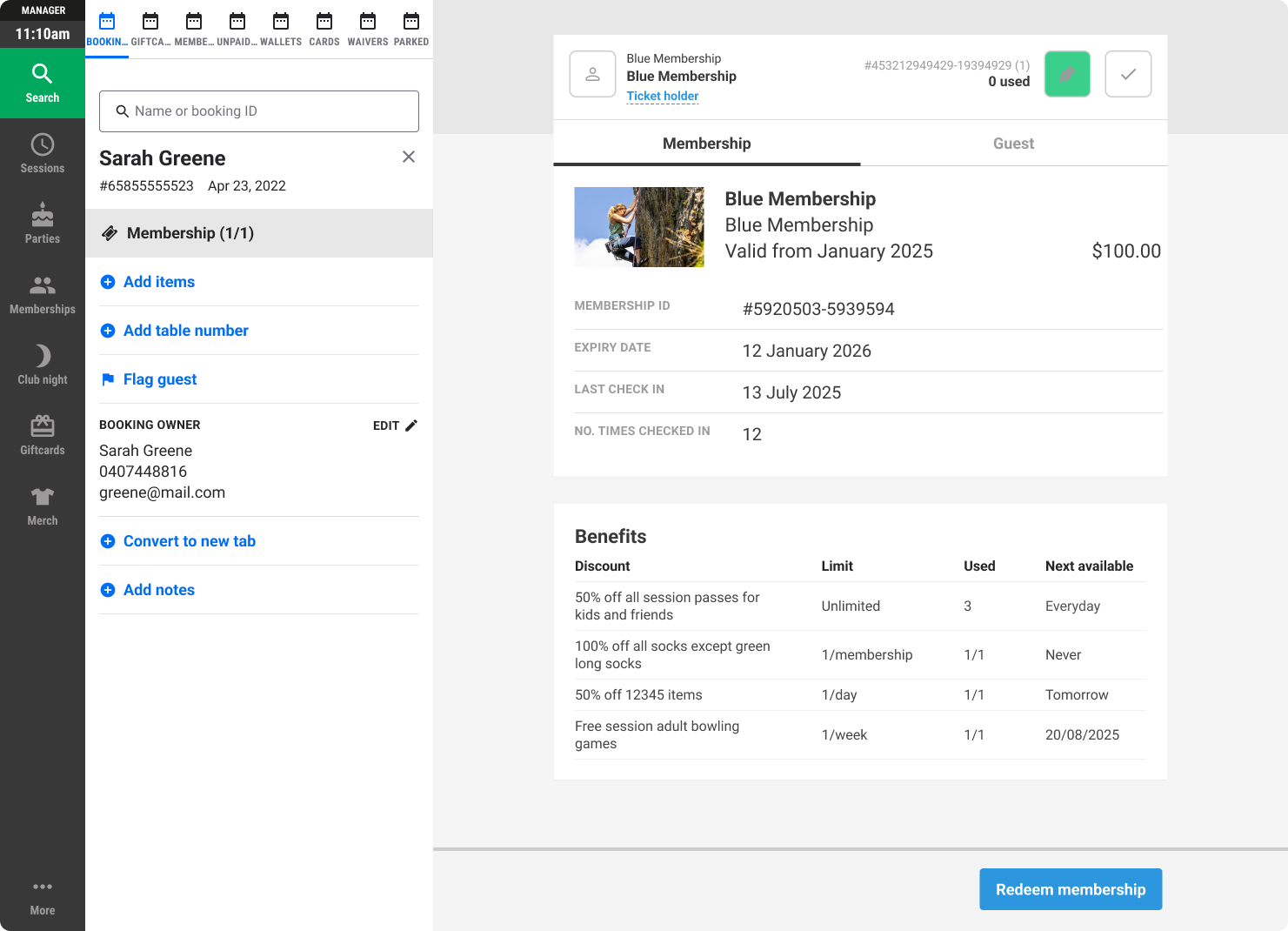
Checking benefits is not redeeming them
Opening the Benefits section doesn't use anything up. To apply a member's discount to a sale, see Redeem memberships at POS.