Our support team is made up of knowledgeable ROLLER experts, ready to help you solve issues quickly and keep your venue running smoothly.
Chat now for quick, immediate assistance from a ROLLER support specialist in real time. This is the fastest way to get help for most issues.
Call us for complex queries or urgent issues like account suspensions or outages.
Submit a support request for detailed, non-urgent requests.
Chat now with the support team
Chat is available for all ROLLER customers 24 hours a day, 7 days a week. You can chat with us anytime from the Help Center or directly within Venue Manager.
There may be a wait time before a member of our support team joins your chat.
Chat from the Help Center
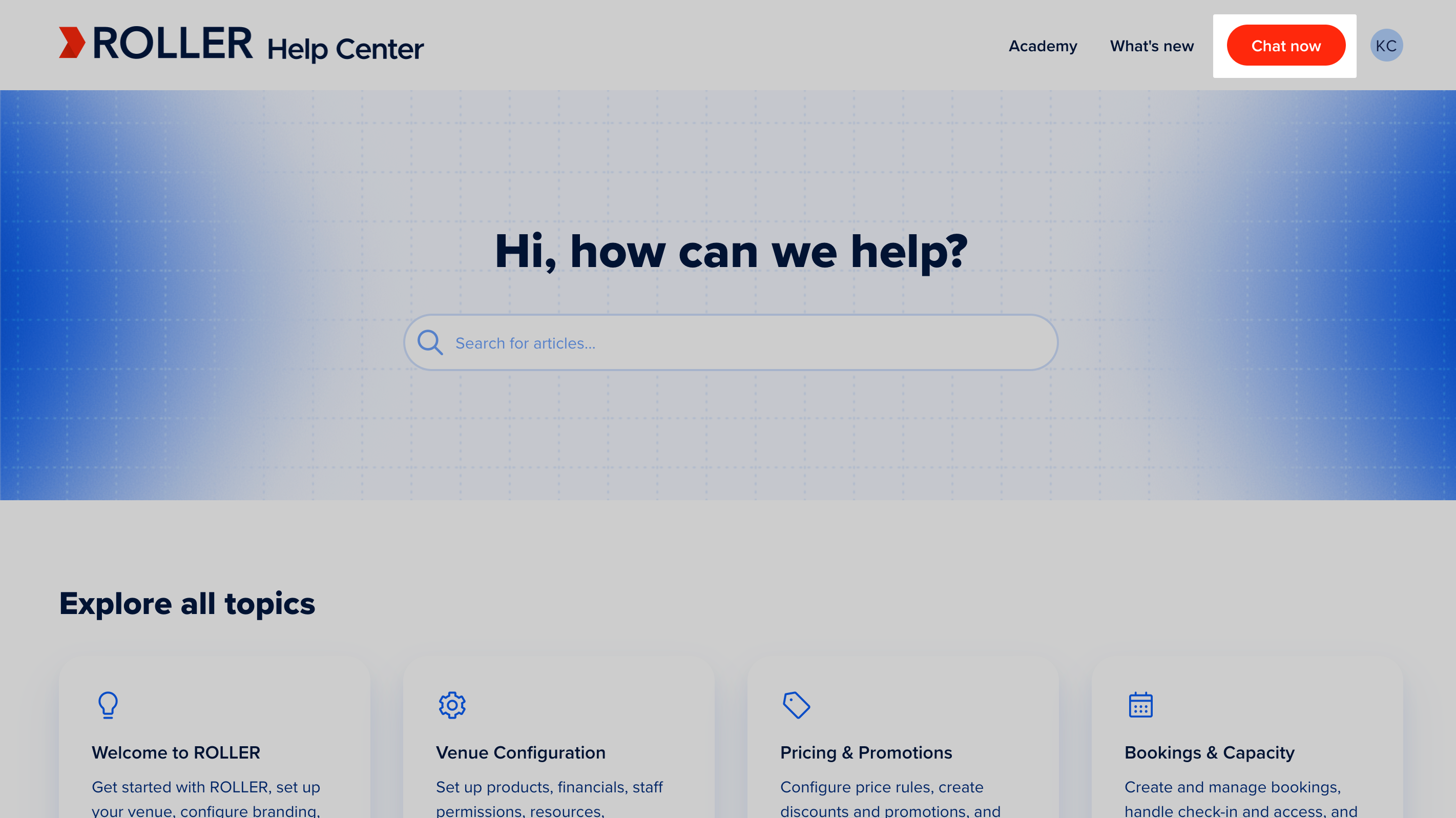
To chat with the support team from the Help Center:
Select the Chat now button in the top-right corner of any page in this Help Center.
Clearly describe your challenge and attach helpful materials (eg screenshots, screen recordings).
Send your message to start the conversation.
Chat directly from Venue Manager
If you'd like real-time assistance while using Venue Manager, you can start a live chat with the support team directly from the Help panel.
To chat with the support team from Venue Manager:
Select the Help icon (?) at the bottom of the left-side menu.
In the Help panel, select Live chat support.
Enter your name and contact details, then select Start conversation.
Select the topic you need assistance with from the list, or type it into the chat.
Live chat will connect you with the next available agent.
You can continue working in Venue Manager — the conversation remains open and active in the Help panel, even as you navigate to different pages. If the chat window is minimized, you'll be notified when the Support team responds.
ROLLER support phone numbers
Call us for complex queries or urgent issues.
Region | Lite & Pro | Premium & Enterprise |
|---|---|---|
AMERICAS | US Phone Line | US Phone Line |
EMEA | London | London |
APAC | Melbourne | Melbourne |
Before you contact support
A little prep goes a long way toward solving your issue in the first conversation, rather than a longer back-and-forth.
Have you already searched our Help Center or explored the ROLLER Academy? You might find your answer there.
To help our team assist you faster, have the following ready:
1. Describe the issue
Screenshots or videos that clearly show the problem.
The specific steps you took to encounter the issue.
The date and time the problem occurred.
2. Provide specific details (if applicable)
The Booking ID or transaction number.
The name of the specific product or discount.
The specific report you were viewing.
Emails or names of any affected guests or staff members.
3. Include technical context
The app you were using (eg waiver, ROLLER POS, Self-serve Kiosk, online or F&B checkouts, or mobile check-in)
Your web browser and version.
Submit a support request from Venue Manager or POS
For non-urgent requests, you can submit a support request instead.
Submit from Venue Manager
From Venue Manager, select the Help icon (?) at the bottom of the left-side menu.
In the Help resources panel, scroll down and select Contact support team.
Complete all form fields.
Select Submit.
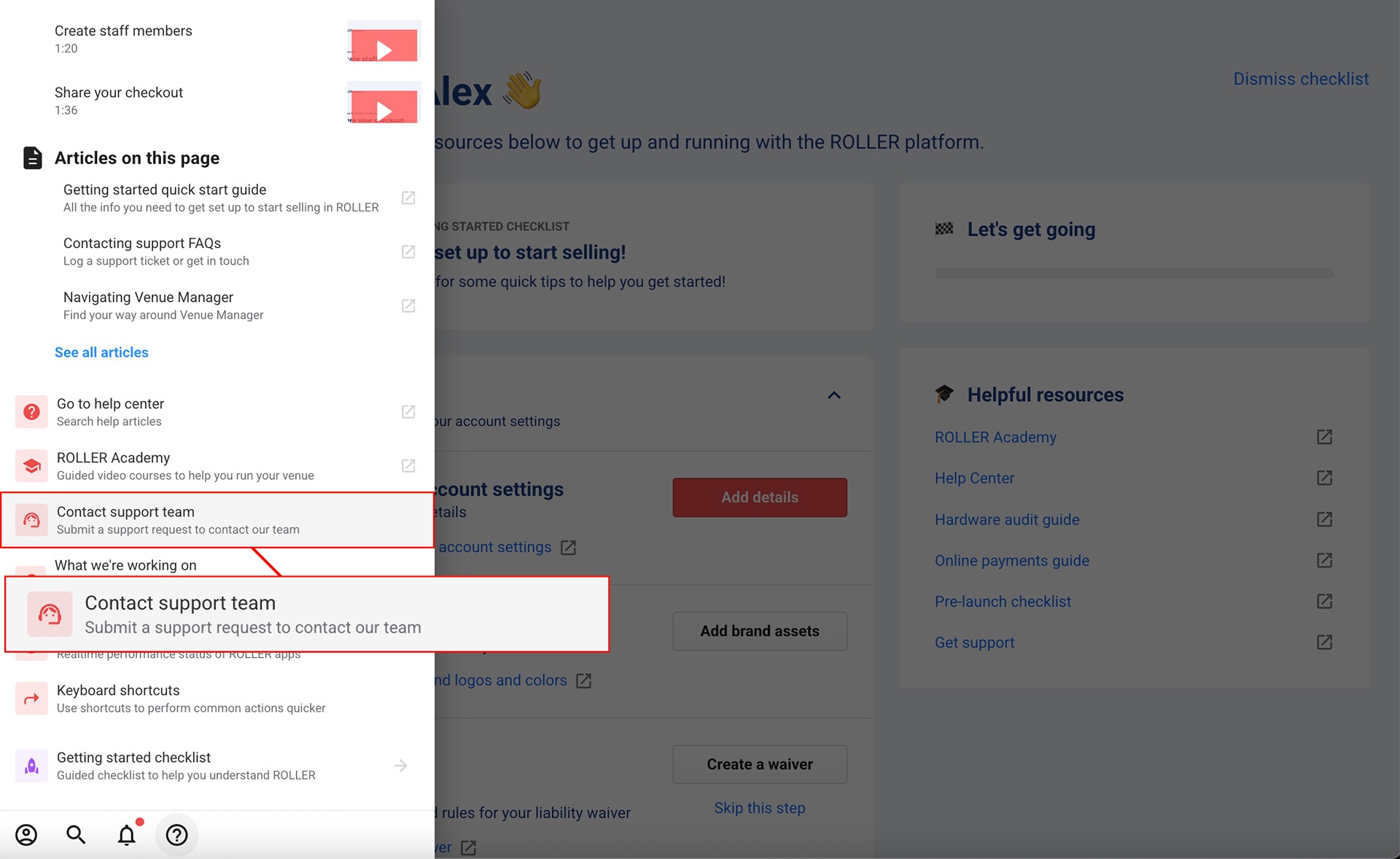
From the Help resources panel you can also access any relevant help guides for the page you're on and watch any relevant how-to videos.
Submit from POS
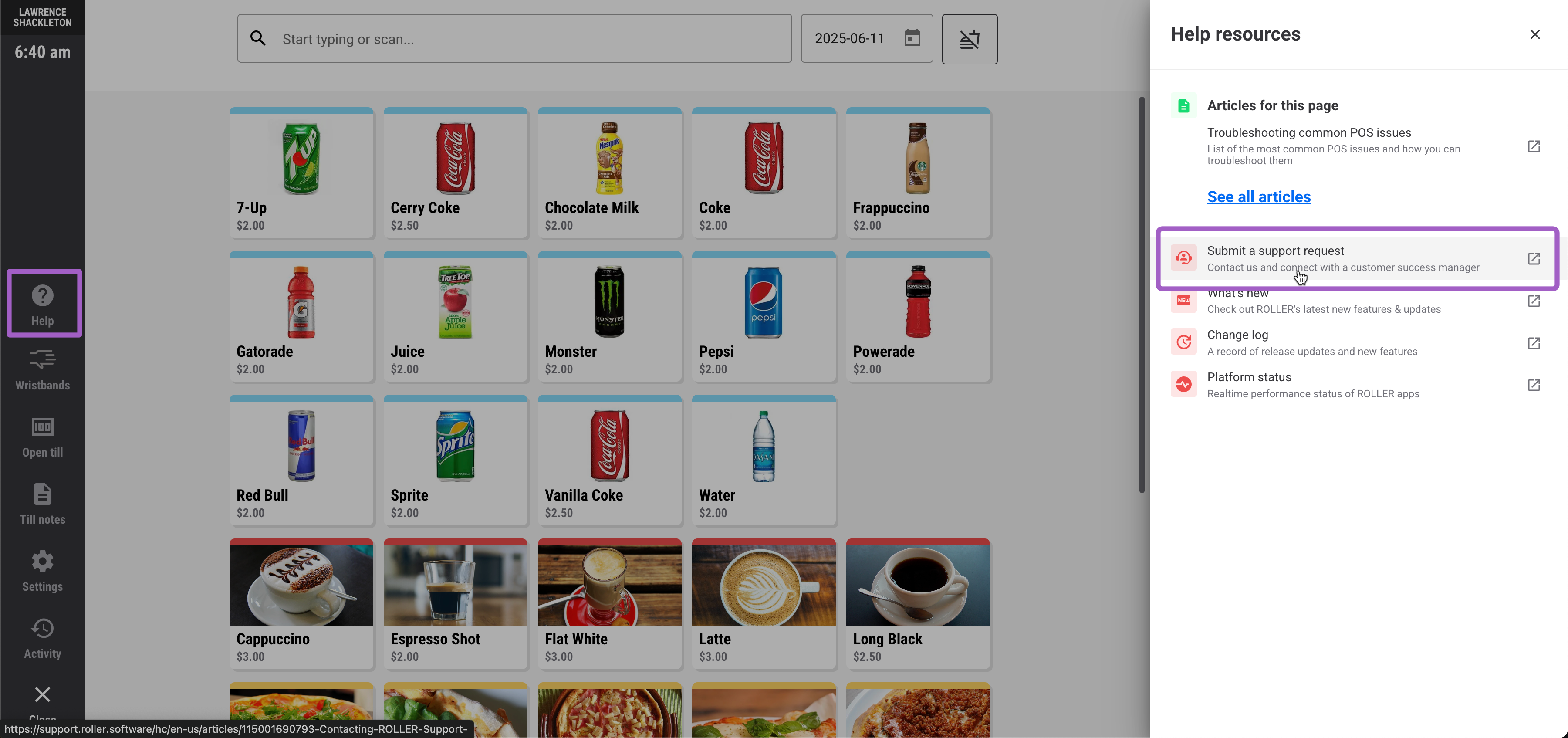
From POS, go to Settings and make sure Enable 'Help' in the main menu is turned on.
Select More (...).
Select the Help icon (?).
In the Help resources panel, select Submit a support request. You can also browse the listed help articles or select See all articles to open the full Help Center.
Complete all form fields.
Select Submit.
What happens after I submit a support request?
After submitting your support request, you'll receive an email confirmation. The subject line will include your ROLLER Support Request number (eg ROLLER Support Request #XXXXX). This email confirms we've received your request and opened a case. It also includes a link to view your case status.
Once we receive your ticket, a support team member will review it and respond. Depending on the nature of your query, our team may also escalate it internally. Some of these tickets may be assigned a technical tracking number (eg BB-0000). This is an internal tracking number that is assigned to your ticket.
Understanding your ROLLER support
We're here to help you solve ROLLER issues quickly, so you can keep your venue running smoothly. This section clearly explains what our support includes (and what it doesn't). This way, you'll know exactly what to expect and how we can best assist with your specific plan.
Your Support Plan
Your ROLLER subscription includes access to a range of support resources. Please refer to your original Order Form for the specific entitlements included in your plan (Lite, Pro, Premium, or Enterprise). All plans typically include:
Access to our comprehensive online Help Center.
ROLLER Academy training resources.
Chat, phone & ticket support from our global team.
What items are included in Support?
ROLLER Software configuration and basic 'how-to' questions.
Access to major and minor releases.
Support for bugs or defects in ROLLER applications. A bug or defect is a verifiable and reproducible software problem where ROLLER isn't functioning as expected or designed.
Troubleshooting supported printers and card terminals.
What items are excluded in Support?
Issues or questions with third-party technologies (eg Google Analytics).
Maintenance requests of third-party technologies (eg Microsoft Windows updates).
Custom solution development or integrations.
Consulting or advisory services unrelated to direct ROLLER Software functionality (eg custom API development, data manipulation using third-party tools like Microsoft Excel).
Does our support offer Service Level Agreements (SLAs)?
No, ROLLER does not offer formal service level agreements (SLAs) on cases.
How do I escalate my support ticket to a manager?
If you feel your support ticket isn't receiving the required attention, or you'd like a manager's input, you can submit an escalation request here. A ROLLER manager will review your ticket and be in touch.