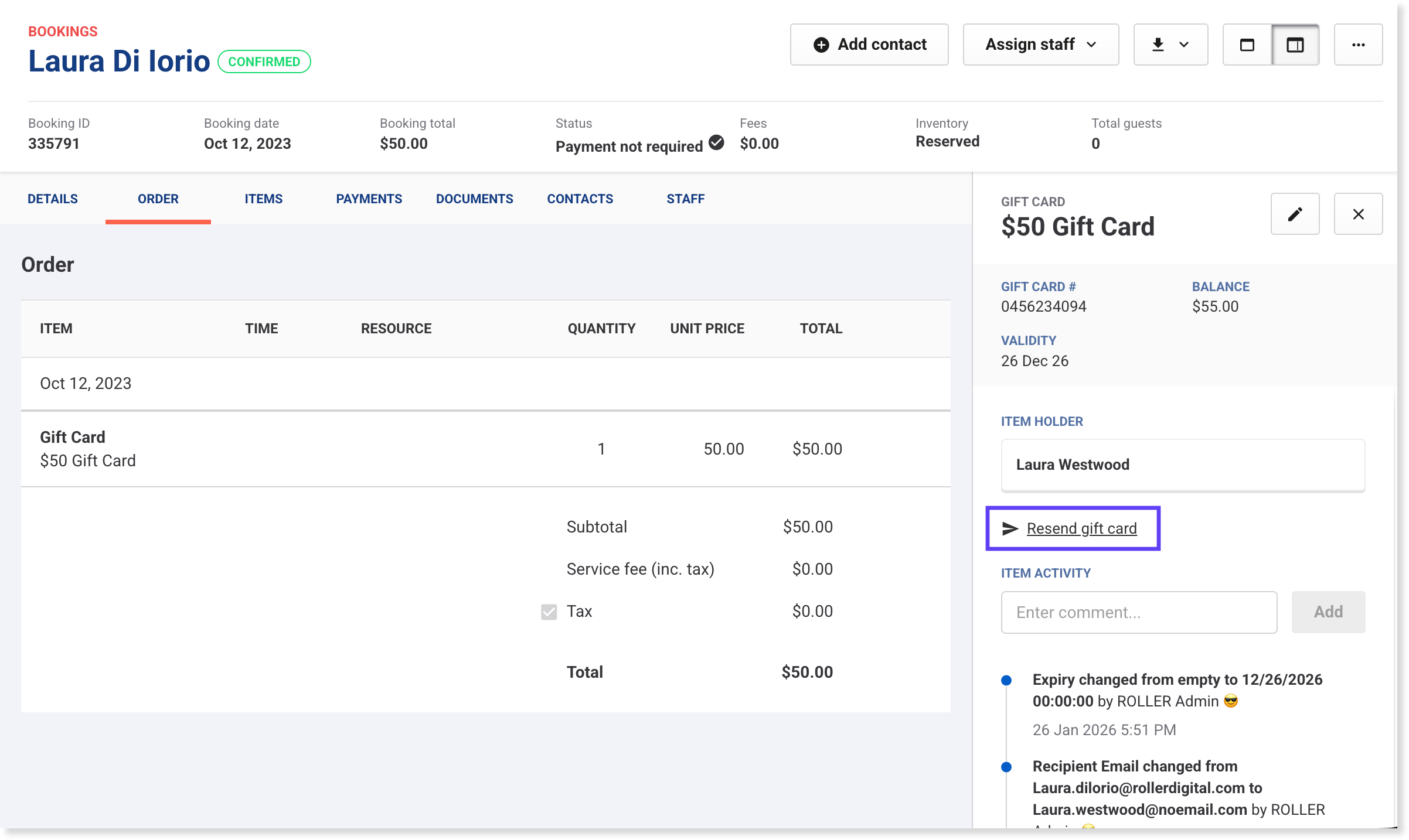
From time to time, you may need to update a digital gift card a guest has purchased. This could be the recipient's name or email address, or resending the gift card email again to the recipient.
Keep in mind
If you need to change a gift card balance, it's best practice to issue a new gift card through Venue Manager or at POS.
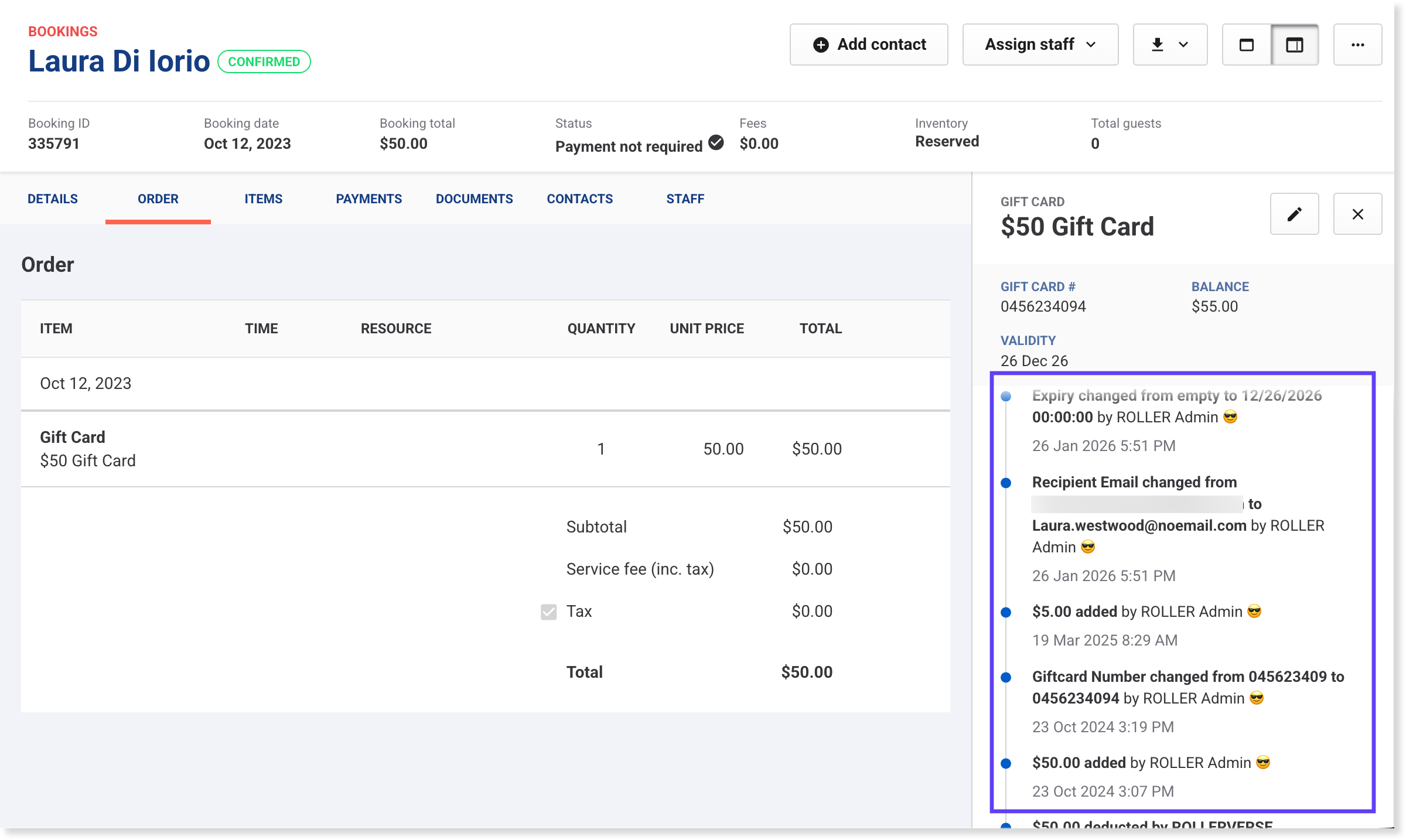
This ensures accurate reporting of and balancing out of funds received, gift card deferred revenue and gift cards redeemed accounts in ROLLER reports.Changes to a gift card are recorded in the item's activity stream.
You can select Resend gift card to send the gift card email again.
Access gift card details
You can access a gift card’s details in three ways, depending on what information you have.
Option 1: Use the search bar in Venue Manager
Use the search bar at the top of the main menu if you have the gift card ID or you can find it via the booking.
Search for the gift card ID to open the gift card directly
Or search for the booking, then from the booking's Items tab, select the gift card item to view gift card details.
Option 2: From the gift card product in Venue Manager
Use this option if you know which gift card product it relates to.
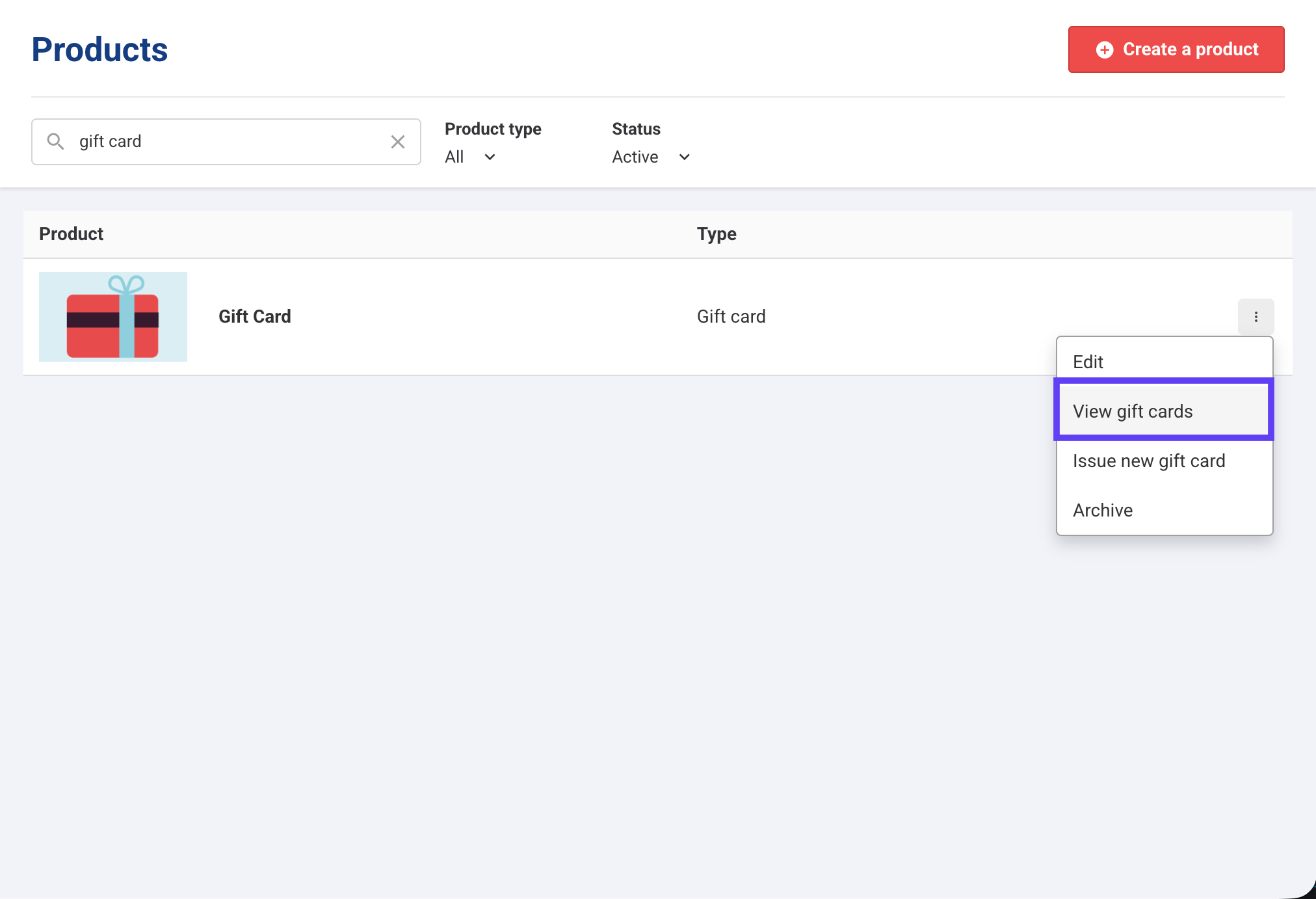
Go to Products > All Products
Search for the gift card product
Select the options menu (3 dots) > View gift cards
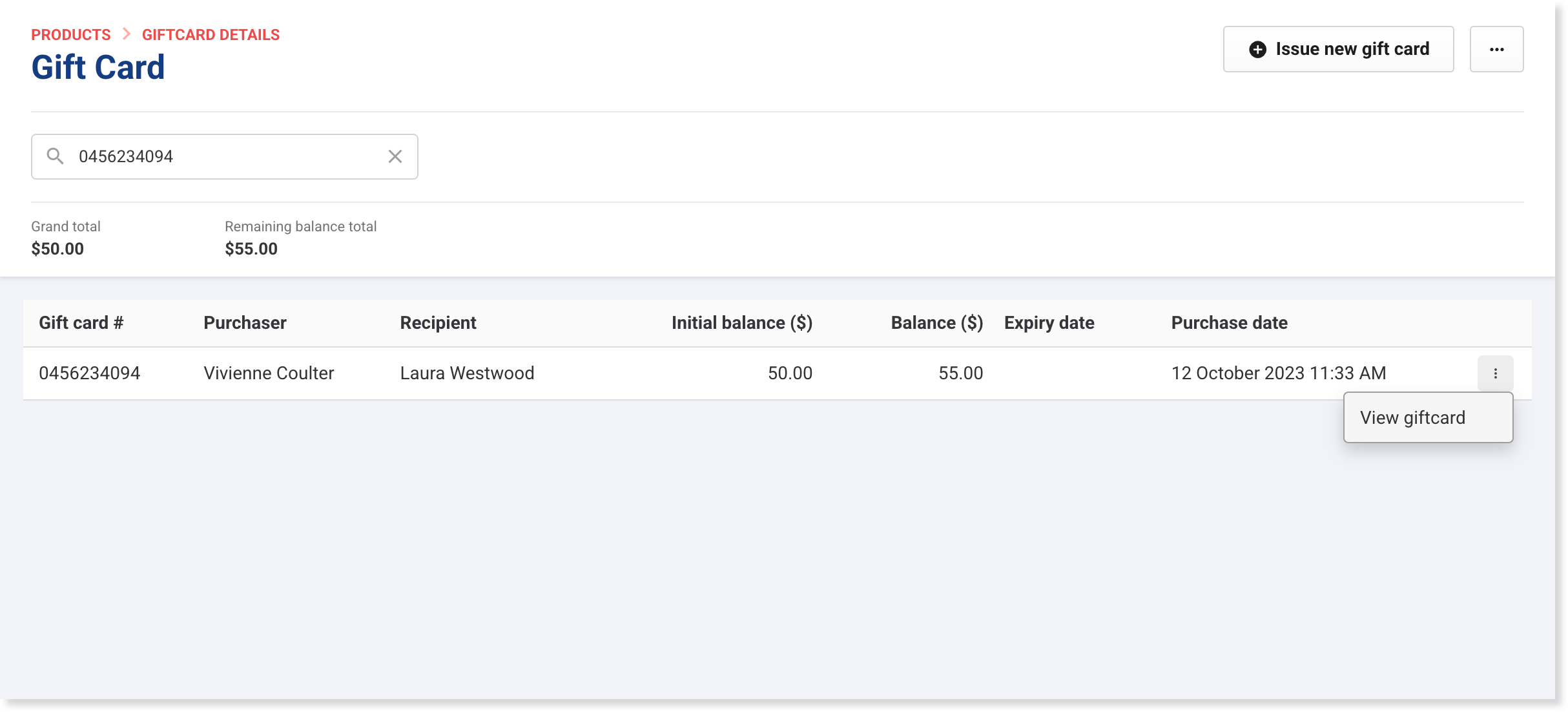
Search for the gift card ID
For the gift card product, select the options menu (3 dots) > View gift card
>
Edit a gift card's name or email address
From the gift card details panel, select the edit icon (pencil).
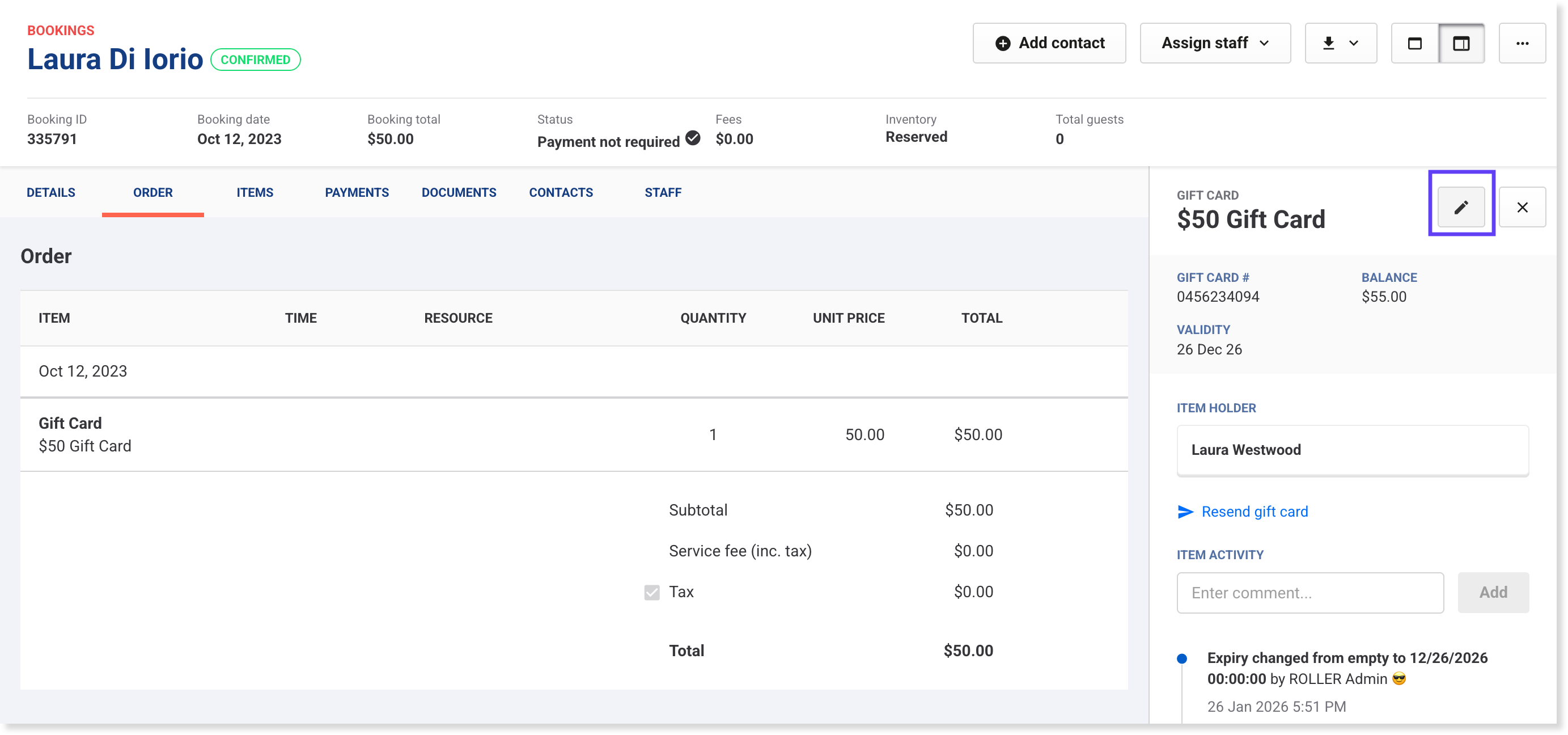
Edit the recipient's name or email address.
We don't recommend editing the gift card balance here, as no transaction will be recorded in ROLLER reports, and accounts won't balance. If you want to add more money to a gift card, issue a new gift card instead.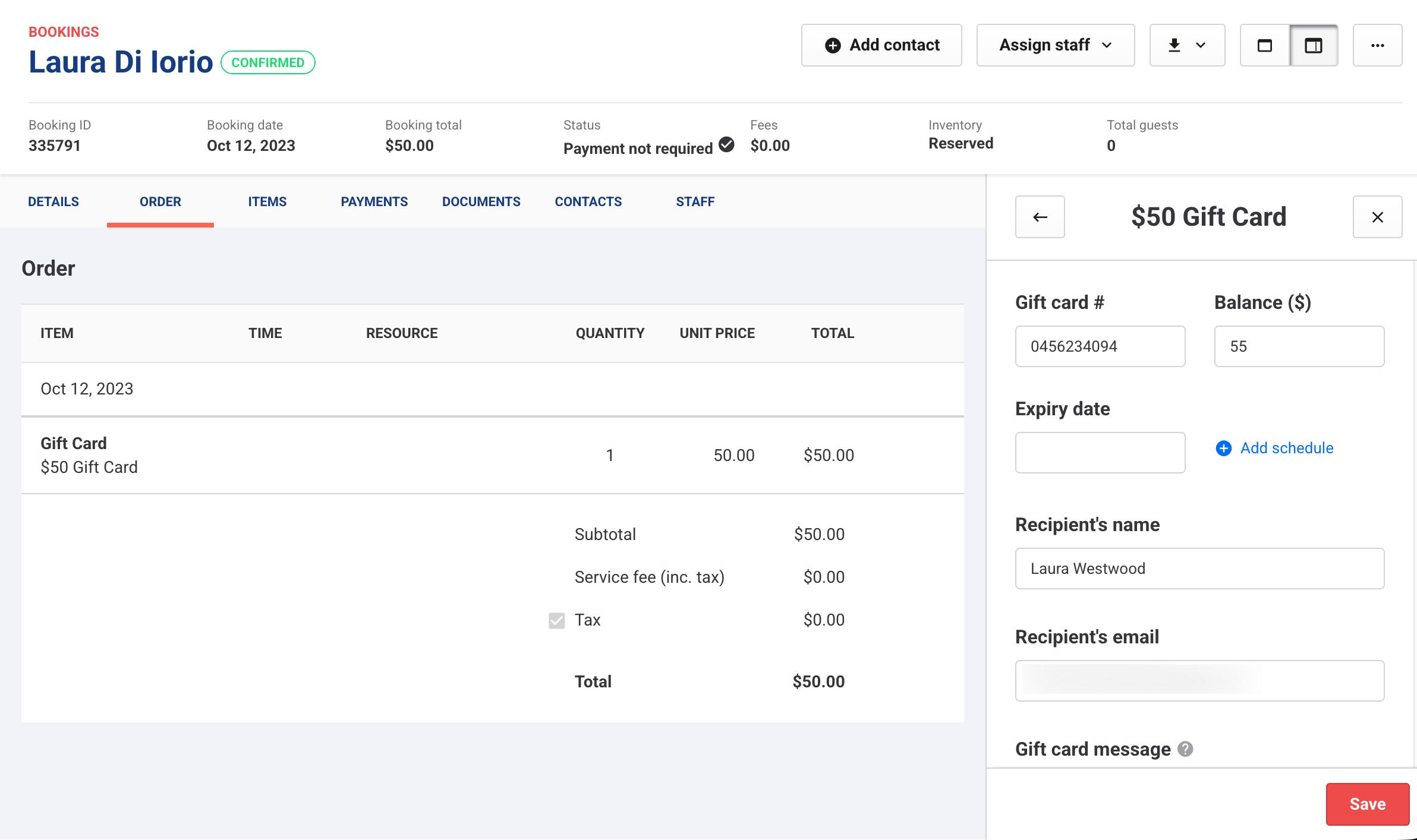
Select Save.
Changes are recorded in the gift card activity stream.
Resend the gift card email
To resend the gift card via email, select Resend gift card. Learn more