Hotels, tour operators, travel agents and other businesses already send people your way. When those bookings live in a spreadsheet and your inbox, each one takes your team’s time and risks selling the same slot twice.
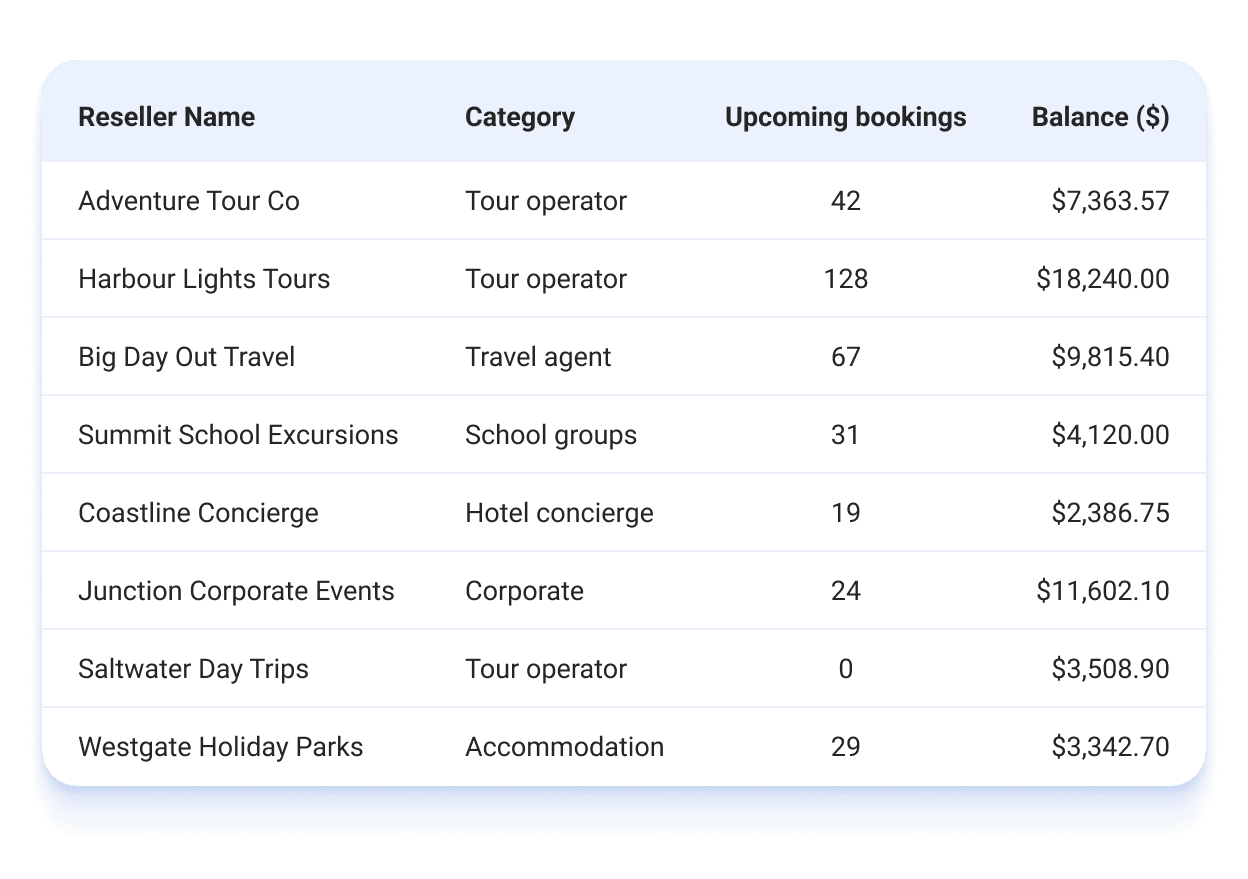
With the reseller portal, resellers book your experiences themselves, any time, without calling or emailing your team. They book at the rates and payment terms you agreed, against your live availability. Every booking lands in ROLLER automatically, next to your other sales, and your whole reseller channel is tracked in one place. The easier you are to book, the more they can sell you, including to guests who might never find your website.
Request early access
The Reseller Portal is now in early access. We’re rolling it out in stages and our team will help you set it up. You don’t need a large reseller network to start, and your feedback will shape what we build next.
Request early access first. Once you’re in, you’ll add the Advanced Channel Management add-on and set up your reseller program with our team. Then your resellers can start booking. You pay a small share of those bookings each month, with no upfront cost.
Complete the form and we’ll email you with next steps.
To follow up on your request, contact your customer success manager or the support team.
What the Reseller Portal does
Secure sign-in: only reseller contacts you add can sign in, each with a one-time code.
Products per reseller: each reseller sees only the products you assign to them, at their own price tier.
Payment terms per reseller: you choose how each one pays (eg at booking, on account or on arrival).
Live capacity: every booking is recorded in ROLLER automatically and holds capacity, so you don’t oversell. It’s ready to check in at POS when the guest arrives.
How it works
Set up your reseller program. Group the rates you've agreed into price tiers, choose which products resellers can sell and add a record for each reseller and their contacts.
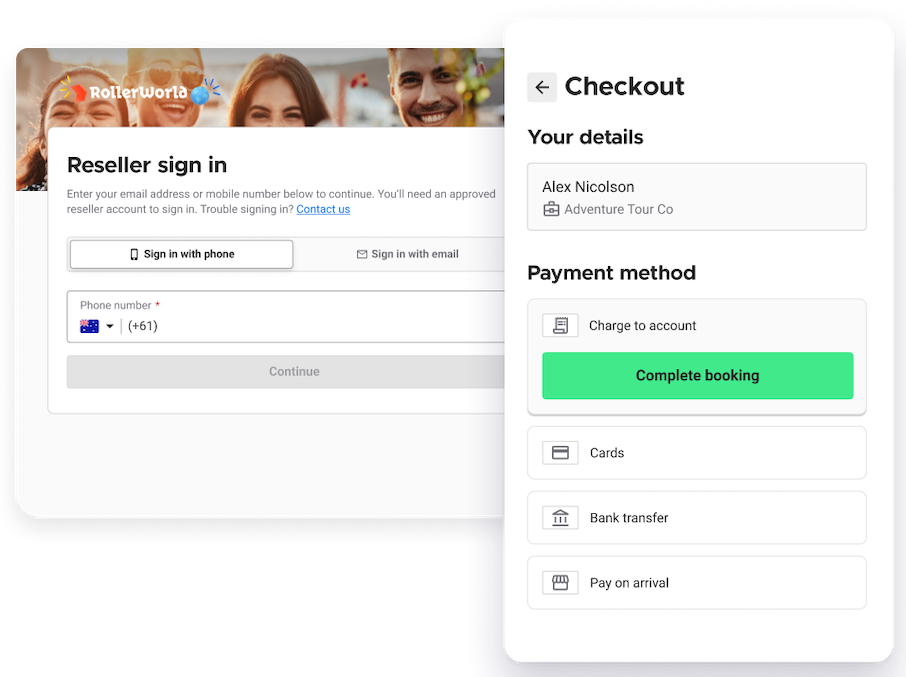
Create your reseller checkout. This is the checkout your resellers book from, with the products you've tagged for them.
Send resellers their link. Each contact signs in and books for their guests. Bookings show in Venue Manager and at POS like any other booking.
To learn more, see the guide Get started with the Reseller Portal.
What's needed
Progressive checkouts. Your reseller checkout is a progressive checkout, so your venue needs progressive checkouts. See the guide Welcome to progressive checkouts.
What resellers can book. Passes, packages, party packages and stock. Not memberships, gift cards, multi-passes, wallets or cashless cards.
The Advanced Channel Management add-on. You don't need Advanced Channel Management to request access. Your account owner contact adds it once your venue has access.
HQ accounts. Resellers are turned on venue by venue, so each managed venue needs the add-on.
FAQs
What is a reseller?
A business that books on behalf of its guests (eg a hotel concierge booking for a guest, a tour operator packaging your venue into a day trip or a travel agent selling to a group). Their contacts sign in to your portal and book at the rates and terms you set.
How are resellers different from online travel agents (OTAs)?
It comes down to who makes the booking. With an OTA (eg Viator or Klook), guests find you on a marketplace and book for themselves. With a reseller, you set the business up directly in ROLLER, with its own pricing, terms and contacts, and it books for its guests.
Does it cost extra to use resellers?
Yes. You pay a small percentage of reseller booking revenue, billed monthly after the bookings happen. Your account owner contact sees the cost and terms in Venue Manager before agreeing to them. If your rate was agreed in an order form, you won't need to agree to them in Venue Manager.
What happens after I submit the form?
If we can offer your venue a place, we turn on the Reseller Portal for your venue and send you a setup checklist. Once the add-on is in place, you turn on resellers. To learn more, see the guide Get started with the Reseller Portal.
Can I start setting up before I'm approved?
You can get ready outside ROLLER. Group the rates you've agreed with each reseller into tiers (eg Bronze, Silver and Gold), list which products each reseller can sell and gather the contacts who'll book. If a product already has a price rule for guests (eg a time-based price rule), plan a separate reseller version of it. A product can use only one price rule. The reseller settings appear in Venue Manager once your venue has access.
Can I connect to OTAs while I wait?
Yes. An account owner contact can add Advanced Channel Management from the Online Travel Agents tab in Settings > Channel management, then start connecting OTAs. Once your venue has early access, you turn on resellers in one step, with no extra terms. To learn more, see the guide Get started with Online Travel Agents (OTAs).