Problem
You have stock modifiers with the Is required setting enabled, but they do not appear in the online checkout.
Cause
Modifiers can only be used at POS and Food & Beverage checkouts, but are not available in the online checkout.
Solution
Add variations to stock items and assign them as add-ons to products. By creating stock variations, you can add stock items as an easy upsell opportunity after guests add an associated product to their cart. Variations also allow you to more easily track demand and availability in your inventory.
Available on all plans (except Lite Legacy)
Add different varieties for your stock products (all plans except Lite Legacy). For Lite Legacy customers, contact your customer success manager or the support team to unlock this feature.
To make stock variations available at checkout for items such as socks, shoe rentals, equipment and more, follow the steps below.
Assign stock as an add-on to products at online checkout
From Venue Manger, go to Products > All Products.
Select the product you want to add the stock item to at online checkout.
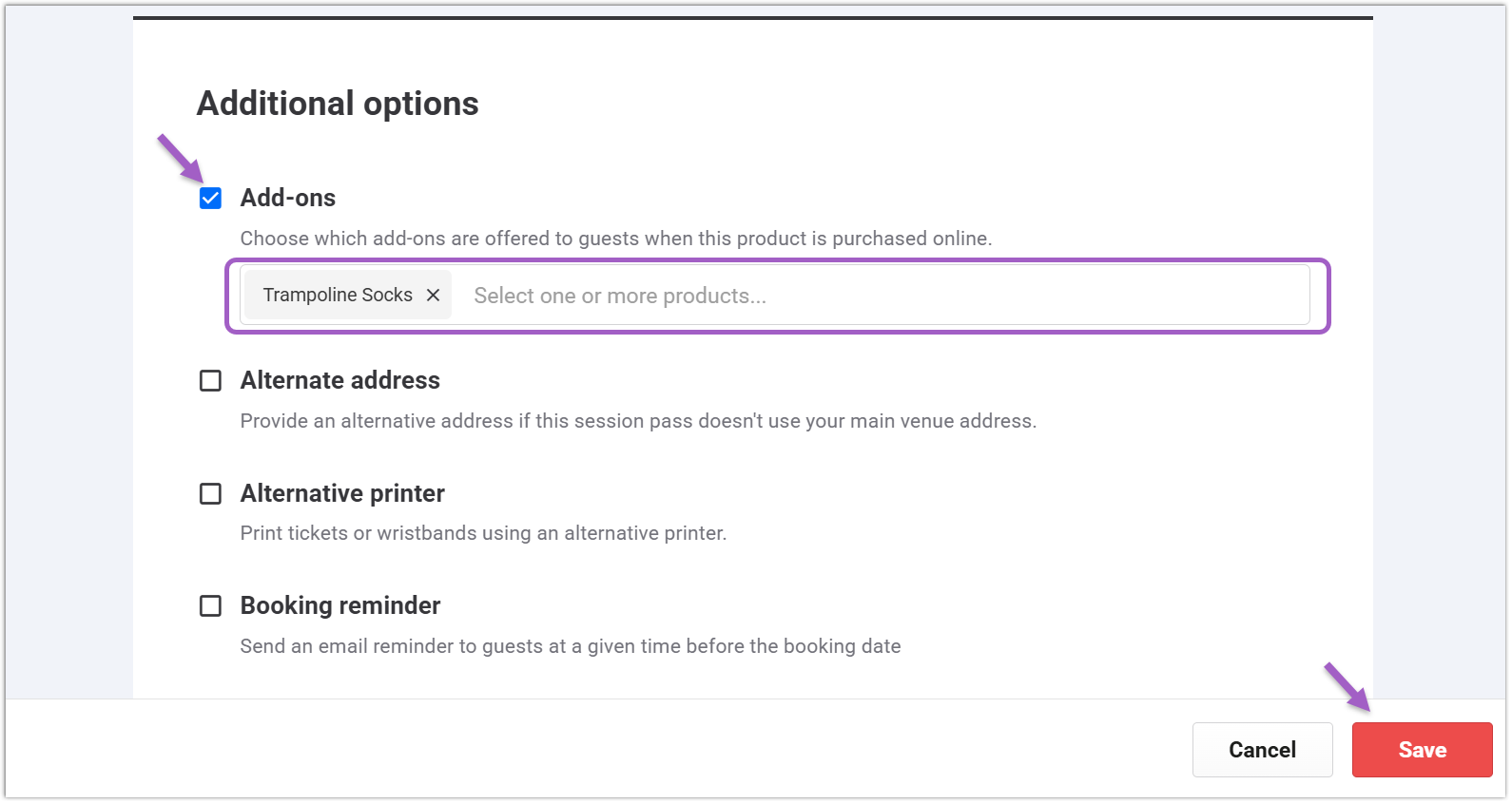
Select the checkbox for Add-ons in the Additional options section.
Enter the name of the stock item(s) in the search bar and select it from the drop-down menu.
Select Save.