A chargeback occurs when a cardholder disputes a payment and contacts their bank to request a refund.
While no business likes receiving a chargeback, responding quickly with the right information gives you the best chance of a successful outcome.
If your venue uses ROLLER Payments, you can view and manage chargebacks directly in Venue Manager — without needing to contact the support team.
Only administrators can view and manage chargebacks in ROLLER.
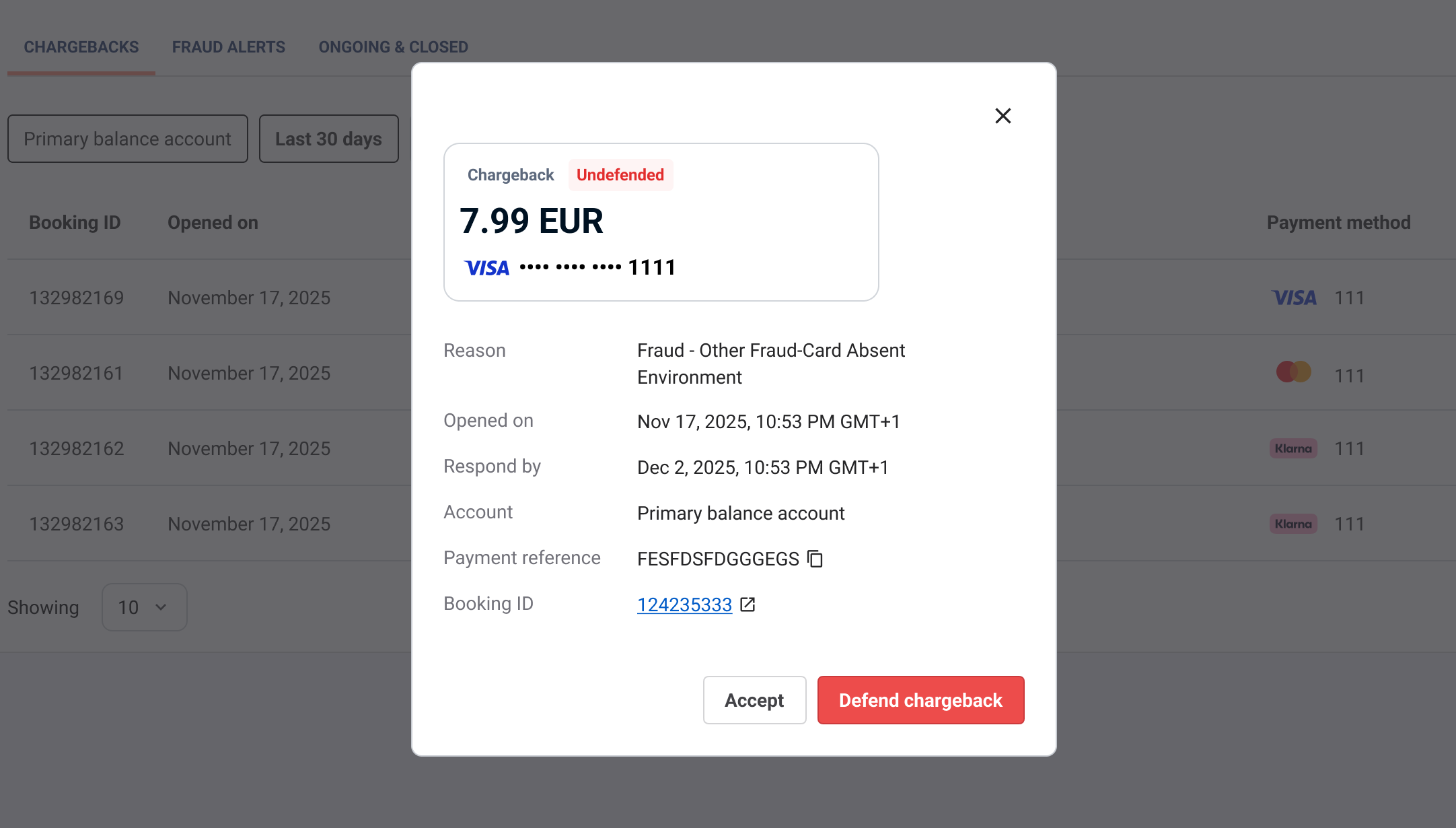
The chargeback process
If a guest questions the validity of a transaction made at your venue and raises a dispute with their bank:
A chargeback is created
The disputed funds are temporarily withdrawn from your account
You’re given a deadline to respond
ROLLER does not decide the outcome of a chargeback. This is determined by the cardholder’s bank (such as Visa, Mastercard or American Express).
Responding quickly and providing strong supporting evidence is key to successfully defending a dispute.
To learn more, see Tips on preventing chargebacks to make the process even easier.
Get notified about disputes
When a chargeback or Request for information (RFI) is received, you’ll be notified immediately so you can take action.
Notifications include:
Email alerts sent to your primary and billing contacts
Alerts in the Activity centre in Venue Manager
Each notification includes:
The reason for the dispute
The response deadline
A direct link to the related booking
These notifications help you act quickly and prepare your response.
View and manage disputes in Venue Manager
You can manage all chargebacks and requests for information in Venue Manager.
Go to Financial Services → Disputes
Browse or filter your disputes using details from your notification, such as the opened date, amount, payment method or reason.
Select a dispute to view its details
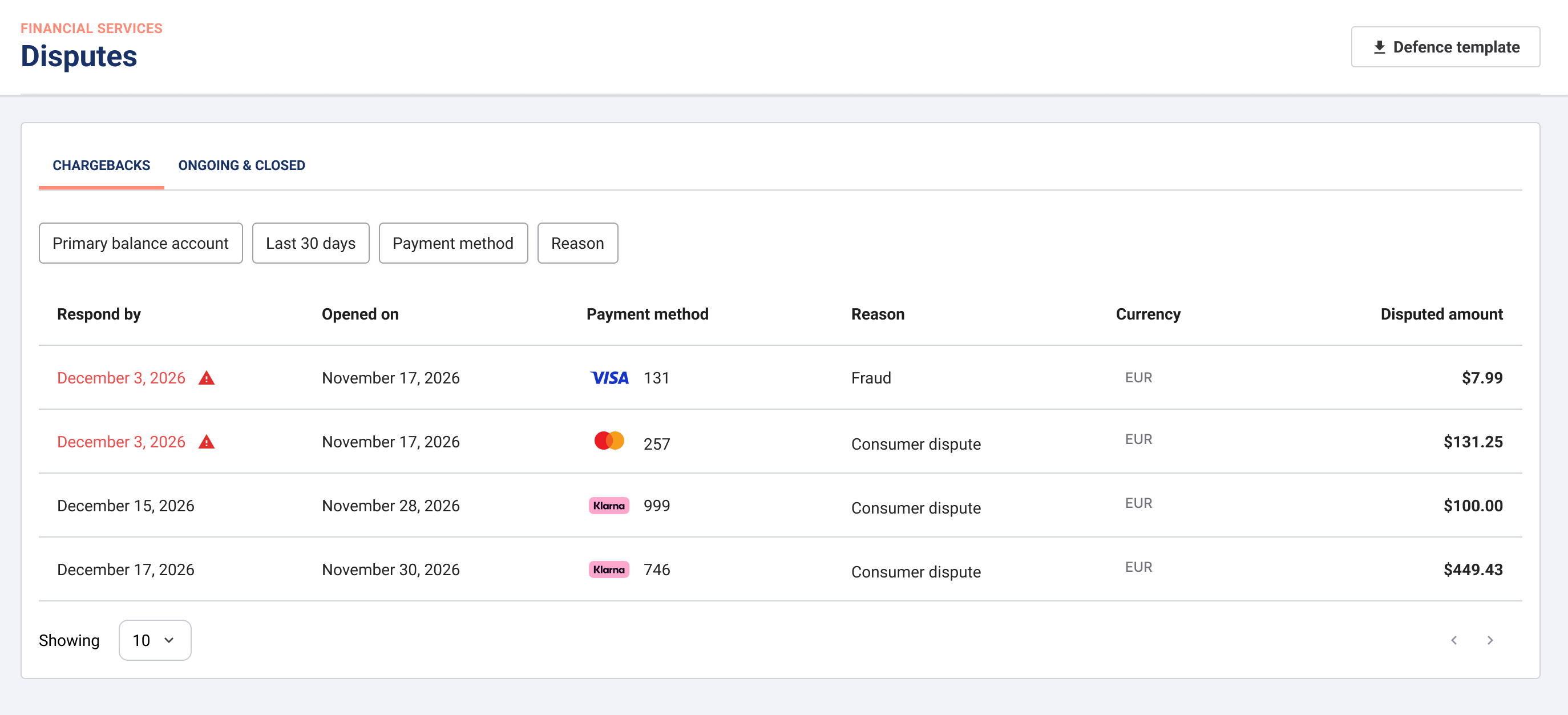
From here, you can:
Review the dispute reason and amount
See the respond by deadline
Open the related booking to gather information
Choose to accept or defend the dispute
Download a defence template to gather evidence for challenging the dispute
This gives you full visibility and control over the dispute process in one place.
Contact your guest
Before responding to a dispute, it’s often helpful to contact your guest directly.
This can help you:
Clarify misunderstandings
Resolve issues before escalating further
Gather additional context for your defense
In some cases, the guest may not recognise the transaction or may have forgotten about their booking, leading to the dispute.
Taking the time to contact the guest and understand the reason behind the chargeback can help you reach an agreement and potentially create a return customer.
If you reach an agreement, the guest must contact their bank to withdraw the dispute.
Requests for information (RFI)
A request for information (RFI) is a non-financial dispute raised by the bank before a chargeback is created.
This may happen when:
The cardholder requests more details about a transaction
The bank needs more information before proceeding with a chargeback
Responding to RFIs promptly can prevent a chargeback altogether.
To respond:
Go to Financial Services → Disputes
Open the request
Submit the requested details and supporting evidence
Defend a chargeback
Once you upload your supporting documents and submit your defence, you can't make any further changes. Check that all your evidence is complete and correct before you submit.
Defending a chargeback can also involve additional fees. Before proceeding, consider whether the value of the transaction outweighs the potential cost of disputing it.
To defend a chargeback, you’ll need to provide clear and relevant evidence that supports the validity of the transaction.
Common examples include:
Booking confirmation emails
Payment details (amount, time, payment type)
Guest or cardholder name
Signed waivers (if applicable)
Proof the guest attended or redeemed their booking
Records of previous non-disputed transactions
Evidence the transaction has already been refunded (if applicable)
Your terms and conditions or refund policy
Any communication with the guest
All evidence must be submitted before the deadline. If you miss the deadline, the dispute will automatically be lost.
To learn more, check out Chargeback reasons and how to defend them.
Accept a chargeback
In some cases, it may be more appropriate to accept a chargeback rather than defend it.
You may choose to accept if:
You don’t have sufficient supporting evidence
The transaction amount is low
The transaction is known to be fraudulent
The service was not delivered
The cost of disputing outweighs the potential recovery
If you accept the chargeback:
The disputed funds will not be returned
No further action is required
Do not process a refund separately, as the funds have already been withdrawn by the bank.
Chargeback outcomes
Once submitted, the bank will review the evidence and determine the outcome.
If successful, the disputed funds will be returned to you
If unsuccessful, the chargeback amount and any associated fees will be deducted from your payouts
You can track the status of all disputes in Financial Services → Disputes.
Chargebacks typically take several weeks to resolve, depending on the card network.
Bank transfer chargebacks (SOFORT)
For bank transfer payment methods such as Sofort, dispute management is not supported through card schemes.
This means:
Chargebacks cannot be formally defended
Funds are usually returned to the account holder
In these cases, you may need to:
Contact the guest directly to recover payment
Cancel any associated bookings if required