Your guests have questions. Guest Agent answers them: instantly, accurately and around the clock. It handles chat and voice conversations on your website and over the phone, pulls live data from ROLLER and creates real bookings on the spot.
"How much for a party of 10?"
"Can I book three lanes for Saturday at 4pm?"
"Are you open Sunday?"
These are the conversations your team has on repeat every day. Guest Agent takes these conversations so your team can focus on delivering the best experience to guests currently in your venue.
Register your venue for early access
Guest Agent is in early access for eligible venues, and we're rolling it out in stages. It has usage-based pricing, so you pay based on how much your agent is used.
Turn every inquiry into a booking
75% of guests say they'd choose a different venue if they can't get through to yours (ROLLER 2026 Pulse Report). Every missed call or delayed response is revenue walking out the door.
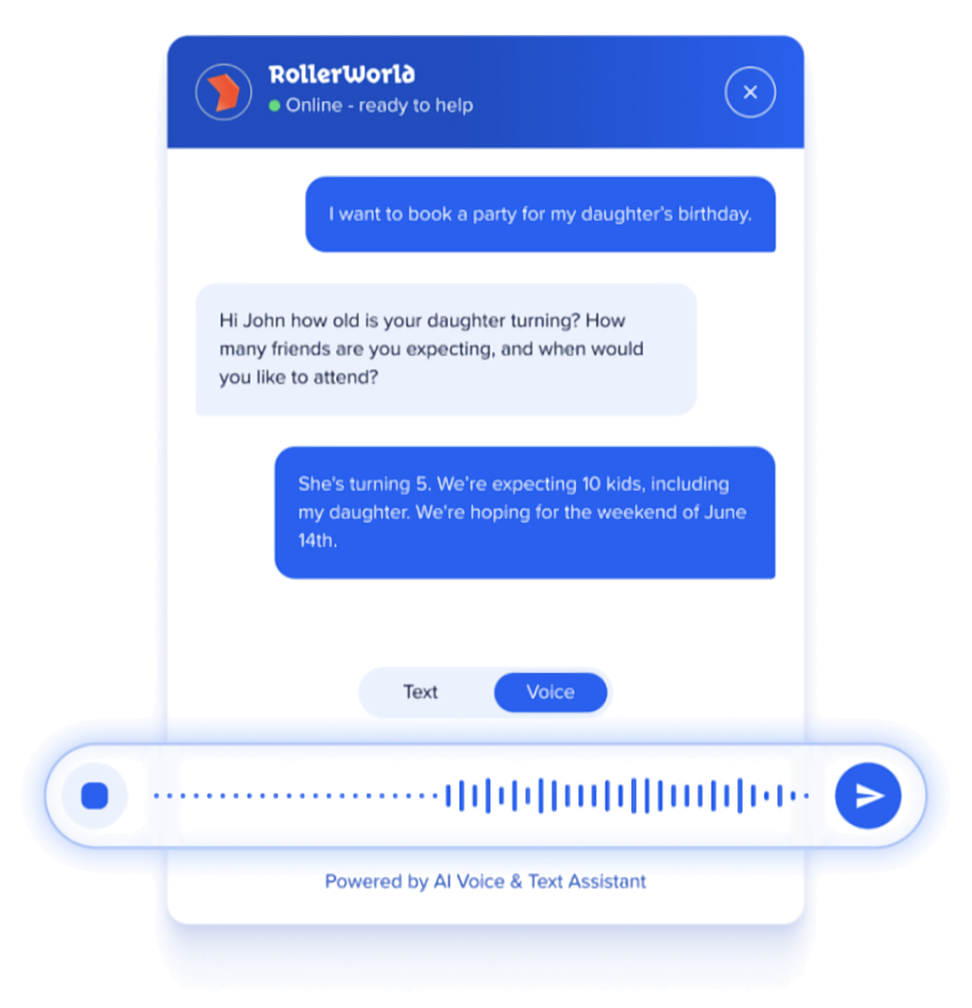
ROLLER's Guest Agent answers guest inquiries instantly, from pricing to availability and bookings, over web chat, voice and phone. Every inquiry answered. Every opportunity captured.
Guest Agent can:
Catch the after-hours rush. More than 1 in 3 online bookings are made after 5pm, often after your front desk has closed (ROLLER 2027 Attractions Industry Benchmark Report, July 2025 to June 2026). Guest Agent answers every inquiry, so bookings that would have gone unanswered, or to a competitor, still get made.
Take the repetitive load off front-line staff. The questions your team answers fifty times a day about opening hours, pricing and bookings get handled automatically.
Handle peak-time demand without adding headcount. When inquiries spike on busy weekends and holidays, every inquiry still gets a fast, accurate answer.
Upsell in every conversation. Guest Agent can naturally surface relevant add-ons (such as party upgrades) during the booking conversation, the way a great front-desk team would.
To watch a whole conversation, from a guest's first question to a confirmed booking, see the video in the guide The guest journey through Guest Agent.
What to have ready
To set up your agent quickly, have the following ready before you start. None of it is locked in: you can change your choices at any time.
Brand assets. An avatar or logo, your brand colors and a clear idea of your agent's name and personality. These are set up early in the configuration process, so having them ready ahead of time will speed things up.
A list of what you want your agent to sell. Deciding this ahead of time makes product setup faster. If you offer parties, your agent can book those too, including options, add-ons and payment.
Content for your knowledge base. Information like parking instructions, your refund or cancellation policy, dress code or allergen info. The more information you have ready before setup, the more accurate your agent will be from day one.
A review of your local privacy and AI requirements. You're responsible for following the laws that apply where you operate, such as telling guests they're talking to an AI or that conversations are recorded. These requirements differ by region and can change, so check what applies to your venue before you go live.
If you don't manage your own website, let your web developer or whoever maintains your site know early. Having them available at the right time will save you having to wait when you're ready to go live.
Glossary
New to some of the terms used in this guide? Here's a quick rundown of what they mean:
Guest Agent (or "the agent"): ROLLER's AI-powered guest service tool that answers guest inquiries and creates bookings automatically, via web chat, voice and phone.
Agent persona: The name, voice, and personality settings that shape how your agent sounds and comes across to guests.
Knowledge base: The information you add and maintain in Venue Manager so your agent can answer questions beyond bookings and pricing, like parking, allergens or your refund policy.
Web widget: The chat interface embedded on your website that lets guests talk to your agent.
Channels: The ways guests can interact with your agent: the web widget, in text or voice, and phone. ROLLER sets up phone for you.
Conversation: An interaction between a guest and your agent, whether by text or voice. Conversations are tracked for reporting.
Escalation: When a conversation is handed off to your team because it needs a human. For example, a question the agent can't answer, or a situation outside what it's configured to handle.
How it works
Because Guest Agent sits between your guests and your ROLLER account, it can:
Answer guest questions about your venue, ranging from "can I book a party for my child?" to "when are you open this week?".
Handle non-ROLLER queries, like your refund policy, dress code, parking instructions or allergens. You build and maintain this knowledge base yourself in Venue Manager.
Create a booking, and the booking appears in Venue Manager instantly. This includes bookings with add-ons, bookings that use your price rules, and party bookings.
Escalate to your team. If a conversation hits something the agent can't or shouldn't handle, it escalates to your team through the Activity center.
When Guest Agent escalates a conversation, it appears in the Activity center and can also send an email notification to your team. To learn more, see the guide Review and refine Guest Agent responses. If your venues are managed from HQ, see the guide Handle Guest Agent escalations at HQ.
What's involved
The permission required to set up and manage Guest Agent is Can edit Guest Agent configuration. To review conversations, staff need Can review Guest Agent conversations. The administrator role has both permissions enabled by default.
Design and configure your agent
Your agent is set up to match your venue's brand, and you decide how it works: which channels it uses, how the web widget is styled, what its persona sounds like and what it's allowed to sell. You manage your agent from Venue Manager. Changes you save apply to your live agent immediately.
ROLLER sets up phone for you, so these guides cover the web widget only.
You can create more than one agent, for example one that handles party bookings. Each has its own settings, knowledge base and embed code.
To learn more, see the guides Set up and customize Guest Agent and Choose what Guest Agent can sell. If your venues are managed from HQ, see the guide Share Guest Agent with your managed venues.
Build your knowledge base
Your knowledge base is what your agent draws on to answer questions beyond bookings, pricing and availability, things like parking, allergens or your refund policy. The more complete and accurate it is, the more guest questions your agent can answer without needing to escalate to your team. You write and update this content yourself, so you can keep it current as your venue changes.
To learn more, see the guide Build your Guest Agent knowledge base.
Launch the agent on your website
Once your agent is configured, it's time to get it live for guests. This means installing the web widget on your website and checking everything is set up the way you want before guests start interacting with it.
Installing the web widget means adding a snippet of code to your website. Unless you manage your site yourself, have your web developer or site administrator on hand for this step so your launch isn't held up. You only ever add this snippet once. Styling and content changes you make in Venue Manager apply to your live widget automatically. For the steps, see the guide Install your Guest Agent web widget.
Before you go live, check that:
Your web widget and agent persona match your brand.
Your channels are set.
The products your agent can sell are selected.
Your knowledge base covers your key venue information.
The widget has been tested using the preview panel.
The widget is installed on your website.
FAQs
What happens if Guest Agent can't answer a guest's question?
If a conversation needs a human, whether the agent doesn't have the information or the request is outside what it's set up to handle, it escalates the conversation to your team through the Activity center. This means guests are never left without a path to getting help, even when the agent can't resolve it itself.
Can I control what Guest Agent sells?
Yes. You choose exactly what your agent can offer guests. If there's anything you'd rather guests book through your team directly, like party packages or high-value items, you can exclude these from your agent's configuration. See the guide Choose what Guest Agent can sell.
How do I know if the agent gave a guest the wrong answer?
You can review conversation transcripts in Venue Manager and check for answers that are outdated, incomplete or inaccurate. If you spot an issue, you can update your knowledge base to correct it, so the same mistake doesn't happen again. We recommend reviewing answers regularly when you start using Guest Agent, so you can find and fix any gaps in your knowledge base early. See the guide Review and refine Guest Agent responses.
Does Guest Agent handle party or group bookings?
Yes. Your agent can take a party booking all the way through in one conversation, including options and add-ons. Depending on how the party package is set up, the guest pays a deposit or the full price to confirm the booking.
Can guests change or cancel a booking through Guest Agent?
Not yet. Guest Agent creates new bookings, including party bookings. To change or cancel an existing booking or party, guests contact your team.
Can I change my agent after it's set up?
Yes. Your agent's name, avatar, colors, introduction, suggested prompts, products and knowledge base are all managed from Venue Manager, and changes apply to your live agent straight away. You don't need to raise a request or reinstall anything on your website. See the guide Set up and customize Guest Agent.
How is Guest Agent different from other AI chatbots?
Guest Agent is built specifically for attractions and connected directly to your ROLLER account. It uses your venue’s live booking data, products, availability, pricing and policies to answer guest questions and create bookings. Generic chatbots sit on top of your systems and rely on a static knowledge base.