Loyalty helps venues turn first-time visitors into repeat guests by giving them a reason to come back and rewarding them when they do. With points-based, spend-based and product milestone rewards built directly into ROLLER, you can drive repeat visits that strengthen guest relationships and increase guest spend using the data you already capture every day.
ROLLER Loyalty runs seamlessly in the background. Guests earn and redeem rewards through the same interactions they already have at your venue.
This guide covers the key concepts and how loyalty works in ROLLER: the lifecycle, rule types, reward types and what qualifies for earning.
ROLLER Loyalty is an add-on product, charged in addition to your monthly plan. Learn more.
How the loyalty lifecycle works
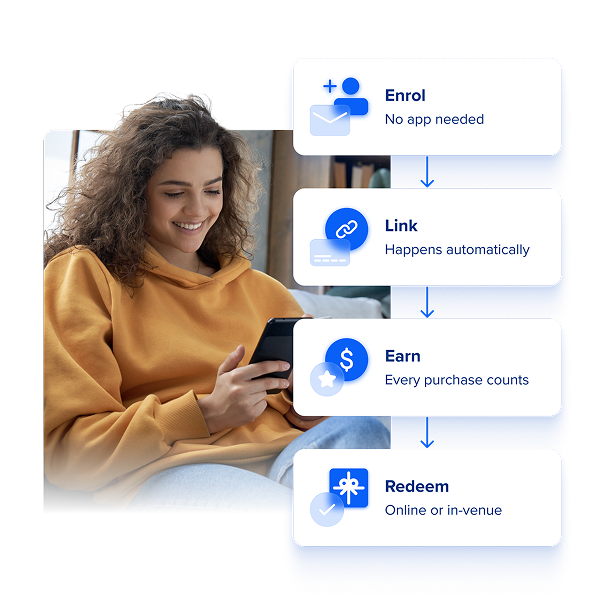
At its core, loyalty follows a simple arc:
Enroll — Guests join your program after a purchase via email or by creating an online account. Once enrolled, all future qualifying purchases are tracked automatically.
Link — When an enrolled guest pays with a card, that card is linked to their loyalty account. On future visits, if the guest pays with the same card, earning is triggered automatically — no staff lookup or guest identification required. Card linking requires ROLLER Payments.
Earn — Guests earn points or progress toward a reward on every qualifying purchase. Points and progress become available once the related booking item is redeemed at POS or the booking item expires.
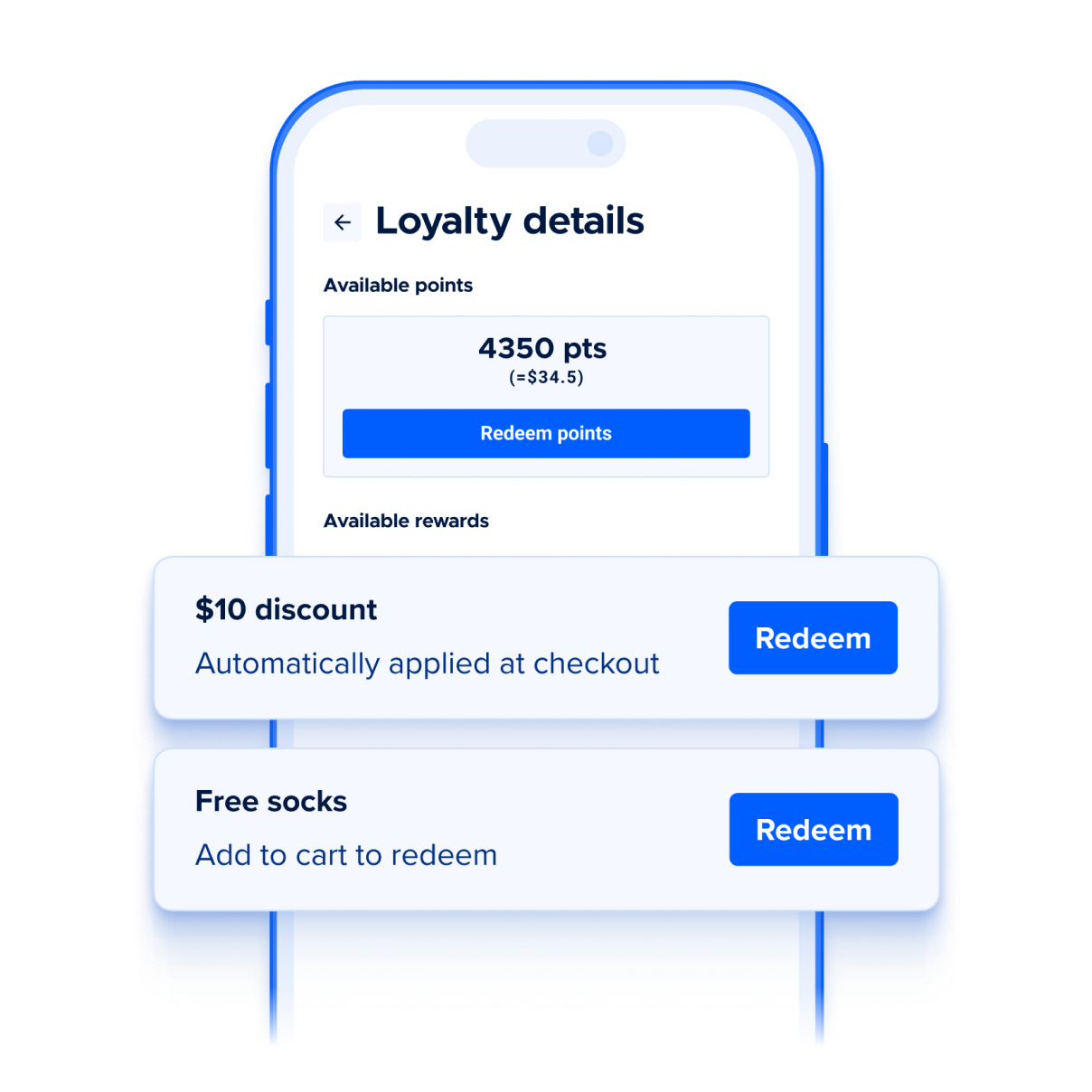
Redeem — When a guest meets the conditions of an earning rule, they unlock a reward. They can redeem it at POS with staff assistance, or through the online checkout when signed in to their account.
Stay engaged — Guests can view their points balance, available rewards and progress toward future rewards in their online account. Automated reminder emails keep them connected between visits so rewards don't go to waste.
What loyalty is not
Loyalty is designed for ongoing guest relationships, not short-term sales tactics.
Not a discount campaign. Discounts reduce price to drive immediate sales. Loyalty rewards guests for returning over time — the value builds with each visit.
Not a membership. Memberships are designed for your most committed, high-frequency guests. Loyalty is built to engage a broader base — typically reaching 20–30% of guests compared to 5–15% for memberships.
Not something you have to manage day-to-day. Loyalty runs continuously in the background. Once your rules are active, guests earn and progress automatically on every qualifying purchase — there's nothing to restart or reset between campaigns.
Enrollment
Once your program is active, guests can join through several paths:
From a loyalty invitation email sent automatically after a purchase at POS or online.
By selecting Join Loyalty on the booking confirmation page after an online purchase.
From the order confirmation email, if the loyalty invitation panel is enabled.
By creating an online account. This also enrolls the guest automatically.
From a QR code at your venue linking to your online accounts login page.
For the invitation email to send, the guest must be the booking holder, have a valid email address and be subscribed to your mailing list.
To learn more, see the guide How guests join your loyalty program.
Card linking
Card linking is how ROLLER Loyalty recognizes returning guests at payment without any action from staff or the guest. When an enrolled guest pays with a card, that card is linked to their loyalty account. On future visits, paying with the same card triggers earning automatically.
This is particularly useful for purchases where guests aren't typically identified as a booking holder, like food and beverage transactions.
Card linking requires ROLLER Payments.
Multiple cards
Guests can link more than one card to their loyalty account. Each card can only be linked to one loyalty account at a time.
If a guest pays with an unlinked card
Their loyalty account can be matched using their email at checkout.
Program rules
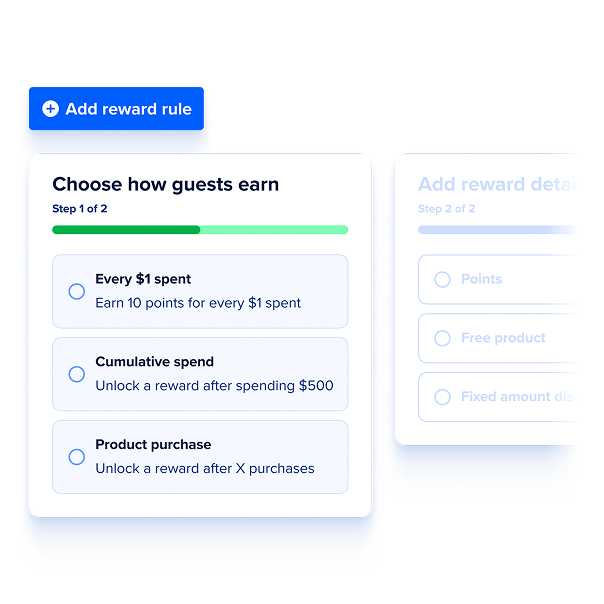
Each program rule defines how guests earn and the reward they receive. Each rule type is designed to support a different business goal — rewarding overall spend, encouraging guests to hit a total spend target or driving repeat purchases of a specific product. ROLLER Loyalty supports three rule types.
Rule type | How it works |
|---|---|
Points-based (per $ spent) | Guests earn points on every dollar spent on qualifying purchases. Points accumulate and convert to a fixed dollar discount at redemption. For example, 100 points = $1 off. Only one per $1 spent rule is allowed per program, and points are the only reward type available for this rule. |
Spend-based (cumulative spend) | Guests unlock a reward once their total spend across visits reaches a configured amount. You set the threshold and the reward type. Earning progress is recorded after each qualifying booking item is redeemed at POS or the booking expires (eg due to no shows). For example, spend $250 across visits, get $10 off. Keep in mind: this rule repeats automatically if you don’t have a repeatability cap set, so one cumulative spend rule is usually enough. Running multiple rules of this type simultaneously means rewards can accumulate faster than intended. |
Product milestone (product purchase) | Guests unlock a reward after purchasing a specific product a set number of times — just like a traditional punch card, but tracked automatically. Progress is recorded after each qualifying booking item is redeemed at POS or the booking expires. For example, buy 10 jump passes, get 1 free. This rule also repeats automatically if you don’t have a repeatability cap set, so the same applies — one rule is usually enough. |
Earning applies to qualifying purchases — some product types are excluded, see How guests earn points and progress below. Each rule has its own earn rate, but earn rates are uniform within a rule — you can't set different rates by guest segment, product category or time period (eg weekday versus weekend rates aren't supported yet).
To learn more, see the guide Choose the right loyalty rule for your goal.
Reward types
Three reward types are available: points, fixed amount discount or free product.
Reward type | How it works | Example |
|---|---|---|
Points | Guests earn points on qualifying purchases. Points convert to a dollar value that guests can apply as a discount at checkout — they choose how much of their balance to use. | 200 points = $2 discount. |
Fixed amount discount | Guests unlock a set dollar discount once they meet the earning rule condition. | Spend $500, get $10 off. |
Free product | Guests unlock a specific product for free once they meet the earning rule condition. | Buy 10 jump passes, get 1 free. |
Which reward types are available for each rule
Not all reward types are available for every rule.
Points are the only reward type available for the per $1 spent rule.
Spend-based and product purchase rules let you choose one of the three reward types: points, fixed amount discount or a free product. Each rule uses one reward type at a time.
Points | Fixed amount discount | Free product | |
|---|---|---|---|
Per $1 spent (points-based) | ✓ | — | — |
Cumulative spend (spend-based) | ✓ | ✓ | ✓ |
Product purchase (stamp card) | ✓ | ✓ | ✓ |
For each rule, you configure the reward guests receive, such as the number of points, fixed amount discount or which product is awarded for free.
Free product rewards are set at the product level. You can't choose which variation is awarded. At redemption, the reward applies to the cheapest eligible variation in the guest's cart.
You can't currently restrict which products points redemptions or fixed amount discounts apply to at checkout.
Gift cards, cashless card products, wallet products and memberships can't currently be selected as a free product reward.
See Set up loyalty rules and rewards in Venue Manager for setup instructions.
How multiple rules work together
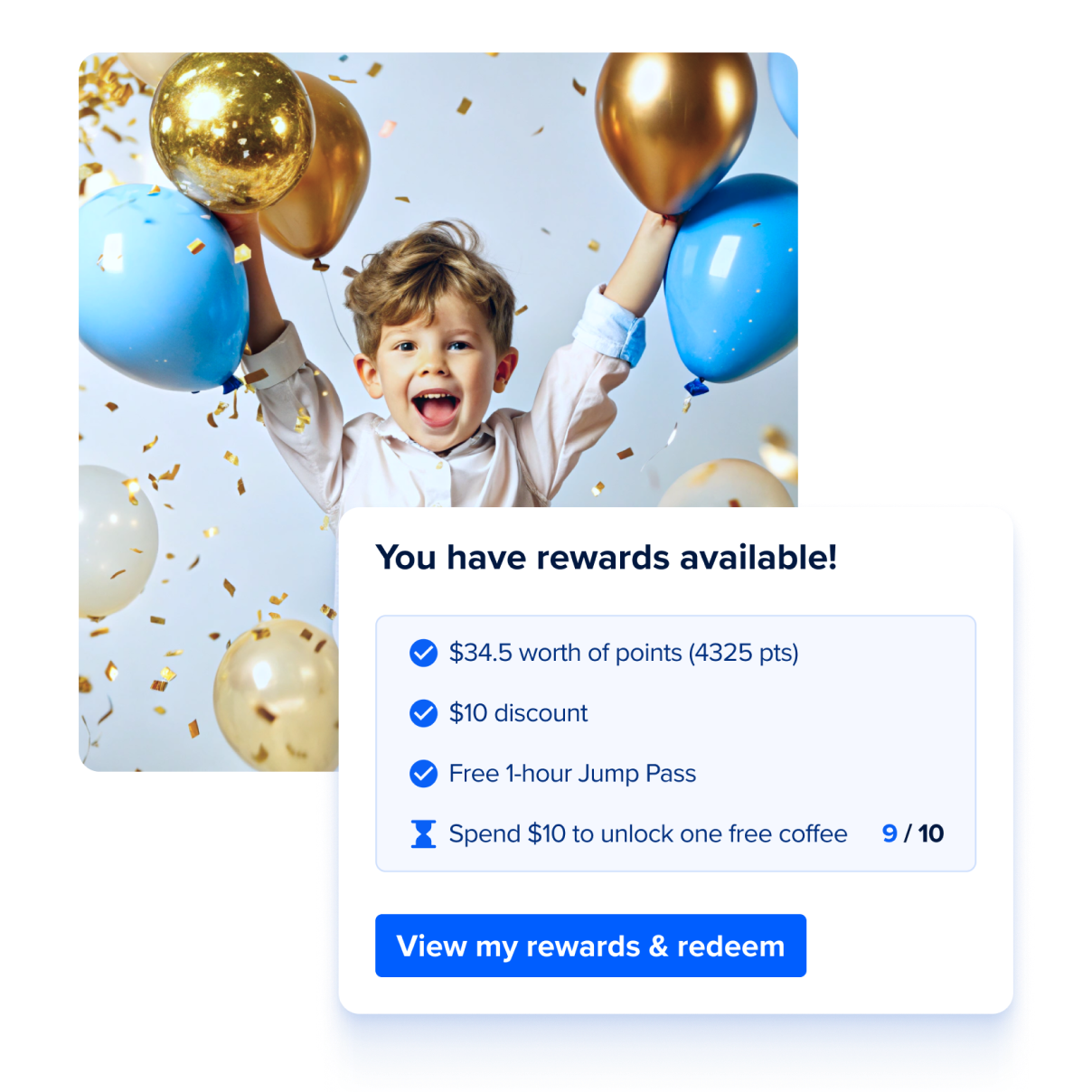
You can run several rules at the same time, and they all track progress at once. Each rule works on its own. A purchase counts toward every rule it qualifies for, and rules don't cancel or reset each other.
Rules progress independently. For example, each spend-based rule tracks its own qualifying spend or purchases against its own threshold.
A single purchase can count toward more than one rule. If a product qualifies for two rules, it adds progress to both at the same time.
Guests can unlock more than one reward. When a purchase meets the threshold for two rules, the guest unlocks both rewards to use, not a choice between them.
To keep two rules separate, use different qualifying products. Two rules only share progress when their qualifying products overlap in the rule’s Applies to settings. If you want them to progress independently, make sure they don't include the same products.
Rules with overlapping products stack. If two rules apply to the same products, every qualifying purchase adds progress to both, and guests can unlock both rewards from the same spend. Since the default is All products, check the Applies to setting on each rule before you activate, so you're only rewarding what you intend to.
Example: two independent rules
Rule A: Spend $200, get $10 off. Applies to session passes only.
Rule B: Spend $400, get $25 off. Applies to party packages only.
Because the rules apply to different products, they progress independently:
A guest buys a $20 session pass. Rule A moves to $20/$200. Rule B doesn't move.
They later buy a $250 party package. Rule B moves to $250/$400. Rule A stays at $20/$200.
Over more visits they keep buying session passes. When their session pass spend reaches $200, they unlock the $10 reward. Rule B stays where it is until they buy another party package.
Any food and drinks in those bookings don't count, because neither rule includes stock products under Applies to.
Example: two rules that share qualifying products
If two rules use the same qualifying products but offer different rewards (eg a T-shirt and a session pass), both rules progress from the same purchases. When the guest reaches the threshold, they unlock both rewards, not one or the other.
Earning conditions
Add earning conditions to spend and product milestone rules to control how guests progress towards and earn rewards.
Time window: Progress towards a reward resets if a guest doesn't reach it within a set number of days. For example, “spend $250 and get $10 off your next visit" with a 90-day window resets a guest's progress if they haven't hit $250 within 90 days of starting.
Repeatability: Caps how many times a guest can earn the same reward, instead of repeating indefinitely. For example, "buy 5 jump passes, get one free" capped at 3 total redemptions and stops paying out once a guest has earned it three times.
Daily cap: Caps how much progress a guest can make towards the milestone in a day. For example, “Buy 10 jump passes, get one free rule” where only 2 eligible purchases count towards the milestone each day.
See Set up loyalty rules and rewards in Venue Manager for specific set up instructions.
Bonus reward rules
Bonus reward rules are rewards issued automatically when a guest hits a specific trigger. They run separately from your earning rules and do not require a purchase to trigger.
ROLLER Loyalty currently includes one bonus reward rule type:
Sign-up/Welcome — a reward issued automatically when a guest enrolls in your program. Use this to give guests an immediate reason to join and make their first redemption, proving program value from day one. For example, a guest who signs up receives $10 off their first purchase. The reward is issued once per guest, even if they leave and re-join the program.
You configure bonus reward rules in your loyalty setup in Venue Manager, including the reward type, reward value and expiry period.
Promotions
Promotions let you temporarily multiply rewards for a set period (eg run double points for a weekend or a two-week campaign) without permanently changing your program rules. Unlike your ongoing program rules, a promotion runs for a defined start and end date, then reverts automatically once the promotion ends.
Promotions are different from bonus reward rules. A bonus reward rule (like Sign-up/Welcome) issues a one-time reward. A promotion instead temporarily boosts rewards across your existing rules, including bonus reward rules.
You set up promotions in your loyalty setup in Venue Manager, including the reward type it applies to, the multiplier and the start and end dates. Guests are notified automatically by email when a promotion starts, and again with reminders while it's running.
To learn more, see the guide Set up time-limited promotion campaigns for your loyalty program.
Points redemption value
When your program includes a points-based rule or rules with points as the reward type, you set how much each point is worth at redemption.
For example, if 1 point = $0.01, a guest with 500 points can get $5 off ($0.01 x 500 = $5).
The point value applies whenever points are redeemed — whether earned through the per $1 spent rule or awarded as the reward for a spend-based or product purchase rule.
Reward expiry
Rewards can expire after a set period if unused. For example, a reward with a 30-day expiry unlocks on the day the guest qualifies and must be redeemed within 30 days.
You can configure the expiry period at the program level, which applies to all rules. Each rule can also override the program-level expiry with a rule-specific expiry in months or days.
When the reward is points, expiry applies per earning event and runs from the date of the purchase that earned them, not from when the points become available to use. Each batch of points has its own expiry date based on its purchase date, and that date doesn't change. Earning more points later starts a separate expiry for the new points and doesn't extend points already earned. For example, with a 12-month expiry, points from a June purchase expire the following June, and points from an August purchase expire the following August.
Guests also receive reward available and reminder emails, giving them a reason to return.
To learn more, see the guide Set up loyalty rules and rewards in Venue Manager.
How guests earn points and progress
Guests earn points and progress automatically, but not at the moment of purchase. Points and progress are recorded once a qualifying booking item is redeemed at POS or expires. Points are always awarded to the booking holder — even when several guests contribute to one payment, or the booking is for a party or event. This gives the booking holder a clear reason to be identified at checkout.
How a purchase is matched to a guest
Earning follows the booking holder. When a guest is identified as the booking holder (eg through a waiver linked to their loyalty account), points are earned on that account. When the booking holder isn't identified — such as food and beverage purchases — card linking triggers earning instead, as long as the guest pays with the card linked to their loyalty account. If both could apply, the booking holder takes precedence. Card linking requires ROLLER Payments.
Purchases that don't earn points
Guests don't earn points or progress on:
Gift card product purchases.
Cashless card product purchases.
Wallet product purchases.
Membership purchases and recurring payments.
Transactions where a reward brings the total to $0 (eg using 500 points to get $5 off a $5 purchase).
When guests use the stored value on a gift card, cashless card or wallet to buy other items, those purchases do earn points and progress. Using a membership benefit applies a discount, so the guest earns on what they pay after it on a qualifying product.
FAQs
Why are gift cards, cashless cards, wallets and memberships excluded from earning?
These are stored-value products or memberships rather than one-off purchases, so excluding them from earning avoids double-counting.
With gift cards, cashless cards and wallets, guests earn instead when they spend that balance on other products. Memberships work differently depending on whether the guest is buying or using one:
Buying a membership (including recurring payments) doesn't earn — it's an excluded product.
Using a membership benefit applies a discount, so the guest earns on what they pay after it on a qualifying product.
Can guests use loyalty points to discount a membership product purchase?
Guests can apply points or a fixed amount discount reward (eg $10 off) to a new membership purchase at checkout. They won't earn points or progress on the purchase, but they can redeem points or discounts against its initial purchase. This doesn't apply to recurring membership payments. Those bill automatically outside the booking flow, so there's no checkout to apply a reward to.
Do points expire?
Points expire when your program or a rule has an expiry set, the same as any reward. Because points are earned incrementally, expiry applies per earning event, so each batch has its own expiry date set from the purchase that earned them — even though the points only become available once the booking item is redeemed at POS. Earning more points later doesn't extend points the guest already has. You set the expiry period at the program level or override it per rule.
To learn how to set rule specific or program-level expiry, see the guide Set up loyalty rules and rewards in Venue Manager.
Can two loyalty accounts be combined?
No. Each guest has their own loyalty account linked to their email address, and accounts can't be merged. Earning and redemption both follow the booking holder, so to use a particular guest's points or rewards, set that guest as the booking holder at checkout.
If you need to move points between accounts, staff with the right permission can manually adjust each guest's points balance. To learn more, see the guide View and manage a guest's loyalty profile from Venue Manager.
If two rules include the same products, does the guest choose between the rewards?
No. Rules progress independently, so a purchase that qualifies for both rules adds progress to both. If the guest reaches both thresholds, they unlock both rewards — it's not a choice between them. See How multiple rules work together above.
Can I stop two rules from progressing together?
Yes. Rules only share progress when their qualifying products overlap. Set selected products on each rule so they include different products, and they'll progress independently.