On a busy weekend, checking guests in and chasing unsigned waivers at the same time slows the line down. With the Mobile Check-in app, you can see who’s signed while you check guests in, and send a waiver request to anyone who hasn’t. Guests sign on their own phones while they wait, with no trip to the counter.
Use this guide to see the signed waivers for a booking and send a waiver request from the app.
Plan availability
The Mobile Check-in app is included in the Enterprise plan. On other plans, it's a paid add-on, charged in addition to your monthly plan. To add it, contact your customer success manager or the support team.
Before you begin
Waivers in the Mobile Check-in app are available on request for venues with the waivers add-on. To enable them, contact your customer success manager or the support team.
See the signed waivers for a booking
When a guest reaches you in line, check their booking for signed waivers before you redeem their tickets. The app shows waivers signed with the same email address as the booking. That includes a waiver the guest signed when they booked online and one they signed on an earlier visit.
From the Mobile Check-in app, open the guest’s booking.
Select the Waivers tab. A number shows next to the tab when ROLLER finds waivers for the booking.
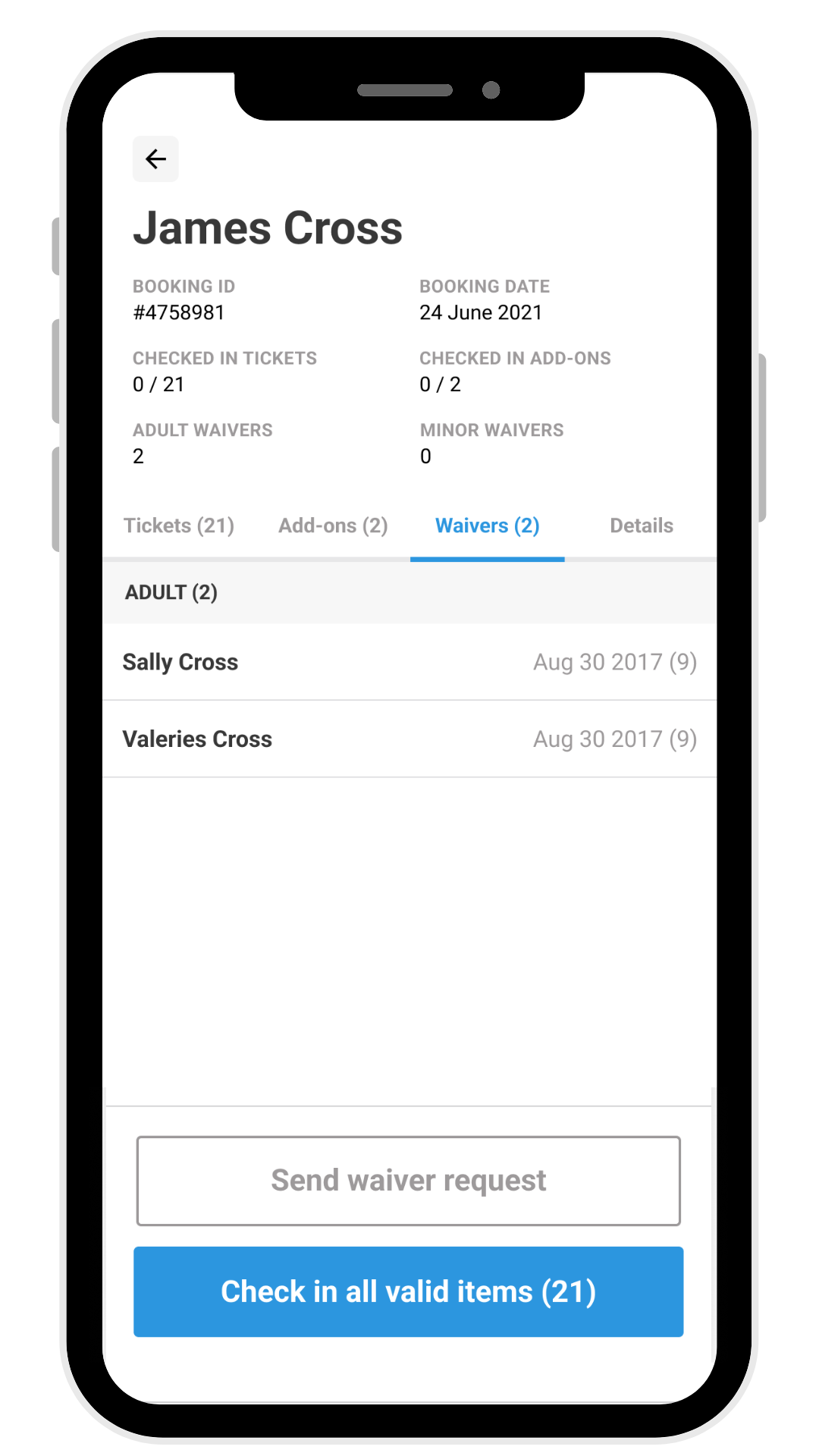
Check there’s a signed waiver for each guest you’re checking in.
To assign a signed waiver to a guest’s ticket, use POS. To learn how, see the guide Redeem tickets and assign waivers at POS.
Send a waiver request
When a booking has no signed waivers, send a waiver request from the app. To send one, select Send waiver request in the guest’s booking.
ROLLER sends the request to the booking holder’s email, or by Text/SMS when the booking has no email address. The booking holder can share the link with the rest of their group, so everyone can sign on their phone while they wait.