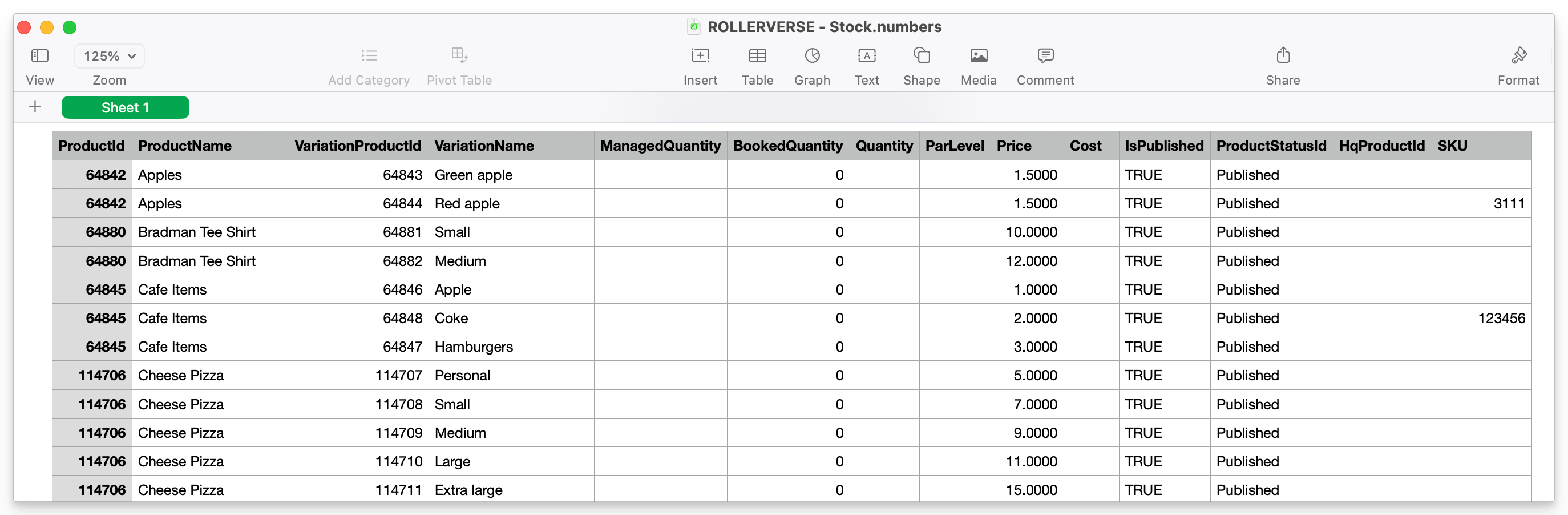
This guide shows you how to export your stock products and details to a CSV file.
From Venue Manager, go to Products > Stock > All stock.
Select the options menu (3 dots) in the top right of the page.
Select Export stock (.csv)
A CSV file automatically downloads which includes the following data:
ProductName: stock item name
VariationName: variety of your stock item
Quantity: current quantity on hand
Price: price a guest pays for the item
Cost: cost of the stock items
PARLevel: quantity set as a replenishment reminder of how much stock you wish to have as a minimum or for re-odering purposes
Refer to the guide Cost of Goods report to learn how to report on the sales and associated costs of stock items for your venue.