Set your accounting method to match how you record revenue, so your ROLLER reports show revenue and tax in the same month as your books. Accrual accounting (the default) counts a deposit for next month's party as revenue on the party day. Cash accounting counts it the day the guest pays.
This guide shows you how each method counts revenue, which one to choose, how to switch and what changes in your reports.
How each method counts revenue
The difference comes from guests who pay ahead.
Take a guest who pays a $200 deposit on July 28 for a party on August 14.
Method | When ROLLER counts revenue | The $200 deposit |
|---|---|---|
Accrual (default) | When staff redeem the guest's tickets, or when the product expires without being redeemed | Counts as revenue on August 14, when staff redeem the tickets. Until then, it's deferred revenue |
Cash | When the guest pays | Counts as revenue on July 28. The balance counts on the day the guest pays it |
Under accrual accounting, money paid for a visit that hasn't happened yet shows as deferred revenue until the guest redeems or the product expires.
Tax follows the same timing as revenue. Under cash accounting, tax is collected when the payment is received. Under accrual accounting, tax is payable when the revenue is recognized.
When an unredeemed product expires depends on its type (eg session passes and standard passes expire differently). To learn more, see the guide Revenue recognition and product expiry rules in ROLLER (accrual accounting). For what each figure in your reports means (eg gross revenue, net revenue and accounts receivable), see the guide Get to know reporting terms in ROLLER.
Choose your accounting method
Use the method your accountant uses for your books. Accrual counts revenue when it's earned, which suits venues where guests often pay ahead (eg party deposits). Cash counts it when the money arrives.
Some governments don't let larger businesses, or businesses that hold inventory, use cash accounting. Check with your accountant or financial advisor before you choose.
When you switch, reports for dates before the switch use the new method too. ROLLER records each sale the same way under both methods and applies your current method when you run a report.
Reports you've already downloaded don't change, so download the ones you need before you switch.
Change your accounting method
ROLLER uses accrual accounting unless you change it.
The permission required to change your accounting method is Can access account details. The administrator role has this permission enabled by default.
From Venue Manager, go to Settings > Account > Venue settings.
Select Unlock to make changes.
Scroll to Reporting.
Select Accrual or Cash.
Select Save.
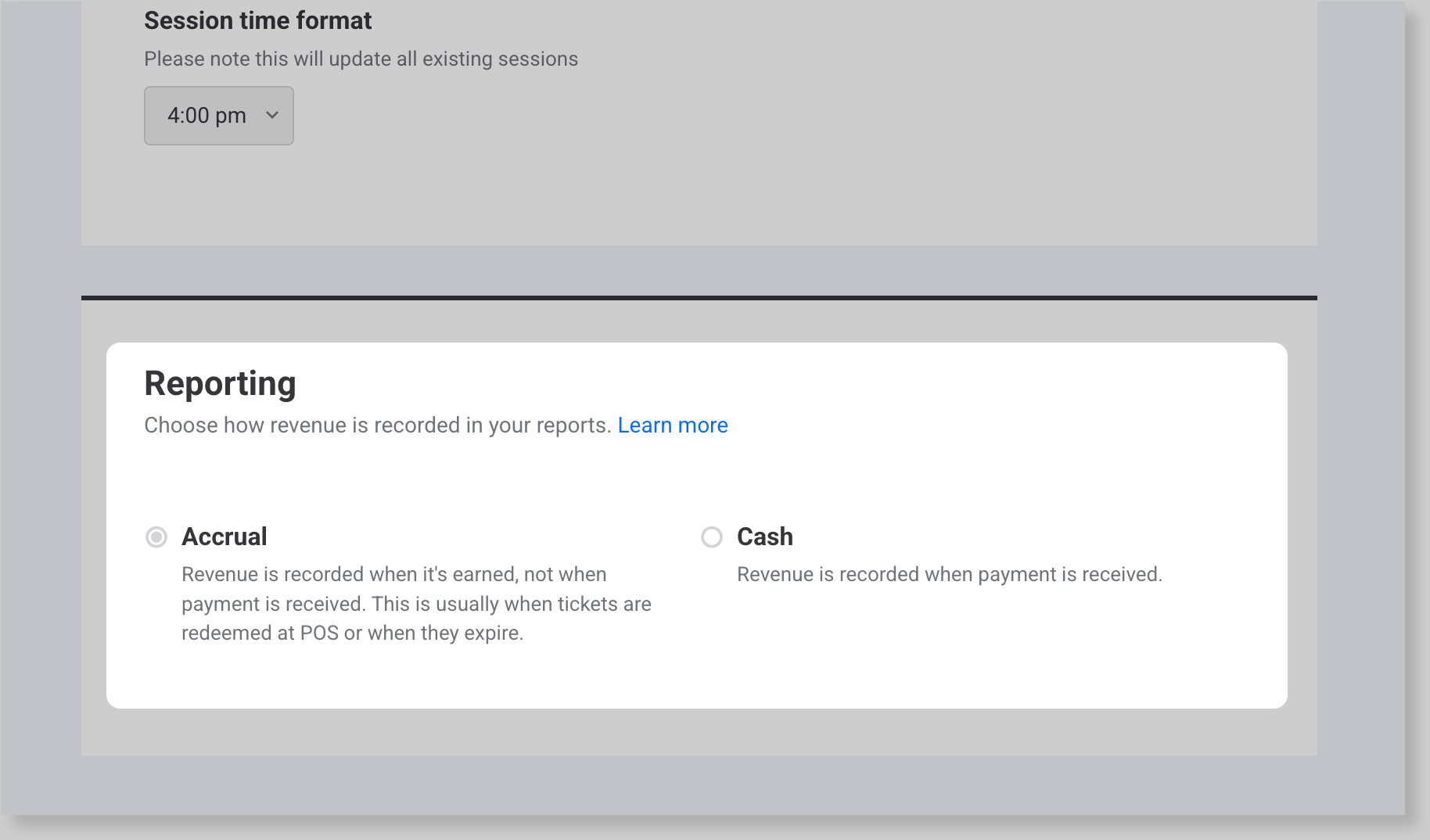
Your reports and the Venue Manager dashboard switch to the method you selected.
See what changes in your reports
If a report or column you expect is missing, check your accounting method first. Some reports and columns only show under accrual accounting. Each report's guide lists its accrual-only columns.
Where you'll see it | Accrual | Cash |
|---|---|---|
All reports page | All reports show | Sales by Category Export, Product Revenue by Reporting Category Export, Product Sales by Channel Export and Deferred Revenue by Booking don't show |
Shows Revenue and Funds received | Shows Funds received only | |
Revenue Recognition report | Shows payments, fees and tax collected, plus deferred and recognized revenue | Shows payments, fees and tax collected only |
Trial Balance report | Sales by reporting category use recognized revenue. Includes deferred revenue and accounts receivable | Sales by reporting category use funds received. No deferred revenue or accounts receivable |
Sales Tax report | Tax when revenue is recognized (Tax Payable). See the guide Sales Tax report (accrual accounting) | Tax when the guest pays (Tax Collected). See the guide Sales Tax report (cash accounting) |
Detailed Product Sales report | Adds recognized revenue columns | Adds Tax Collected |
Xero Export | Accrual journal entries. See the guide Xero Export (accrual accounting) | Cash journal entries. See the guide Xero Export (cash accounting) |
Fee recognition setting in Tax & fees | Choose Recognize at payment or Recognize at redemption. See Choose when fees are recognized in the guide Adjust tax and fees | Not shown. Fees count when the guest pays |
FAQs
Why don't walk-in sales show deferred revenue?
Under accrual accounting, ROLLER recognizes revenue when staff redeem the tickets. If staff redeem a walk-in guest’s tickets at POS when the guest pays, ROLLER recognizes the revenue straight away, so none of it is held in deferred revenue.
Is membership revenue deferred under accrual accounting?
No. ROLLER recognizes membership revenue when each payment is made, including recurring payments.