This guide shows you what you can do if you're having trouble accessing ROLLER, or are experiencing slowness using our apps. Work through the checks below in order.
Is ROLLER down right now?
Start by visiting our status page https://status.roller.app/ where you'll find up to date performance updates for ROLLER's software. If ROLLER is experiencing performance degradation, it will be noted there.
If the status page indicates that there is an outage or performance degradation, our operations team are working hard to resolve the problem. Click ‘Subscribe’ on top right corner to receive real-time sms, email, web-hook or slack alerts.
We recommend clearing your cache & cookies after an incident has been resolved.
Americas/Europe | South America, North America, Canada, Europe, Middle East |
Asia-Pacific | Australia, New Zealand, South-East Asia, Africa |
Dedicated APAC & Dedicated America | Client-specific environments |
Why is ROLLER slow or not loading?
If the status page says everything is fine with ROLLER, but you are still having problems, we recommend you try the following:
Check internet speed | Visit www.speedtest.net to conduct a speed test. The industry standard is 40Mbps+ download and 20Mbps+ upload. ROLLER requires reliable internet with minimal/no dropouts in your connection. If a dropout occurs, it will take the ROLLER POS offline which can cause some issues with updating new bookings and waivers. |
Check browser | Ensure you are using the latest version of Google Chrome (and relaunch it). |
Clear cookies and cache | Clear the cookies and cache on your web browser to help remove loading or formatting issues on sites. Follow this article here to clear your cache & cookies. |
Check Chrome/web extensions | Check which Google Chrome extensions you may have running in the background. Sometimes these can stop Venue Manager from loading or impact performance. |
Does restarting your device fix it?
Shut down and restart your computer as this can fix any programs that you are not using from running in the background and causing your computer to slow down. This can also help reconnect to the internet.
Still having problems?
If none of the above works, please report the issue to ROLLER Support. If contacting support about ROLLER site not responding, include the following information:
What type of computer are you using?
In Windows, select Start and enter dxdiag into the search box on the taskbar. Select dxdiag from the results. Take a screenshot of the results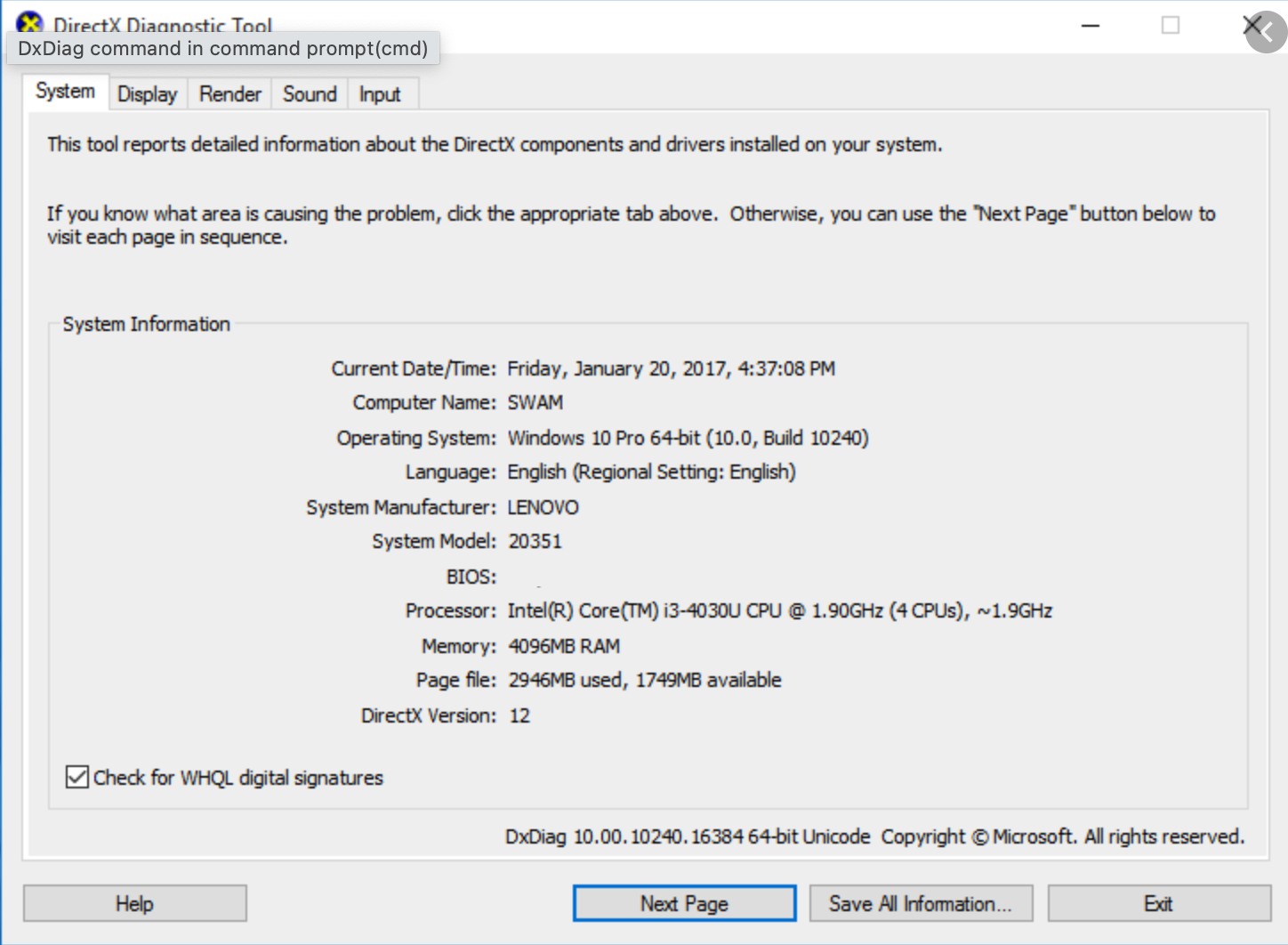
What web browser are you using?
How fast is the internet connection?
Visit www.speedtest.net to conduct a speed test. The industry standard is 40Mbps+ download and 20Mbps+ uploadAre there particular parts of ROLLER that are causing problems?
Can you record a video or screenshot of the problem?
FAQs
What is planned maintenance?
In order to keep our software and security up to date, our development team schedules periodic maintenance to our software. Planned maintenance is necessary work that requires us to deactivate some of our environments. Sometimes we can do the maintenance without disabling environments, but other times it's necessary to do so.
To stay updated on planned maintenance events and platform status, visit our status page https://status.roller.app/
It's important to us that planned maintenance affects users as little as possible, so we do our best to limit this work to times when the platform is not heavily used.
What does planned maintenance mean for me?
The potential impact to users is carefully considered at all stages of maintenance. While maintenance is underway, you may not have access to the ROLLER site for a short while. Any system generated emails may be slightly delayed while maintenance is under way. As soon as the maintenance window passes, your site will resume functioning normally.
If you experience any performance issues outside of the maintenance windows, please follow the troubleshooting steps above.