Problem
You may notice the Headcount in the Bookings report doesn’t match the Total redemptions in the Attendance report.
Solution
This is expected as the Headcount in the Bookings report shows how many tickets were sold during the selected timeframe.
Total redemptions in the Attendance report shows how many of those tickets were actually used (checked in).
Example
If you sold 100 tickets, the Bookings report shows 100.
If only 95 guests checked in, the Attendance report shows 95 redemptions.
View the Dashboard
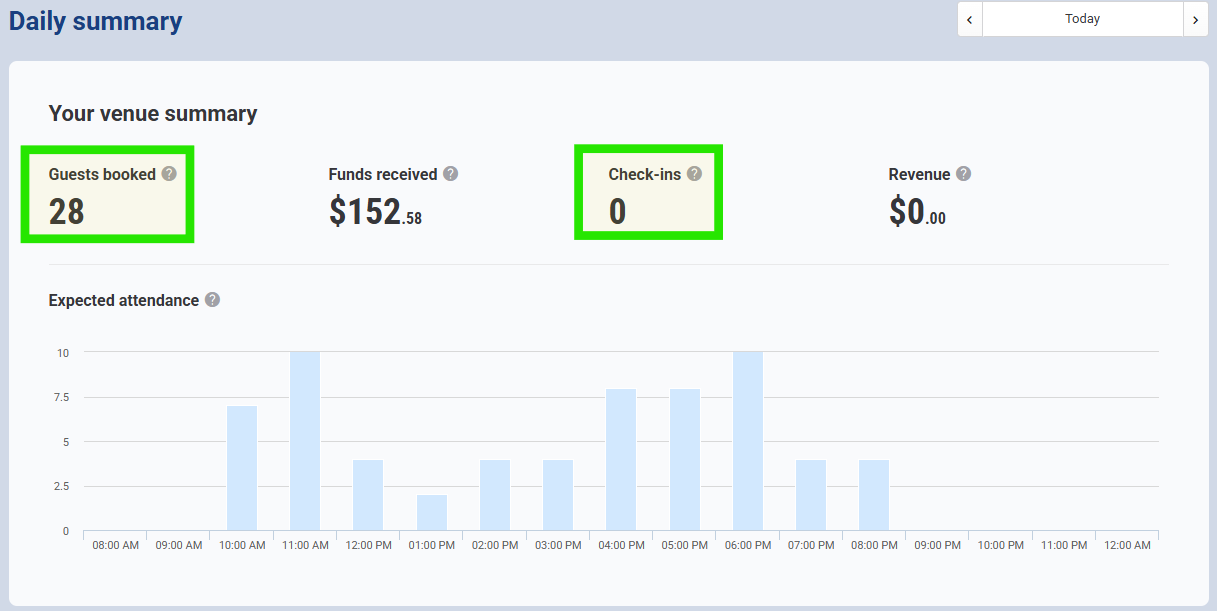
The Daily Summary on your Dashboard shows both:
Guests booked – total bookings made for the day
Check-ins – how many guests have actually arrived
If you're viewing today’s data, bookings made for later in the day won’t yet appear in the Check-ins count, which can make the difference look bigger.
To view the Daily Summary:
From Venue Manager, go to the Dashboard.
In the Daily Summary, compare the Guests booked versus Check-ins.