Once cloud printing is all set up and enabled for your venue, you and your staff will be able to troubleshoot docket printing issues directly from POS.
Reroute docket printer
If a docket fails to print at the designated printer, then also its backup printer (if one has been set up), a red print error message appears in POS to let staff know.
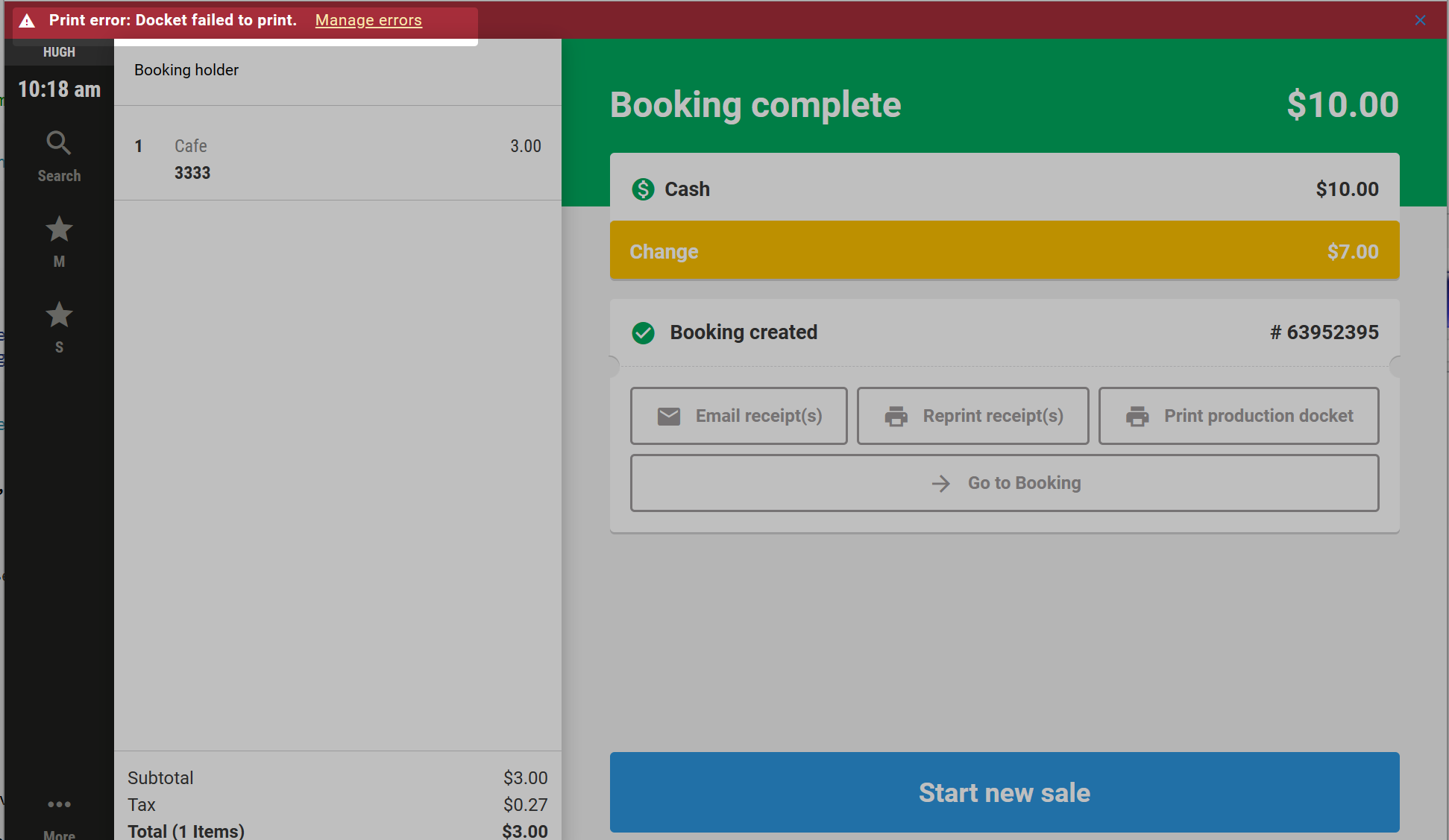
Staff can select Manage errors to reroute the docket to another printer connected to the network.
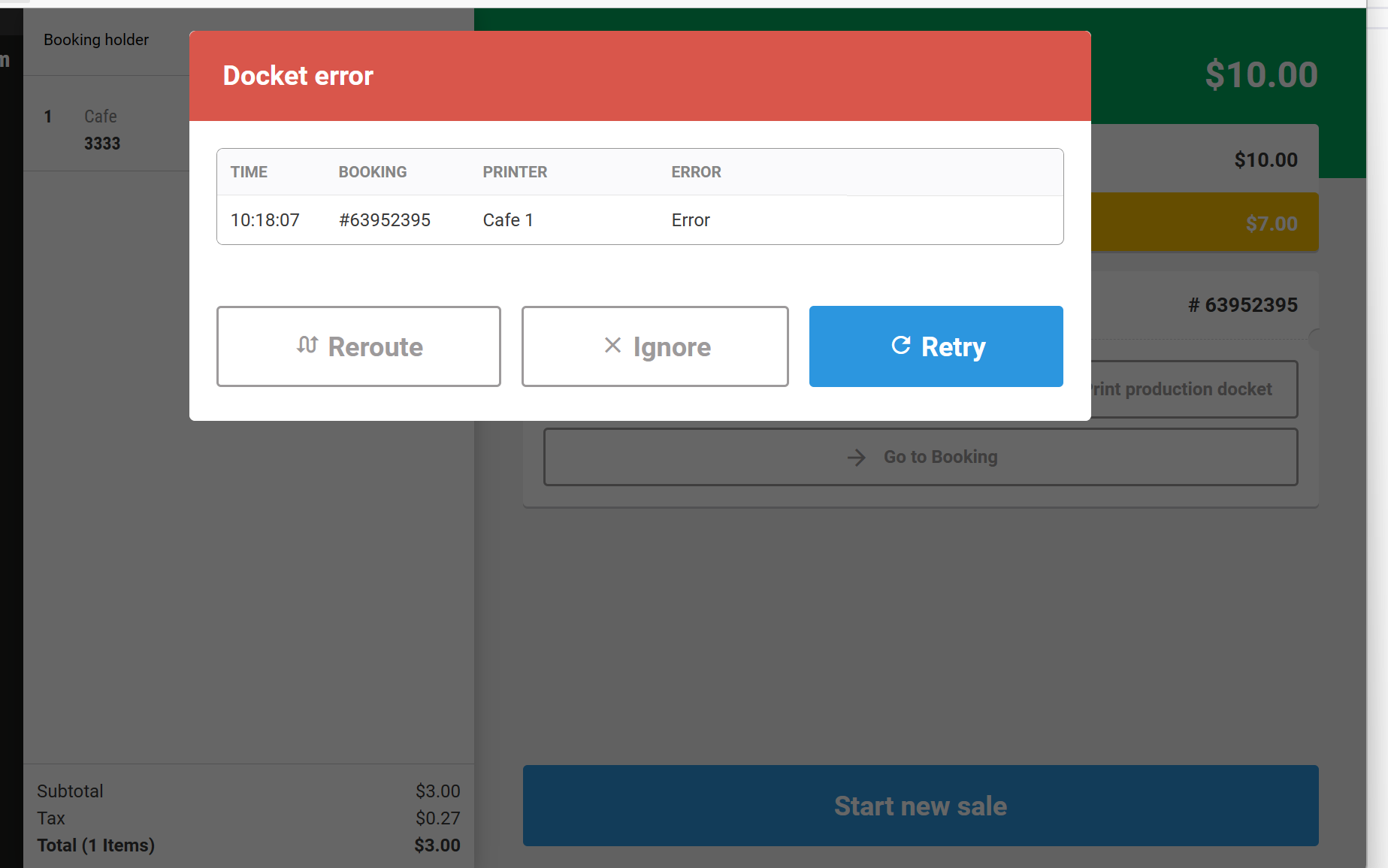
Check print status of dockets
You can also check the print status of dockets for the day at POS.
From POS, go to More > Settings > Printer logs
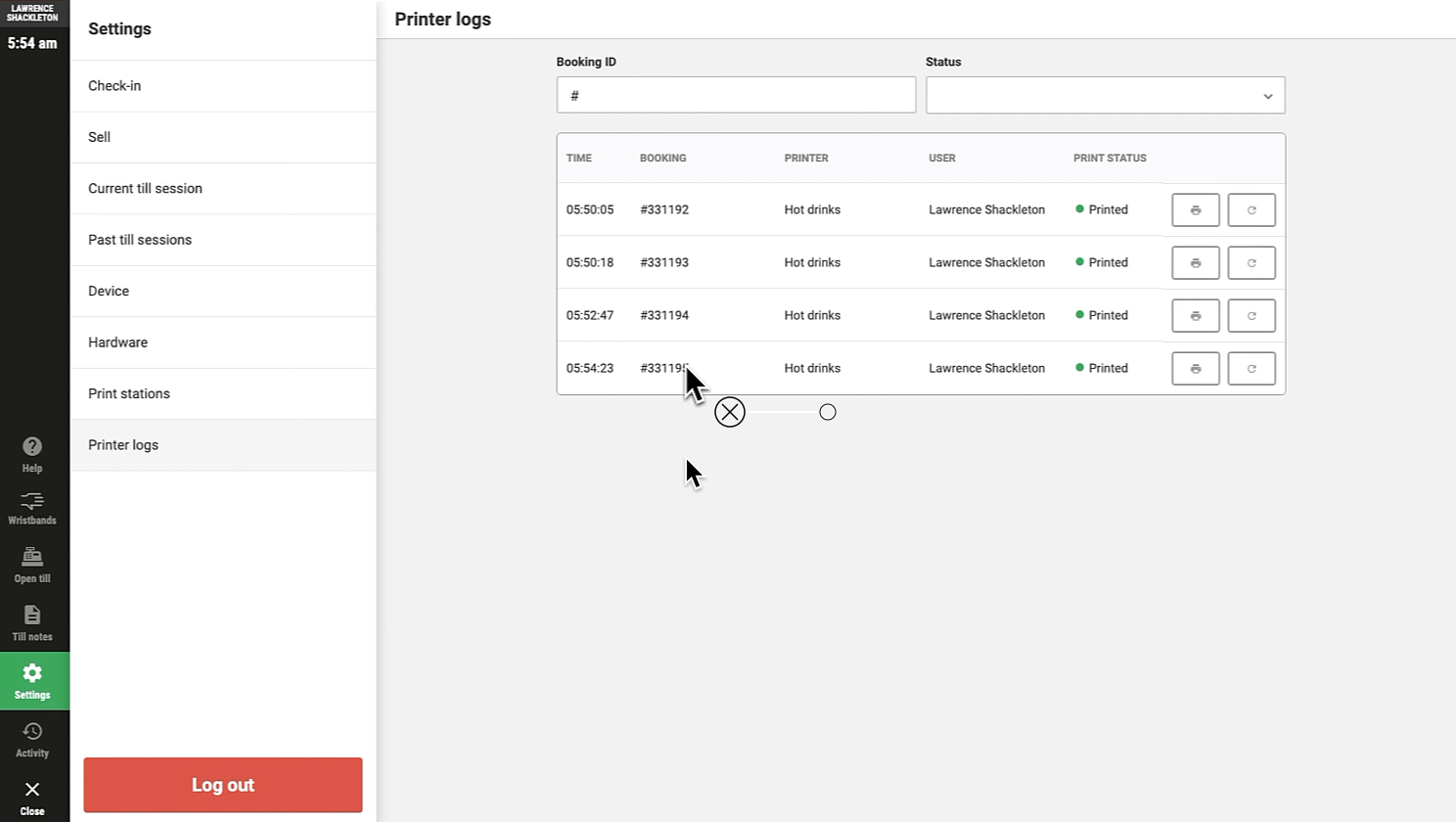
From here, with a manager POS PIN, you can also reprint dockets. Select the printer icon to do so.