Give the booking holder (the guest party host who booked the party) an online guest list. The booking holder invites guests with one link, guests RSVP and sign any waivers before the day, and your staff can see who's coming from the booking in Venue Manager. It works for kids' parties, corporate events and other celebrations.
This guide shows you how to turn on the guest list, help booking holders and guests use it, and check RSVPs and waivers before and on the day.
Pro feature and above
Use the party guest list with a Pro plan and above. To upgrade, contact your customer success manager or the support team.
See how the guest list works
Watch the video to see the guest list from all three sides: the booking holder (guest party host), the invited guest and your staff.
Before you begin
Booking holders manage their guest list from their online account, so online accounts need to be turned on in your progressive checkout.
To set them up, see the guide Configure online accounts in progressive checkouts.
Turn on the guest list for a party package
Turn on the guest list for each party package you want booking holders to invite guests to. Booking holders only see the guest list in their online account when their package has it turned on.
From Venue Manager, go to Products and select the party package.
In the Content section, turn on Party name.
Turn on Guest list.
Save your changes.
Guests who book this party package can now manage their guest list from their online account.
What booking holders and guests see
Use this section to answer questions from booking holders and guests about their guest list.
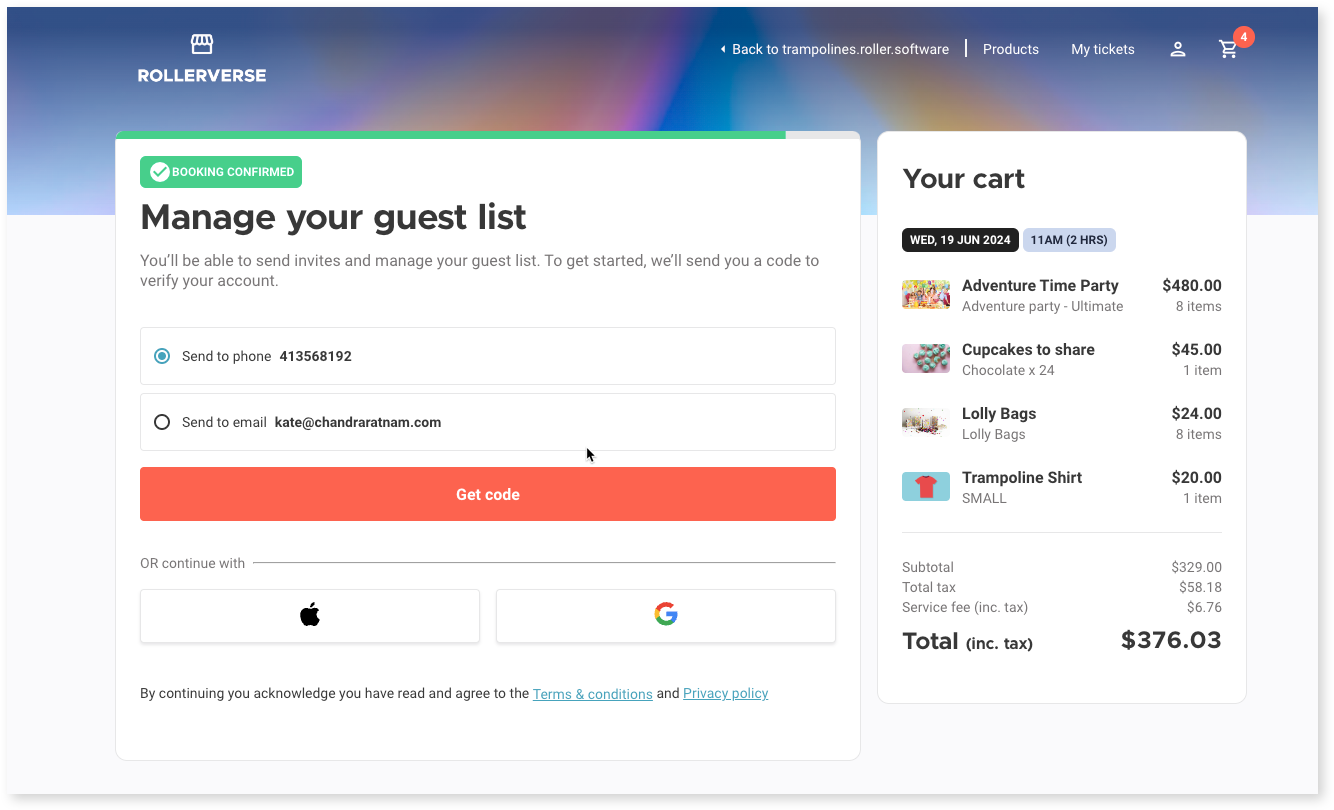
Booking holder signs in to their online account
After booking a party package, the booking holder manages the party and guest list from their online account. The first time, ROLLER sends them a code to verify their account (see the guide How guests sign in and use online accounts).
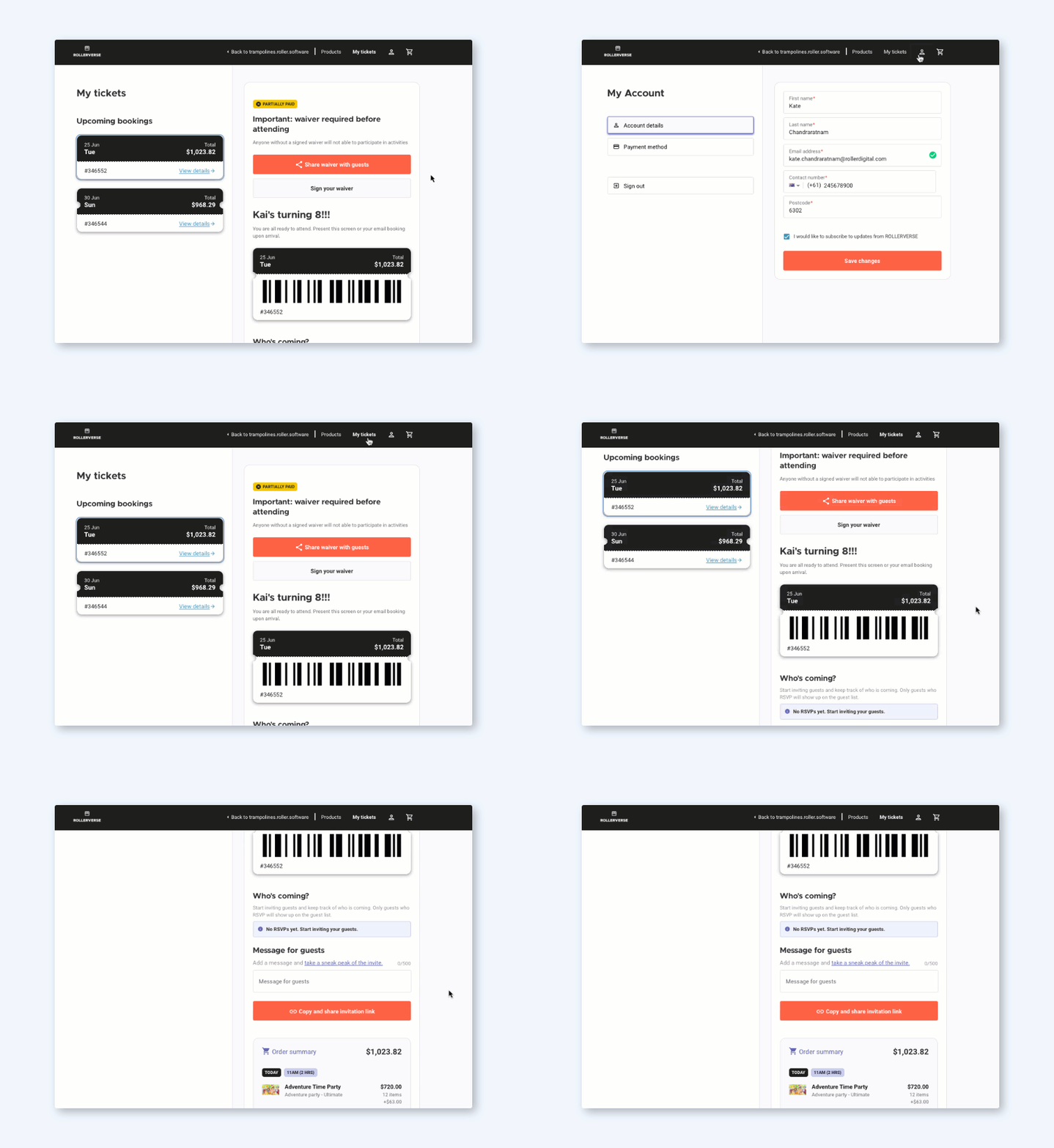
Booking holder invites guests
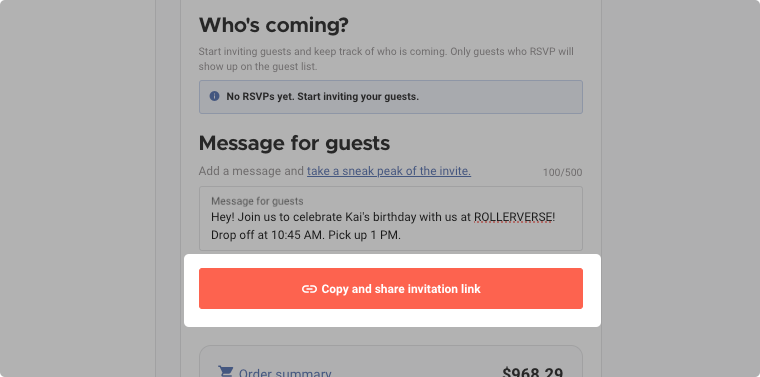
In Who's coming?, the booking holder selects Copy and share invitation link and sees everyone who has RSVP'd.
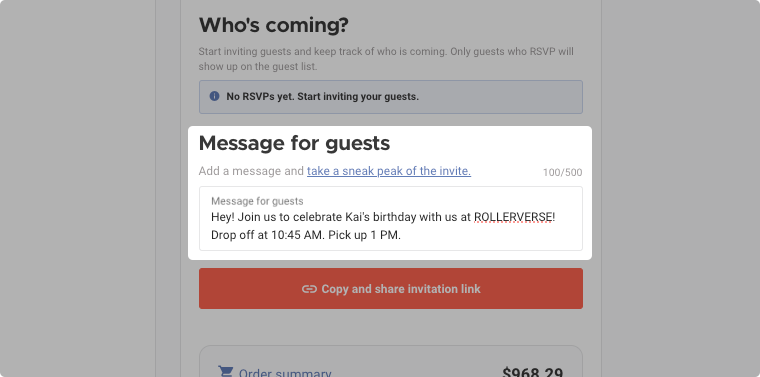
Booking holder adds a message for guests
The booking holder can add one message for all guests in Message for guests (eg parking, drop-off and pick-up times).
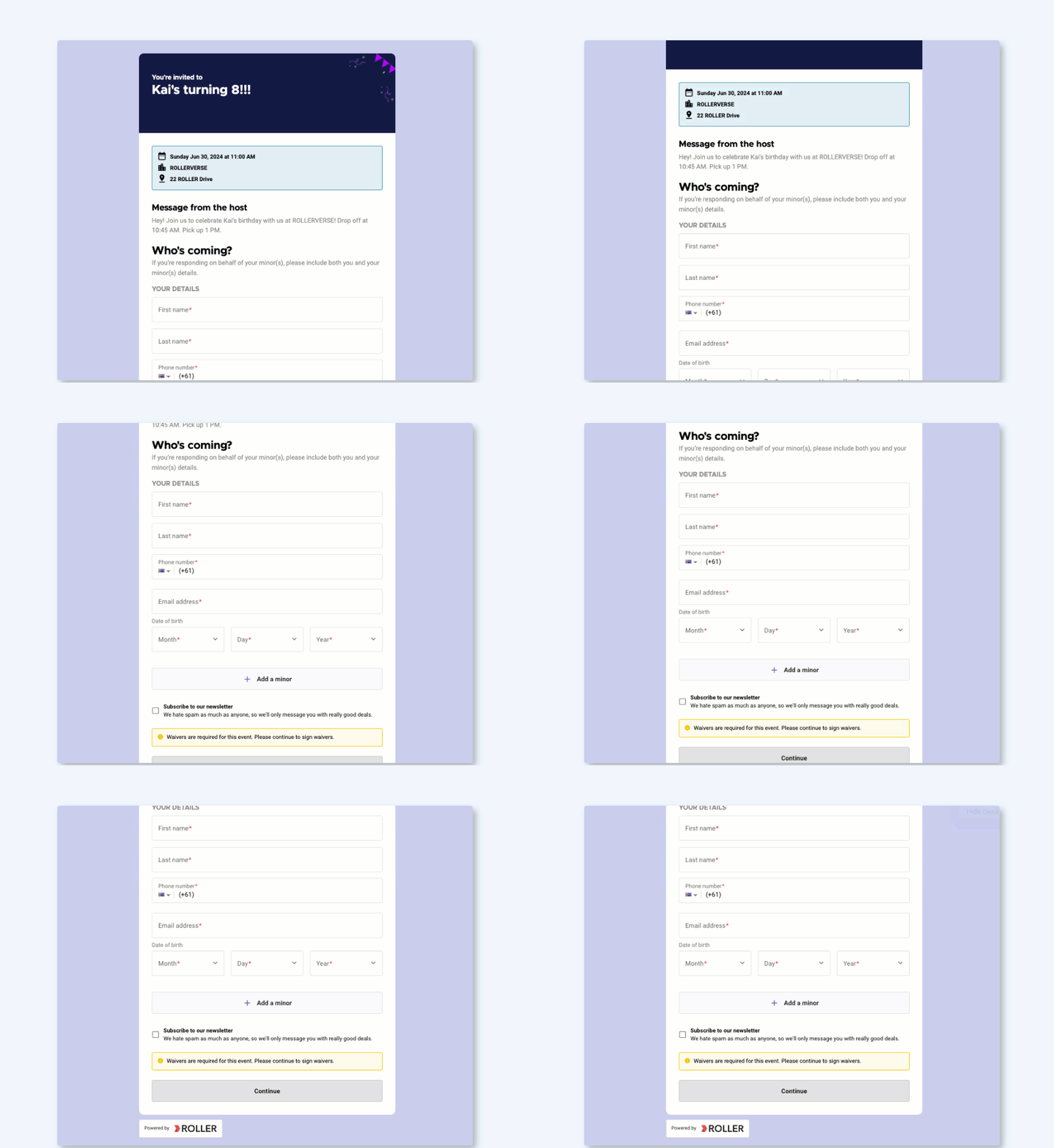
Booking holder previews the invite
After adding their message, the booking holder selects take a sneak peek of the invite to see the invite as their guests will.
Booking holder shares the invitation link
The booking holder sends the link however suits them (eg email, text message or social media).
Booking holder tracks RSVPs and waivers
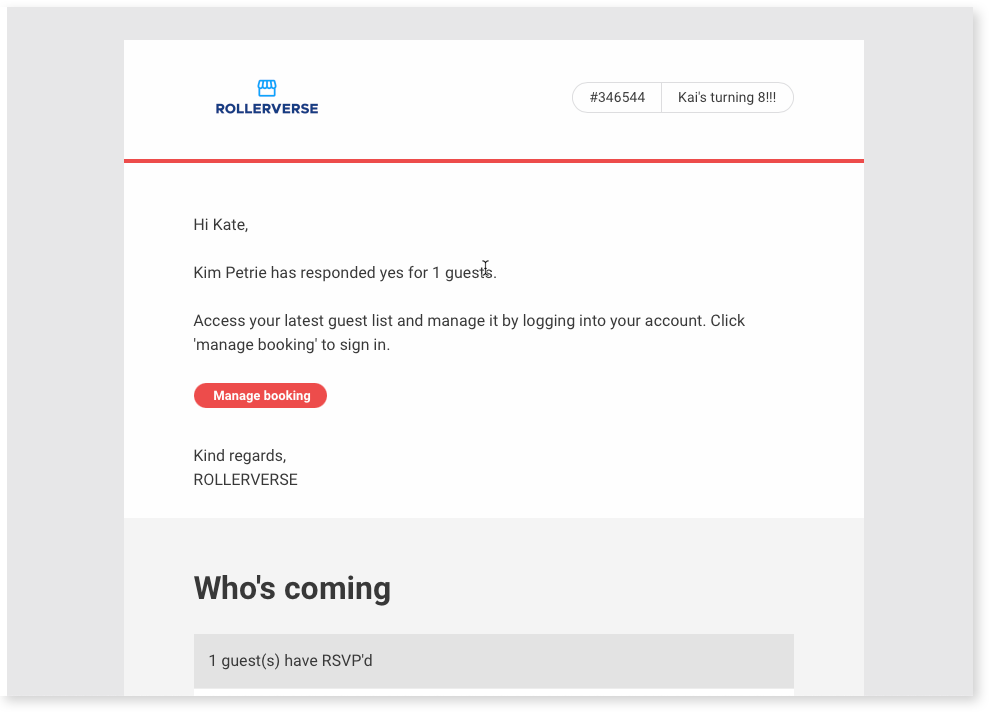
Each time a guest RSVPs, the booking holder gets an email with a link to their guest list.
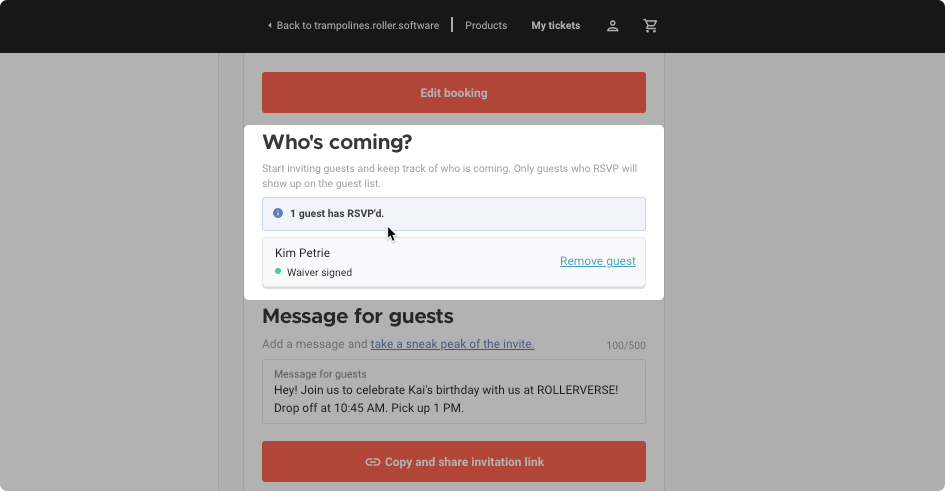
In their online account, the booking holder sees who's coming and whose waiver is signed. They can follow up with anyone who hasn't signed.
Guest RSVPs and signs waivers
The guest opens the invitation link and reads the party details, including the booking holder's message.
They fill in the RSVP form, adding any minors who are coming.
If a waiver is needed, they sign it as part of the RSVP. Guests who've already signed one see it listed and don't need to sign again.
They get a confirmation email when they RSVP.
If they gave an email address, they get a reminder about 24 hours before the party.
Booking holders can also reschedule their party and add or remove tickets and inclusions from their online account. To learn more, see the guide Manage party bookings with ease using online accounts.
Check who's coming before the party
Check RSVPs and waivers from the booking to follow up before the day, not at the front desk.
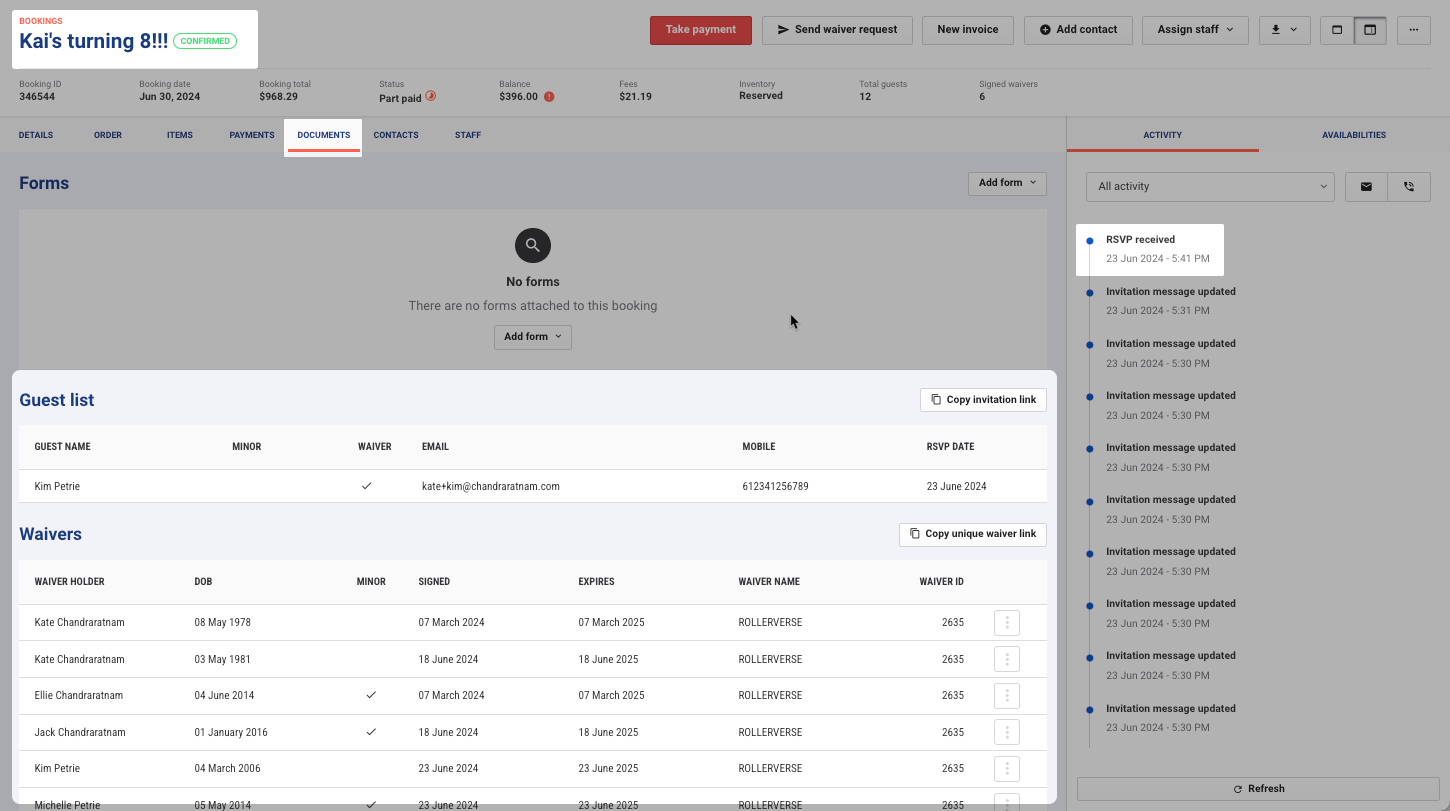
From Venue Manager, open the booking.
Select the Documents tab. The guest list shows each guest who has RSVP'd, with their waiver status and contact details.
RSVPs also show in the booking's activity stream. If a booking holder has lost their invitation link, select Copy invitation link and send it to them.
Check guests in on the day
Guests who signed a waiver with their RSVP are already linked to the booking. Check-in doesn't have to wait on paperwork.
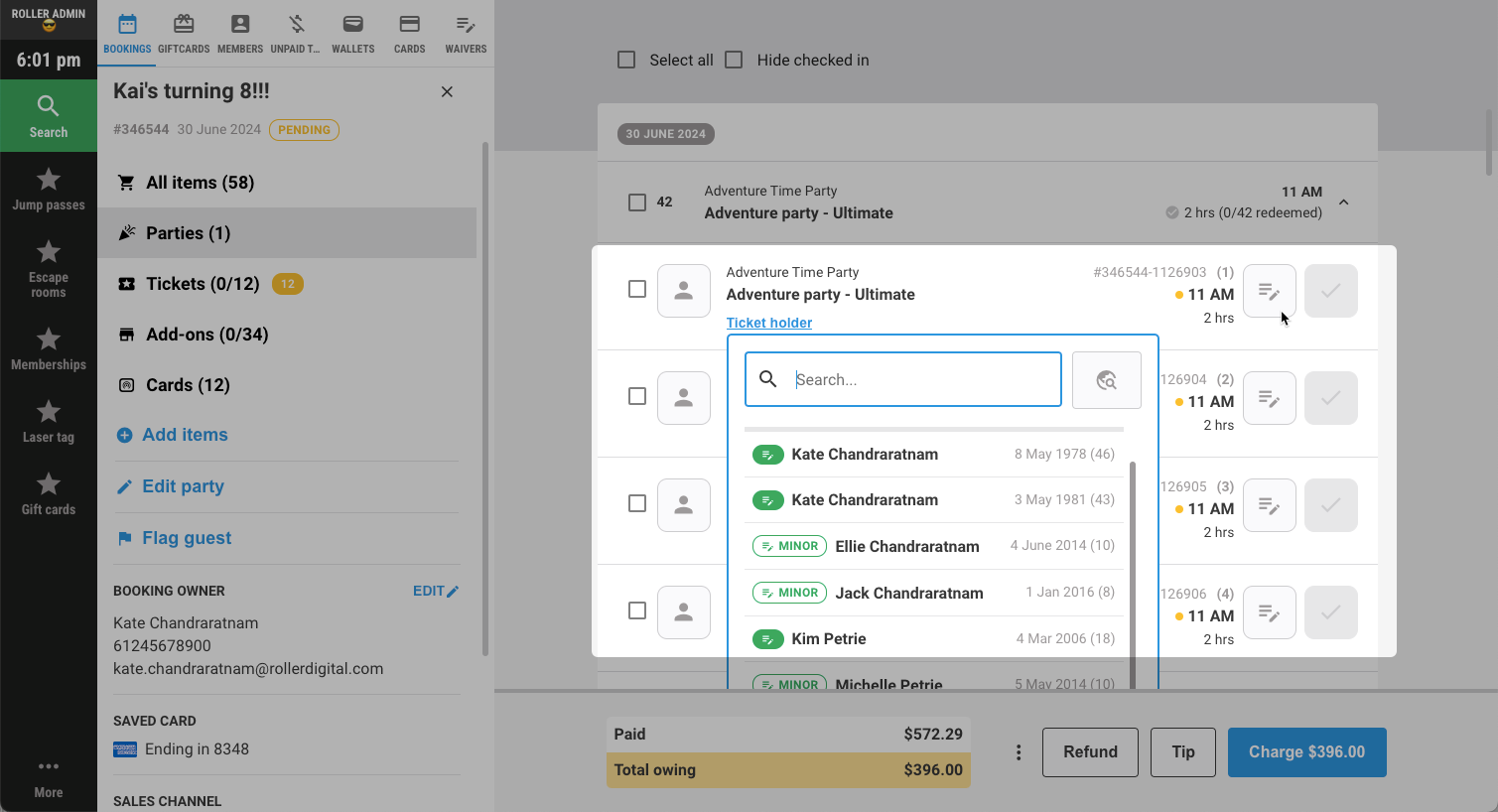
In POS, open the booking.
On a ticket, select Link waiver. Waivers linked to the booking are listed, minors included.
Select the guest's waiver.
Customize the guest list emails
ROLLER sends three guest list emails automatically. Change their wording and branding to match the rest of your guest emails.
Who gets it | When | |
|---|---|---|
Guest list update | The booking holder | Each time a guest RSVPs |
Guest list RSVP confirmed | The guest who RSVPs | When they RSVP |
Guest list RSVP reminder | Each adult guest who RSVP'd with an email address | About 24 hours before the party starts |
From Venue Manager, go to Settings > Design > Email templates.
Select the guest list email you want to change.
Customize the language, text and branding (see the guide Customize email templates).
FAQs
Why doesn't the booking confirmation email show the waiver link?
When a party package has Guest list turned on, its booking confirmation email shows the RSVP link instead of the waiver link. Guests sign any waivers they need as part of their RSVP.
To send the waiver link instead, turn off Guest list for the party package.
Is there a limit on how many guests can RSVP?
No. Guests can keep RSVPing after the booking's ticket count is reached, which gives you the chance to sell extra tickets on the day. The booking holder can select Remove guest in Who's coming? in their online account.
Can invited guests let the guest party host know they can't come?
The RSVP form is for guests who are coming, so guests who can't make it don't need to reply. The booking holder sees everyone who has RSVP'd in Who's coming? in their online account, and can follow up with anyone who hasn't.
Parents dropping off their children can select Only my minor(s) are participating in the event when they RSVP, so only the children are counted.
Does the invitation link expire?
The link the booking holder copies from their online account doesn't expire. Links in ROLLER's emails stop working two days after the party.
To set an RSVP deadline, the booking holder can add an RSVP-by date to their message for guests.
Can guests see everyone else who's coming?
No. A guest's confirmation and reminder emails only list the people they RSVP'd for. Only the booking holder and your staff can see the full guest list.
Can staff see guests who were invited but haven't RSVP'd?
No. The guest list only shows guests who have RSVP'd. ROLLER doesn't know who the booking holder sent the link to.
Which venue name and address show on the invitation?
The invitation and guest list emails use the venue name and address in your venue settings in Venue Manager. You can't set a different address just for the guest list. If your venue settings show a head office address, ask booking holders to add the party location to their message for guests.
Why can't I see Guest list in my party package?
Guest list shows in the party package on a Pro plan or above, with progressive checkout turned on. It also needs Party name turned on first.