Early bird price rules automatically adjust ticket prices based on how far in advance a guest books. They're a proven way to reward early commitment, build hype and secure bookings ahead of time, so you can lock in revenue earlier and plan with more confidence. Prices update automatically across checkout, POS and Venue Manager.
Use this guide to build the rule. To apply it to a product afterwards, see Apply a price rule to products.
The permission Can manage price rules is required to create and edit price rules. The permission Can edit products is required to apply the price rule to products.
Why use early bird price rules
Use early bird rules when you want to:
Goal | Venue example | How to use it |
|---|---|---|
Encourage earlier bookings | Seasonal festival | Offer "Book 7+ days early and save 15%" to smooth pre-opening demand |
Protect margins while driving advance sales | Waterpark or theme park | Add multiple lead-time tiers (eg 30+ days and 7–29 days) to manage pricing by booking window |
Simplify group bookings | School trips or corporate events | Give groups a clear advance-purchase incentive, such as 10 percent off when booking 14+ days ahead, so you can lock in numbers and plan for group bookings earlier |
Pull demand forward for busy periods | Day attractions or experiences | Use lead-time tiers (eg 30+ days –10%, 7–29 days –5%, 0–6 days standard) |
How early bird pricing works
Early bird rules use lead-time tiers, which are price bands based on how far in advance guests book. ROLLER automatically applies the correct tier once the rule is linked to a product.
Ticket type | 30+ days | 7–29 days | 0–6 days |
|---|---|---|---|
Adult | $25 | $27 | $30 |
Child | $18 | $20 | $22 |
If the date of the booking (visit date) is updated later, either by the guest through online accounts or by staff in Venue Manager or at POS, the early bird price stays locked to the original booking date.
To check this rule type works with your product, see How price rules work with different product types.
Before you begin
Check the product type first. Early bird rules work on session passes, standard passes, party packages, and packages containing a single pass. See How price rules work with different product types.
Check your session settings. Price rules cannot be applied to session pass products that have consecutive sessions enabled.
Step 1: Create an early bird price rule
Define your lead-time tiers, meaning how far in advance a booking must be made to qualify for a lower price.
From Venue Manager, go to Products > Price rules > Create price rule.
Select Early bird pricing.
Enter a Price rule name (eg 7 Day Advance Pricing).
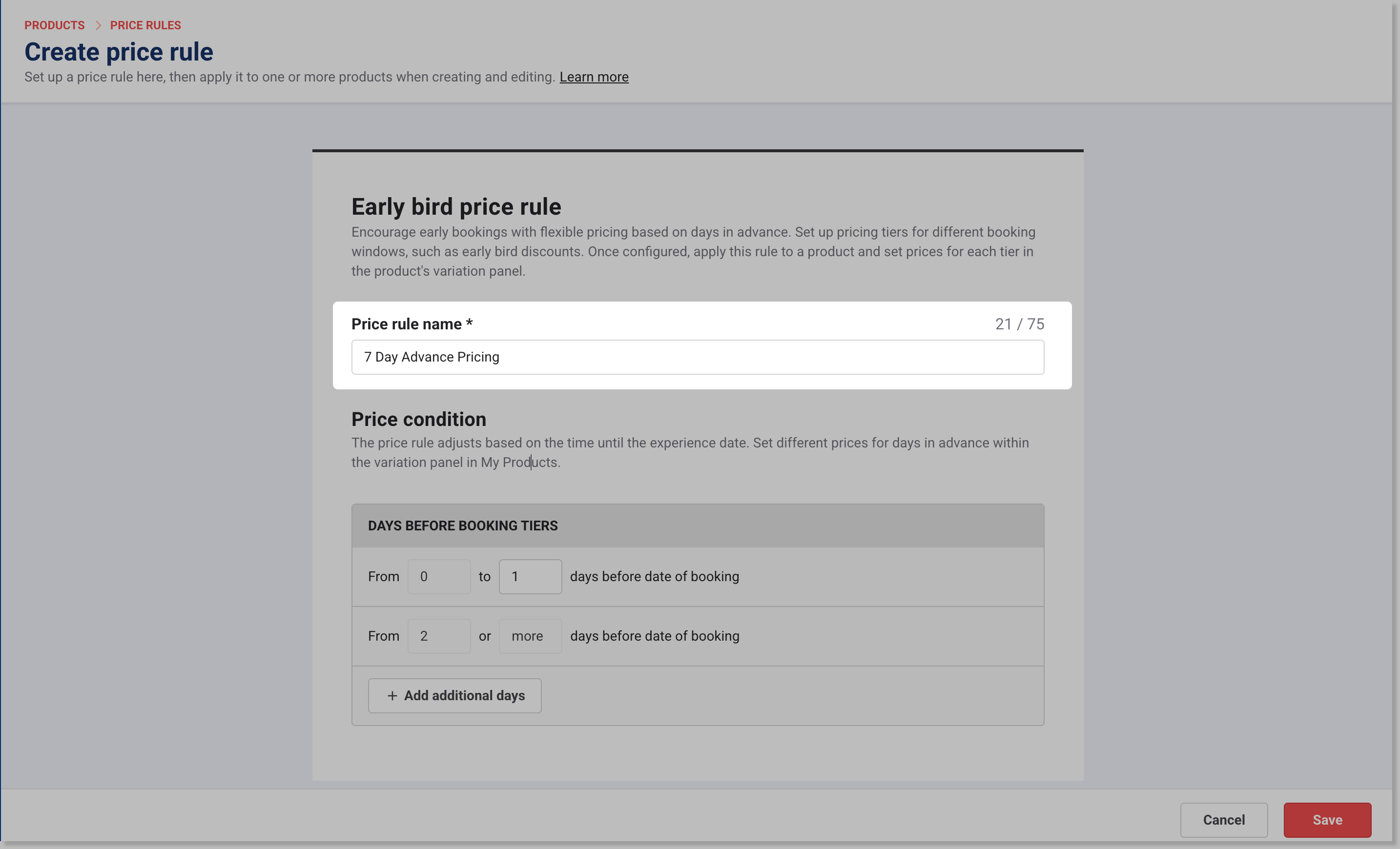
Set the Days before booking tier(s) to trigger the early bird price. For example:
0 to 6 days before the date of the booking (for standard ticket pricing)
7 or more days before the date of the booking (for early bird ticket pricing)
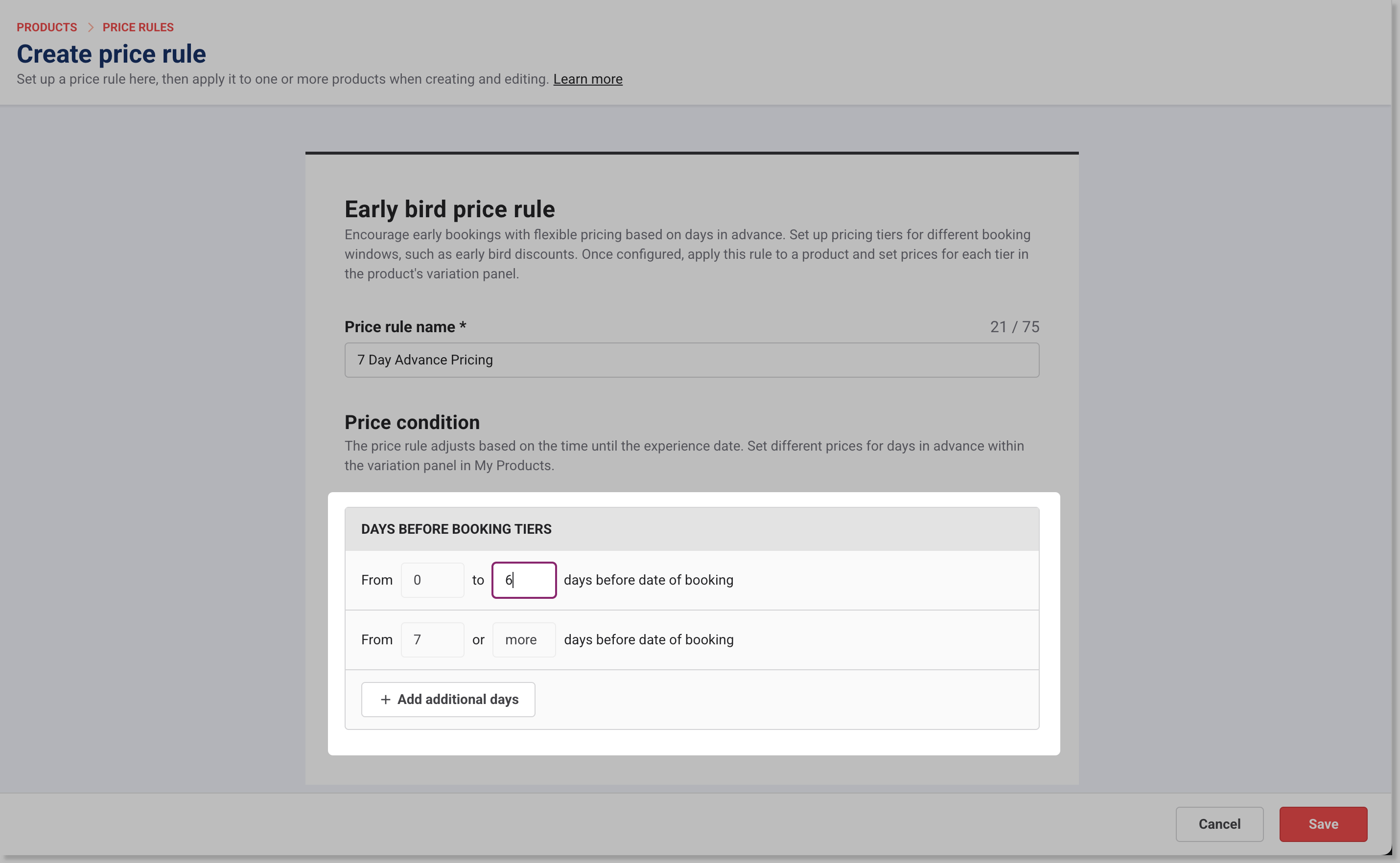
Select Save. Your rule is now ready to apply to products.
Step 2: Apply the price rule to products and set prices
The steps are the same for every rule type. See Apply a price rule to products.
To choose what guests see in the checkout, see Manage checkout display settings for price rules.
Check it works
From the online checkout, make a test booking to confirm the early bird price appears when booked far enough in advance.
From POS and Venue Manager, create a test booking to check the correct price applies automatically.
If the early bird price doesn't appear, check that the booking date falls inside one of your lead-time tiers and that the rule is still selected on the product.
To rename a rule, change its tiers, update prices on products already using it, or get more out of early bird pricing, see Manage and optimize price rules.