Once your party packages are live, you’ll need to manage guest bookings, update inclusions and report on sales performance.
Manage guest checkout experience
Guests see clear, tailored options during the booking process.
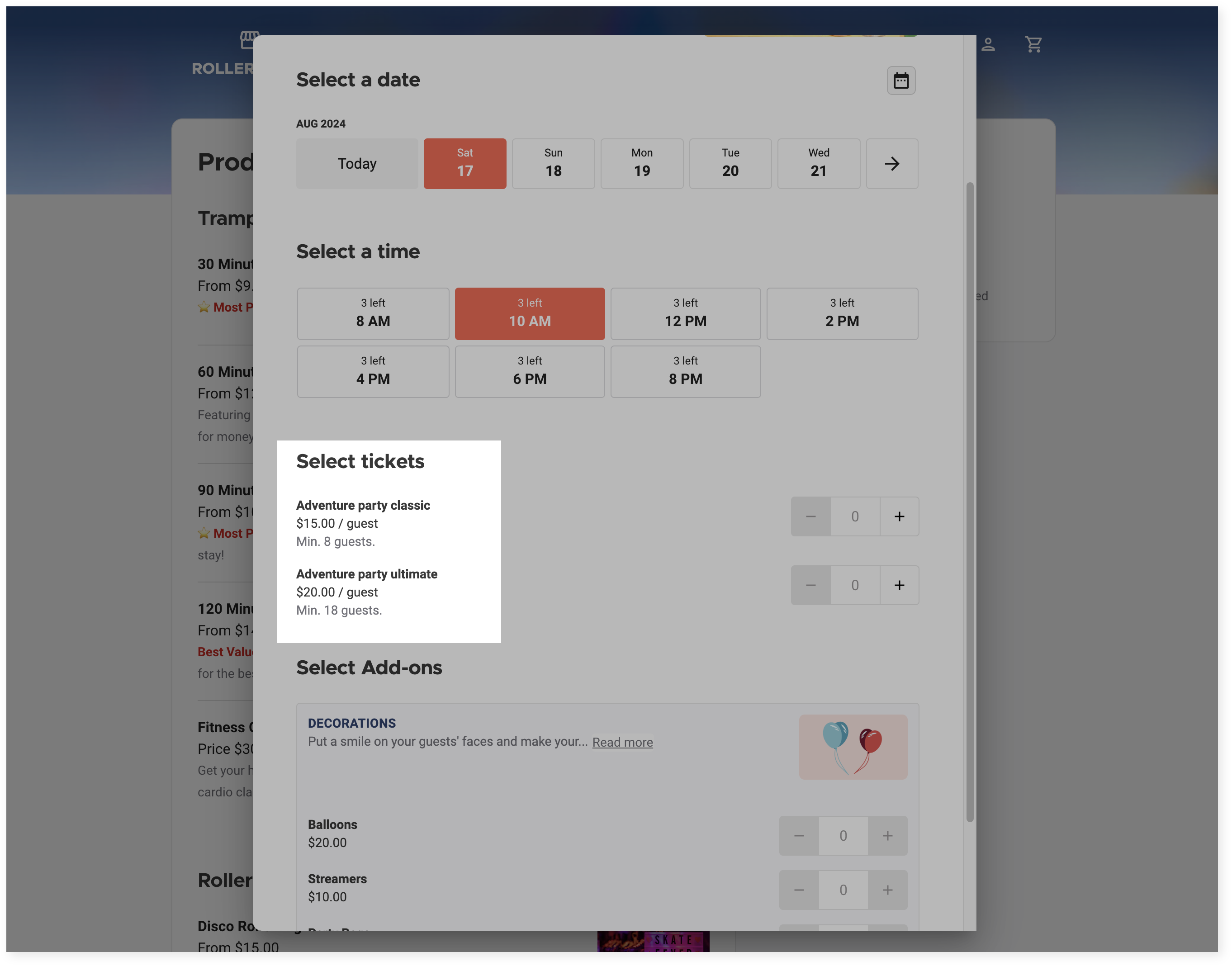
Per-guest pricing
Shows minimum guest count and per-person price
Guests choose inclusions (eg food and drinks) during checkout
When Show minimum ticket values is enabled in the specific checkout settings Options tab, the minimum cost per guest displays. If a variation is required in the party package settings, the price for this variation shows.
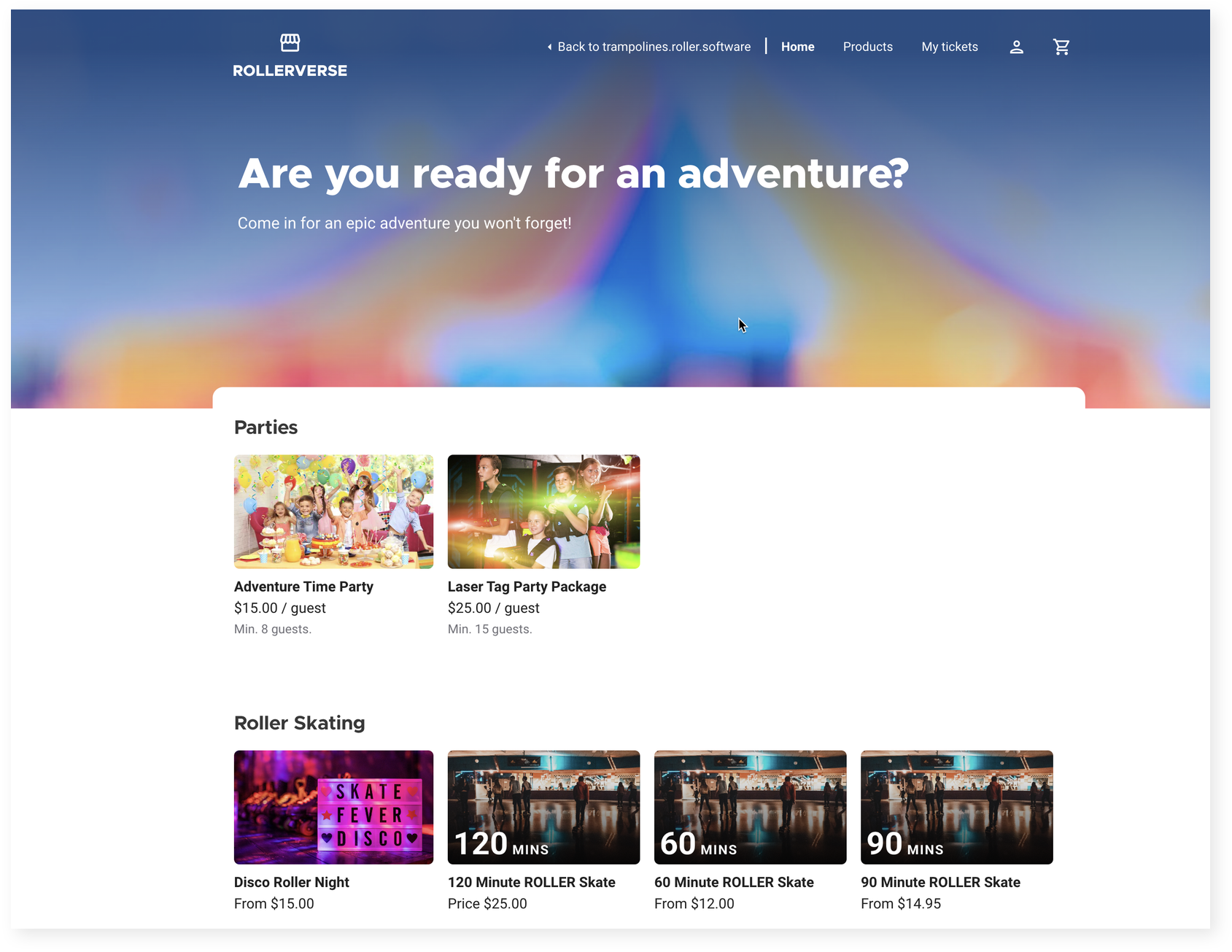
When selecting tickets, the minimum number of guests is displayed, along with the per-guest cost.
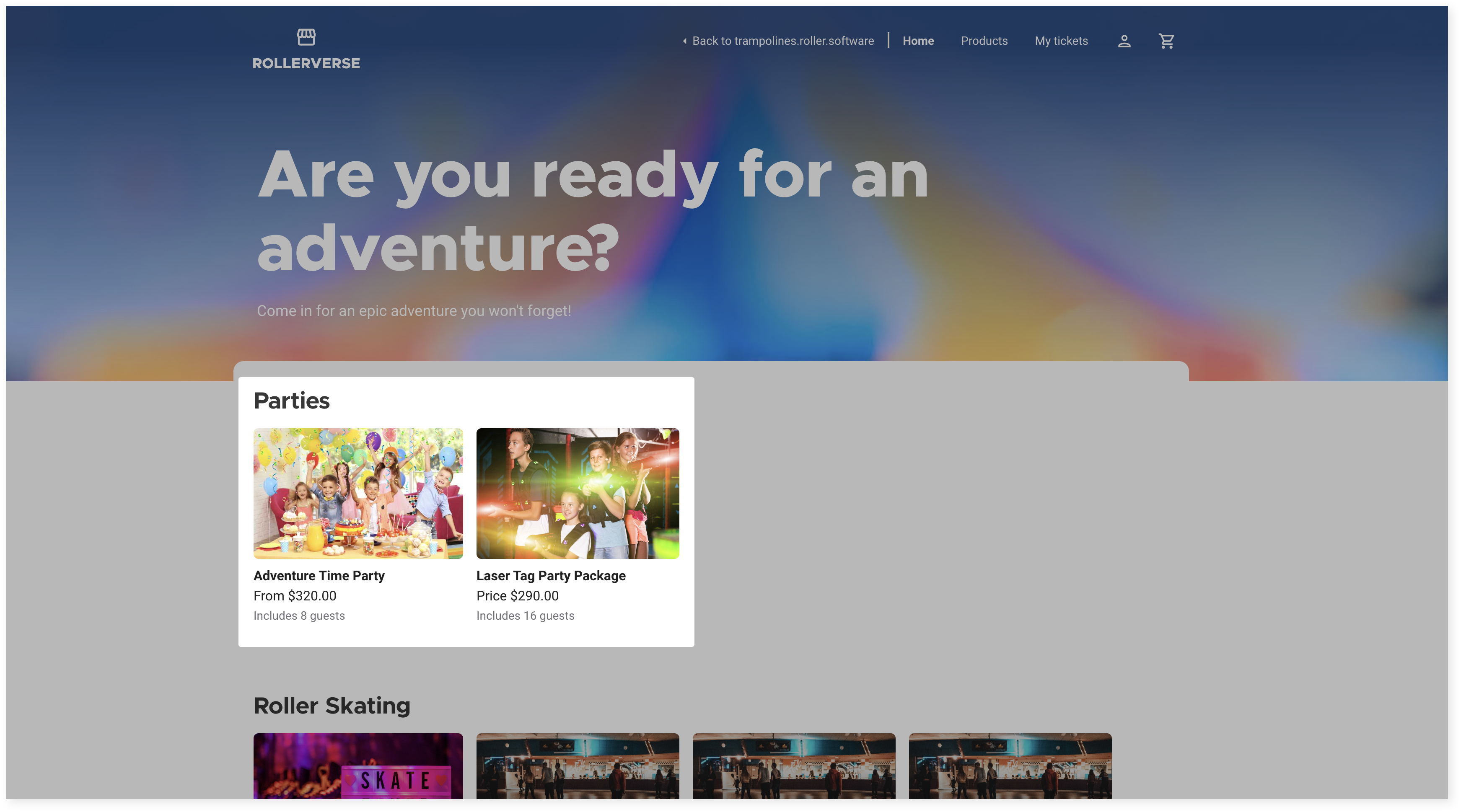
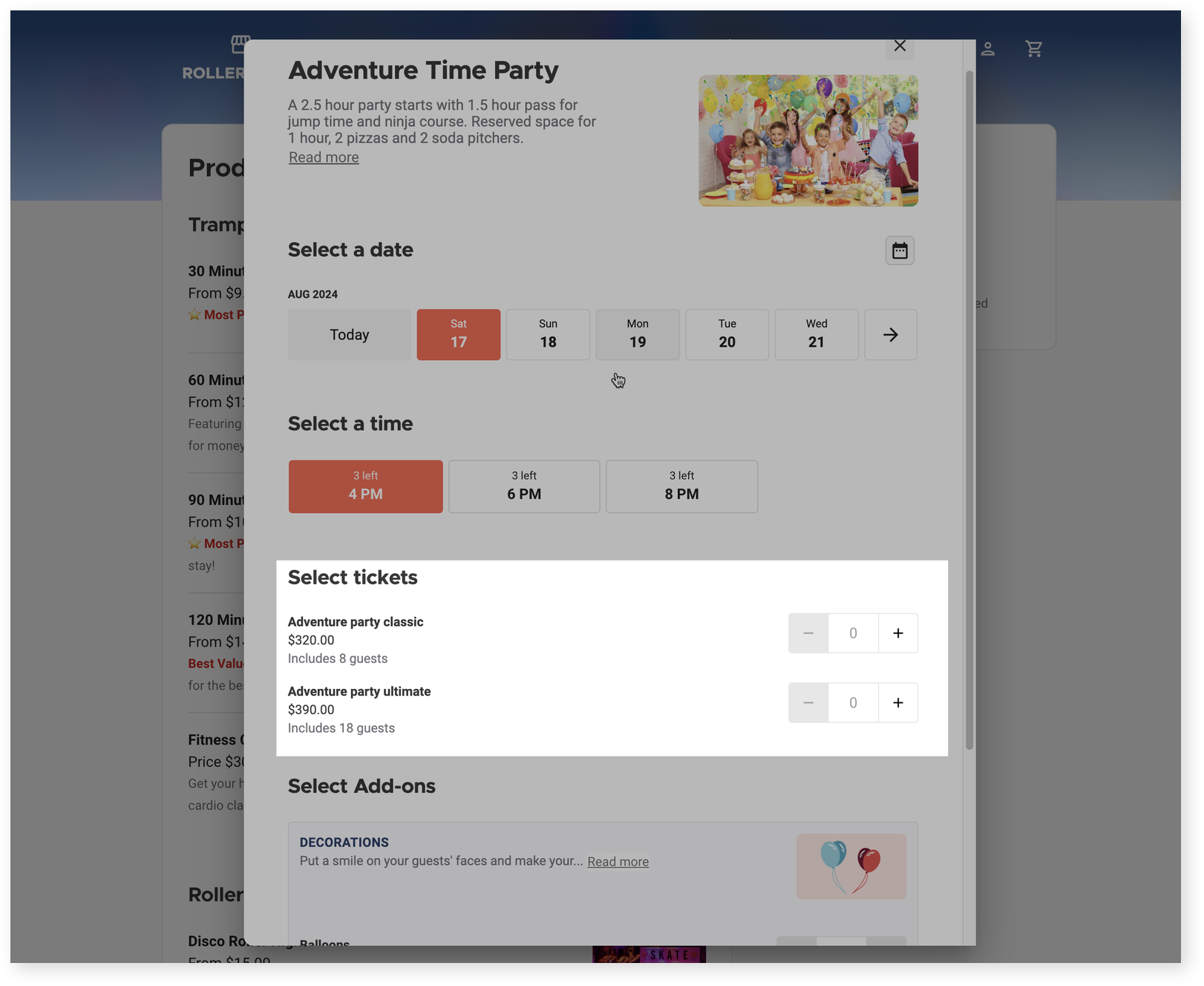
Per-party pricing
The number of guests included displays.
When Show minimum ticket values is enabled in the specific checkout settings Options tab, the minimum price displays for the lowest cost variation. If a variation is required in the party package settings, the price for this variation shows.
When selecting ticket variations, the number of included guests and the per package cost displays for each variation.
Edit party package bookings
You can edit bookings across multiple sales channels:
From Venue Manager: Change items (eg swap pizza flavors), adjust guest numbers, or add extra items.
From POS: Modify per-guest variations, including guest numbers and inclusions.
From online accounts: Guests can self-manage bookings — reschedule, add/remove tickets or update inclusions when configured in online accounts.
To learn more about how to edit a party package from Venue Manager or POS, read the guide Edit party package bookings from Venue Manager and POS. To learn more about how guests can manage party bookings from an online account, read the guide Manage parties with ease using online accounts.
Report on party package bookings
To optimize your party package offerings, use these Analytics dashboards and reports:
Analytics dashboard
Use the following dasboards to analyze party performance:
Analytics reports
Parties hosted
Parties booked
Grid reports
Detailed product sales report — shows line items for tickets and inclusions