Recurring passes help you sell programs, term-based courses or repeating classes that guests attend over time.
Use recurring passes when you want guests to book into a series of scheduled sessions, such as weekly classes or multi-week programs.
This guide explains what recurring passes are, how guests book them, and how booked sessions and tickets appear.
To learn how to create a recurring pass product, see the guide Create your recurring pass products and schedules.
What is a recurring pass?
A recurring pass is a booking that happens more than once at regular intervals.
For example, you might offer a Learn to flip class for kids every Tuesday at 5:30 PM for six weeks.
If the course has already started, guests can still book a pass for the remaining available sessions.
How recurring passes work
Guests can book recurring passes through your online checkout.
They can:
Book from the start of the course.
Select a later date in the course.
Pay only for the sessions they are booked into.
This gives guests more flexibility if they join after the course has started.
See which sessions a guest booked
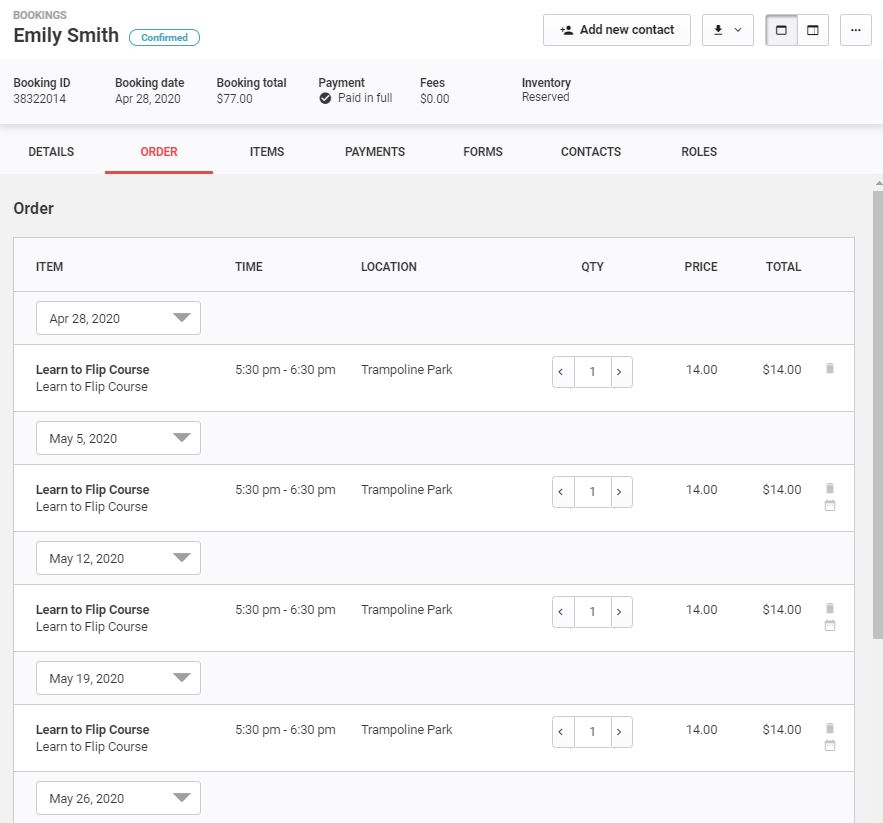
All classes booked under a recurring pass appear on the Order tab.
Understand the ticket format
Recurring pass tickets can appear in different formats depending on your ticket setup.
View individual tickets
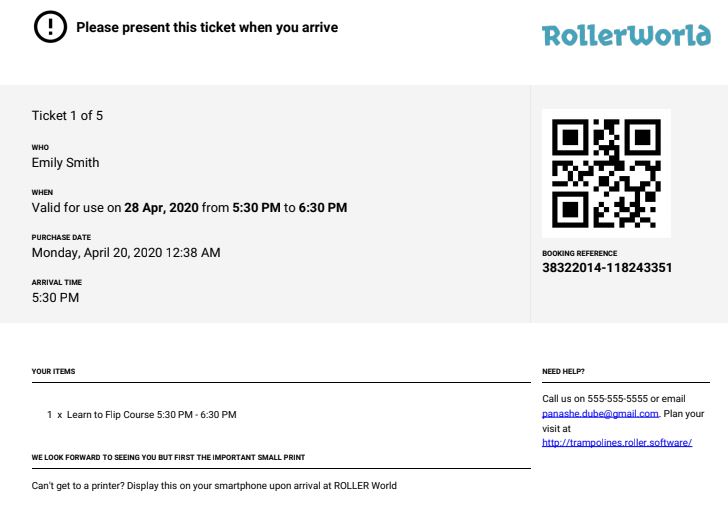
For venues with itemized tickets configured, a PDF with each class on an individual page is sent to guests.
View a master ticket
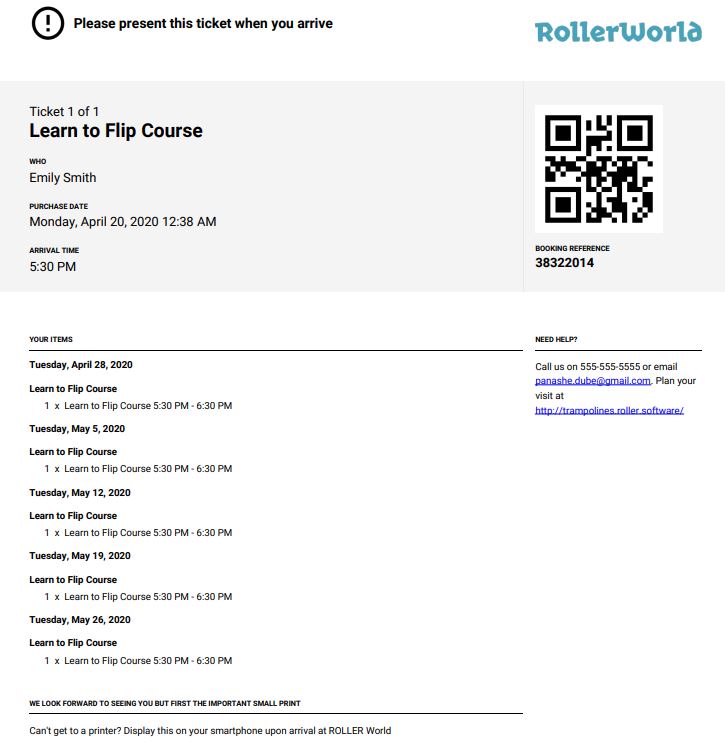
For venues with master tickets configured, one ticket shows all session dates and times:
Example use case
Use a recurring pass for a program such as a six-week class that runs at the same time each week.
This can help you sell the remaining sessions if a guest joins after the program has started.
Learn more
To create a recurring pass product, see the guide Create your recurring pass products and schedules.