In ROLLER, each of your staff members is assigned a role. Each role has its own level of permissions and access to the different areas in the platform (eg Venue Manager, Bookings, Products, Documents, Settings and Reports).
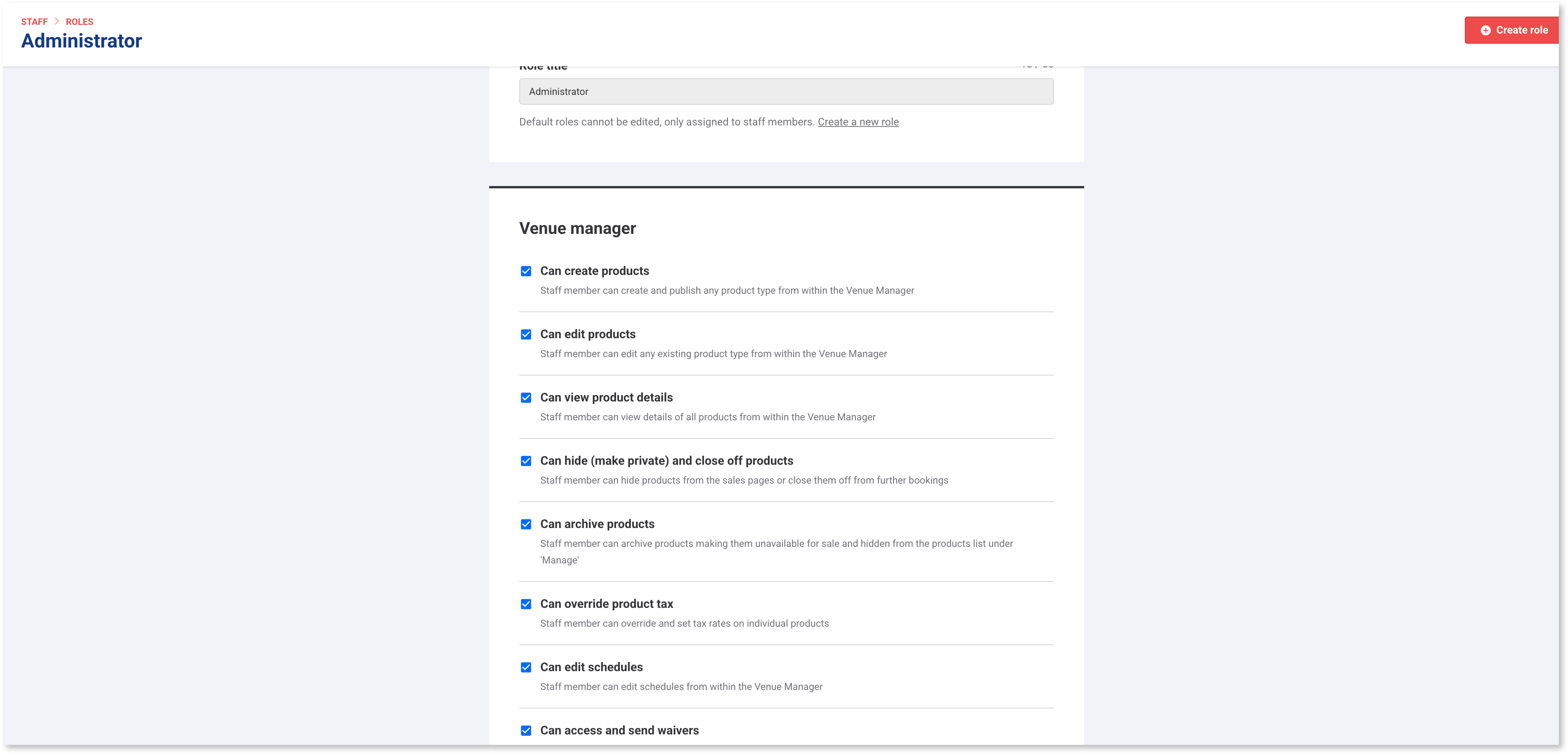
Understanding role permissions
System role permissions are locked and cannot be changed, which means you cannot edit the permissions already set for these role. But, you can create custom roles if you’re on the Pro plan or above.
When you create a custom role, you start by selecting a system role to base it on. You can then modify the permissions to suit your needs.
To view or create roles:
Go to Settings > Staff > Roles.
Select a system role (lock item) to see permissions (you can't edit system roles).
Select Create a custom role to create a tailored role based on a system role. You can then add or remove permissions for the role.
Use the tables below to compare permissions across system roles and the range of permissions available.
To learn more about creating and managing staff roles, read the guide Create and manage staff permissions and roles.
Venue Manager permissions
Listed below are the default permissions by feature and system role for Venue Manager. These can be modified by creating custom roles (Pro plan & above).
Permission | Administrator | Manager | POS operator | Booking agent | Dashboard |
|---|---|---|---|---|---|
✅ | ✅ | - | - | - | |
✅ | ✅ | - | - | - | |
✅ | ✅ | - | - | - | |
✅ | ✅ | - | - | - | |
✅ | ✅ | - | ✅ | - | |
✅ | ✅ | - | ✅ | - | |
✅ | ✅ | - | - | - | |
✅ | ✅ | - | ✅ | - | |
✅ | ✅ | - | - | - | |
✅ | ✅ | - | - | - | |
✅ | - | - | - | - | |
✅ | ✅ | - | - | - | |
✅ | ✅ | - | - | ✅ | |
✅ | ✅ | - | - | - | |
✅ | ✅ | - | - | - | |
✅ | ✅ | - | - | - | |
✅ | ✅ | - | - | - | |
✅ | ✅ | - | - | - | |
✅ | ✅ | - | - | - | |
✅ | ✅ | - | - | - | |
✅ | ✅ | - | - | - | |
✅ | - | - | - | - | |
✅ | ✅ | - | - | - | |
✅ | ✅ | - | - | - | |
✅ | ✅ | ✅ | - | - | |
✅ | ✅ | - | ✅ | - | |
✅ | ✅ | - | - | - |
Bookings permissions
Listed below are the default permissions by system role for bookings. These can be modified by creating custom roles (Pro plan & above).
Permission | Administrator | Manager | POS operator | Booking agent | Dashboard |
|---|---|---|---|---|---|
✅ | ✅ | - | ✅ | - | |
✅ | ✅ | - | ✅ | - | |
✅ | ✅ | - | ✅ | - | |
✅ | ✅ | - | ✅ | - | |
✅ | ✅ | - | - | - | |
✅ | ✅ | - | ✅ | - | |
✅ | ✅ | - | ✅ | - | |
✅ | ✅ | - | - | - | |
✅ | ✅ | - | ✅ | - | |
✅ | ✅ | - | ✅ | - | |
✅ | ✅ | - | - | - | |
✅ | ✅ | - | - | - | |
✅ | ✅ | - | - | - | |
✅ | ✅ | - | - | - |
POS permissions
Listed below are the default permissions by feature and system role for POS. These can be modified by creating custom roles (Pro plan & above).
Permission | Administrator | Manager | POS | Booking | Dashboard |
|---|---|---|---|---|---|
POS admin | ✅ | ✅ | - | - | - |
Require strong POS PIN | - | - | - | - | - |
✅ | ✅ | ✅ | ✅ | - | |
✅ | ✅ | ✅ | ✅ | ✅ | |
✅ | ✅ | - | ✅ | - | |
✅ | ✅ | ✅ | ✅ | - | |
✅ | ✅ | - | ✅ | - | |
✅ | ✅ | - | - | - | |
✅ | ✅ | - | - | - | |
✅ | ✅ | ✅ | - | - | |
✅ | - | - | - | - | |
✅ | ✅ | - | ✅ | - | |
✅ | ✅ | - | ✅ | - | |
✅ | ✅ | - | - | - | |
✅ | ✅ | - | - | - | |
✅ | ✅ | - | - | - | |
✅ | ✅ | - | - | - | |
✅ | ✅ | - | - | - | |
✅ | ✅ | - | - | - | |
✅ | ✅ | ✅ | ✅ | - |
Venue settings permissions
Listed below are the default permissions by feature and system role for venue settings. These can be modified by creating custom roles (Pro plan & above).
Permission | Administrator | Manager | POS operator | Booking agent | Dashboard |
|---|---|---|---|---|---|
✅ | - | - | - | - | |
✅ | - | - | - | - | |
✅ | - | - | - | - | |
✅ | - | - | - | - | |
✅ | - | - | - | - | |
✅ | ✅ | - | - | - | |
✅ | ✅ | - | - | - | |
✅ | ✅ | - | - | - | |
✅ | ✅ | - | - | - | |
✅ | - | - | - | - | |
Can assign managed venue custom roles (HQ only) | ✅ | - | - | - | - |
✅ | ✅ | - | - | - | |
✅ | - | - | - | - | |
✅ | ✅ | - | - | - | |
✅ | ✅ | - | - | - | |
Can define product email attachments | ✅ | ✅ | - | - | - |
✅ | ✅ | - | - | - | |
✅ | ✅ | - | - | - | |
✅ | - | - | - | - | |
✅ | - | - | - | - | |
✅ | - | - | - | - |
Reporting permissions
Listed below are the default permissions by feature and system role for reporting. These can be modified by creating custom roles (Pro plan & above).
Permission | Administrator | Manager | POS operator | Booking agent | Dashboard |
|---|---|---|---|---|---|
✅ | ✅ | - | - | - | |
✅ | - | - | - | - | |
✅ | ✅ | - | - | - | |
✅ | ✅ | - | - | - | |
✅ | ✅ | - | - | - | |
✅ | ✅ | - | - | - | |
✅ | ✅ | - | - | - | |
✅ | ✅ | - | - | - | |
✅ | ✅ | - | - | - |